Save 15–20 Minutes Before Every Call: AI Meeting Prep for GTM Teams
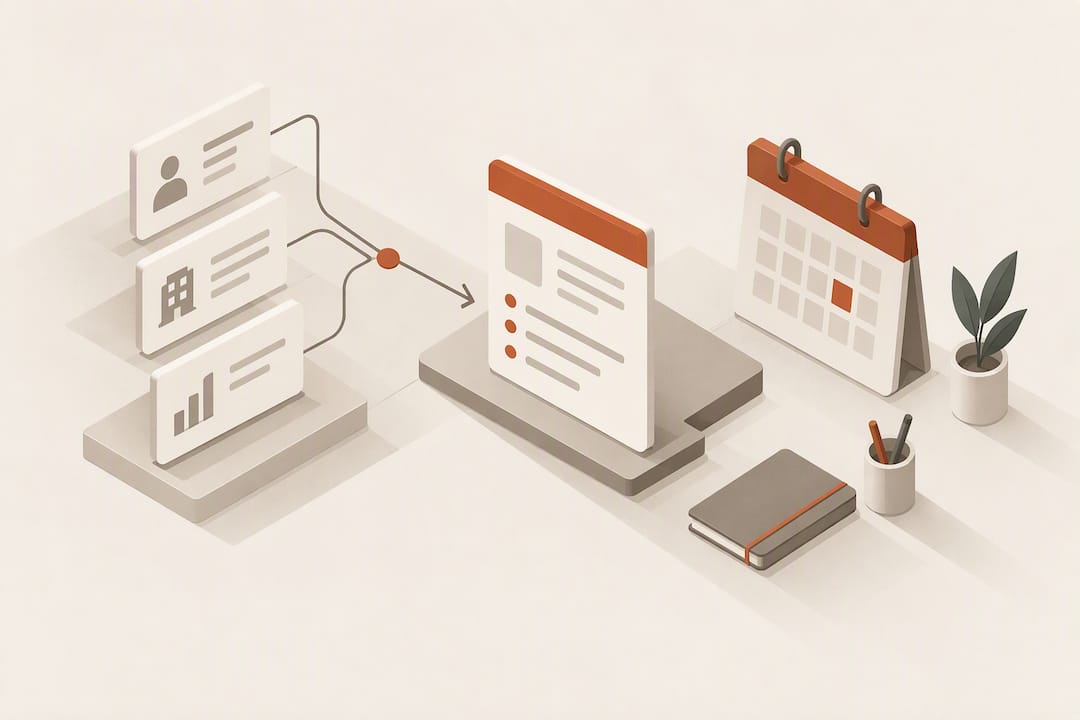
AI meeting prep generates a compact briefing, pulling account context, attendee roles, risks, and suggested questions, so you can walk into a meeting informed without manually searching CRM records or old emails. The main payoff is time: a brief replaces 15 or 20 minutes of scattered research with a single document built around one clear success condition for the meeting. The exception is sensitive or privileged conversations, where opting out of automated capture is the safer default.
TL;DR:
- AI meeting briefs are generated 15 to 30 minutes before a scheduled call, pulling from multiple sources like CRM, email, and calendar records.
- The briefs include account background, stakeholder roles, recent interactions, risks, and suggested questions, helping professionals prepare efficiently.
- Using briefs effectively involves converting them into a short, actionable checklist with a clear goal, questions, risks, and next steps.
- Data security requires vendors to confirm that company information is not used for training, with limited human access and documented cybersecurity measures.
- AI tools like Sonta Ai emphasize self-updating records to ensure briefs reflect the latest account activity, with best use on routine calls rather than highly sensitive conversations.
Table of Contents
- How AI meeting prep works: brief anatomy and data sources
- Set up and workflow: integrating AI prep into your daily routine
- Practical prep checklist and applying meeting intentionality
- Security, privacy, and governance checklist before you enable AI meeting assistants
- How an AI-native CRM operationalizes AI meeting prep for GTM teams
- A practitioner’s view on when AI meeting prep helps most
- Try Sonta Ai’s AI Efficiency Diagnostic for your meeting workflow
- FAQ
- Sources
How AI meeting prep works: brief anatomy and data sources
A generated brief is not a transcript or a calendar note with extra fields. It is a structured document, and most vendors converge on a similar anatomy because the underlying job, getting someone ready in a few minutes, is the same everywhere.
A typical brief includes:
- The meeting’s stated objective, pulled from the calendar invite or prior notes.
- Account background: company size, industry, deal stage, or relationship history.
- Stakeholder roles: who is attending, their title, and their likely interest in the outcome.
- Prior interactions: a short summary of the last call, email thread, or support ticket.
- Deal risks or open issues flagged from CRM fields or recent activity.
- Suggested questions and outstanding action items from previous meetings.
These components are assembled from several systems at once: the calendar invite, CRM records, recent email threads, past call transcripts, and sometimes web or enrichment lookups for public company information. According to Gong’s documentation on its AI briefer, these briefs are commonly ready 15 to 30 minutes before the scheduled start time, which gives a professional a narrow but workable window to skim, adjust, and walk in prepared.
The brief’s components come from Gong’s documentation of its AI briefer feature, which specifies that briefs cover account history, stakeholder roles, and risk flags on a 15 to 30 minute delivery schedule ahead of a meeting. That timing matters: too early and the brief misses a last-minute reschedule or a new attendee; too late and there is no time to act on it.
The underlying pattern, scanning a calendar, aggregating context from connected tools, then generating a document, is consistent across vendors in this category, and it is the same automation logic that an AI agent in sales typically runs behind the scenes.
Set up and workflow: integrating AI prep into your daily routine
Getting value from AI meeting prep is less about the tool and more about the permissions you grant it and the habit you build around it.
Before enabling anything, check:
- Which calendar, CRM, email, and document connections the tool requests, and whether each one is necessary for the briefs you actually need.
- Whether you can restrict access to a subset of folders or deal records rather than granting account-wide visibility.
- Whether private or personal calendar entries can be excluded from scanning.
A workable daily routine looks like this: start with a morning digest that lists every brief generated for the day, skim each one in under a minute to confirm it matches your memory of the account, then spend 15 to 30 minutes on a closer read for your highest-stakes meeting of the day. Some tools include a dry run or roleplay mode, letting you rehearse likely questions or probe a stakeholder’s probable priorities before the real conversation starts. Treat “ask anything” prompts inside the brief as a way to sharpen your own questions, not as a substitute for judgment.
Pro Tip: When a brief comes back empty for a brand-new account, keep a one-paragraph micro-template on hand covering goal, known contacts, and one open question, so you are never walking in with nothing.
Practical prep checklist and applying meeting intentionality
A brief is only useful once it becomes a plan. The fastest way to do that is to convert it into a one-page checklist you can glance at seconds before the call starts.
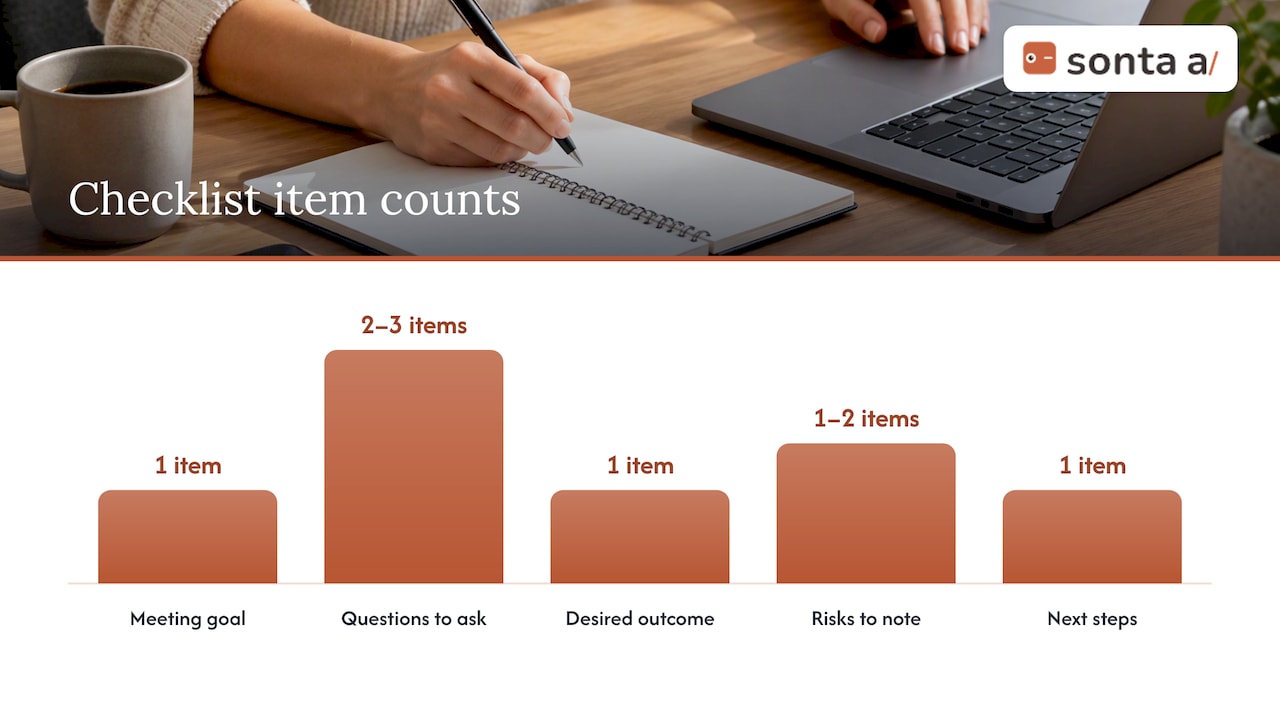
A workable checklist includes:
- One clear goal for the meeting, stated as a condition you will know you met.
- Two or three questions you actually intend to ask.
- One desired outcome, written as a single sentence.
- One or two risks the brief flagged, noted so you do not forget them mid conversation.
- Next steps you expect to leave with, regardless of how the conversation goes.
Share the brief with teammates when a meeting involves a handoff or a joint call, and annotate the AI’s suggestions rather than reading them verbatim: cross out a stale talking point, add a question specific to this week’s context, or bump a risk up the list if it has gotten more urgent.
Research on meeting behavior backs this up. A large field study on prospective reflection found that prompting people to briefly state their meeting goals beforehand increased self-reported awareness and preparatory behavior, even when the tool alone did not guarantee better outcomes. The brief gives you the facts. A few seconds of stating your goal out loud is what turns facts into intent.
Pro Tip: Edit at least one line of every AI-generated brief before a meeting, even a strong one, since the act of editing forces a quick gut check on whether the brief still matches reality.
Security, privacy, and governance checklist before you enable AI meeting assistants
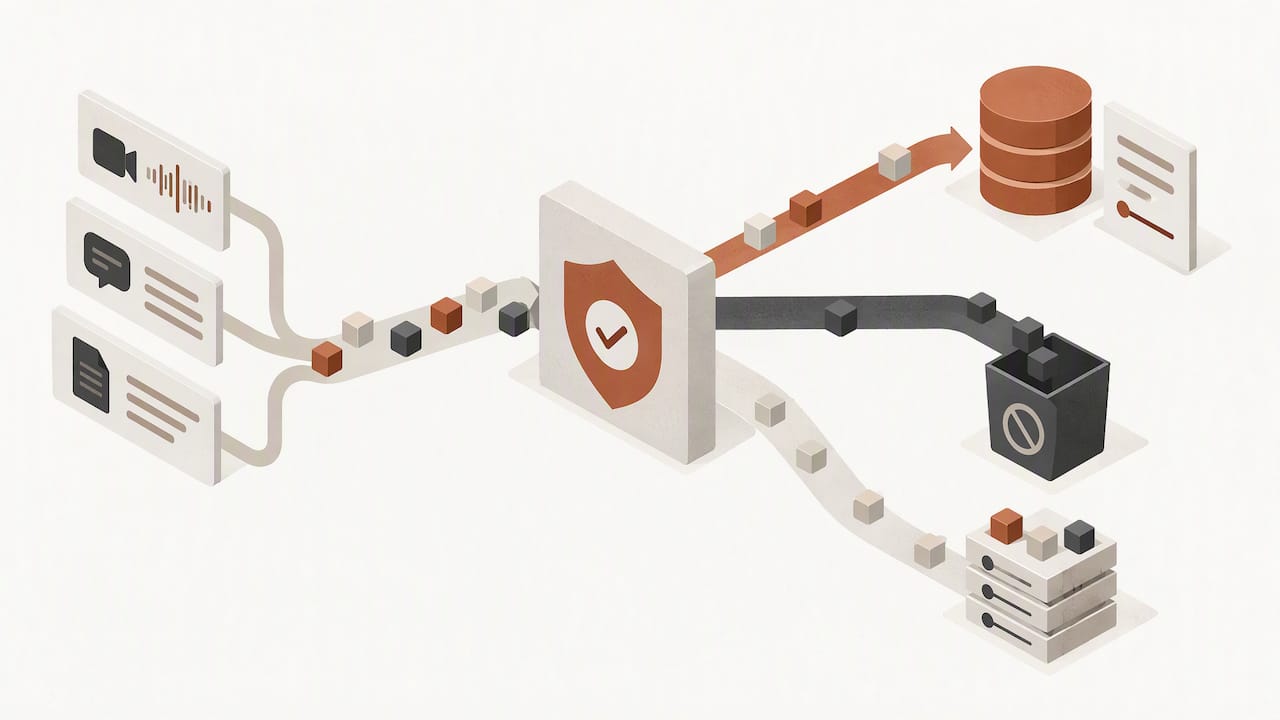
Before connecting any AI meeting tool to your calendar or CRM, get clear answers on where your data goes and who can see it.
Require from any vendor:
- Written confirmation that your company’s data will not be used to train their models.
- A defined, limited scope of human access to meeting content and account records.
- Evidence of a documented cybersecurity program covering the systems that touch your data.
Organizations must confirm that AI vendors will not use company data to train models, limit human access to business data, and maintain effective cybersecurity programs to prevent leakage of proprietary information.
That guidance comes from Harvard’s corporate governance materials on AI, and it lines up with the direction of OmniPulse’s AI strategy for business transformation, which documents AI-specific cybersecurity risks and recommends governance profiling for enterprise AI systems. On consent, notify every participant that a meeting will be AI-assisted, and confirm multi-party consent rules for your jurisdiction before recording anything.
Opt out of AI capture entirely for litigation-related discussions, privileged HR matters, or trade secret conversations, and negotiate retention and archiving terms up front rather than after a dispute. Larger organizations should maintain an AI Bill of Materials to track which tools touch meeting data and prevent the kind of unmonitored shadow AI adoption that NIST’s risk management guidance warns against.
How an AI-native CRM operationalizes AI meeting prep for GTM teams
Sonta Ai is built around self-updating records rather than manual data entry, which changes what a meeting brief can draw on: instead of pulling from fields a rep updated three weeks ago, the brief reflects whatever the AI agents logged that morning.
In practice, this shows up as:
- A brief delivered to the calendar automatically ahead of a scheduled call, built from the latest account activity.
- Action items from the last meeting turning into tracked tasks without someone re-entering them.
- Participant notes that update themselves as new emails or calls come in, instead of going stale.
For teams unsure where their own prep process leaks time, Sonta Ai’s AI Efficiency Diagnostic reviews a workflow in about 30 minutes and flags where automation would save the most effort, meeting prep included.
A practitioner’s view on when AI meeting prep helps most
AI meeting prep earns its keep on routine account reviews, discovery calls, and handoffs between teammates, situations where the facts matter more than judgment calls. It adds little to highly sensitive conversations, where the risk of over-sharing data outweighs the convenience.
The most common misstep is trusting a brief without checking it against memory. A close second is connecting more data sources than a given role actually needs. Both are easy to avoid with a quick personal review habit.
— Pavel
Try Sonta Ai’s AI Efficiency Diagnostic for your meeting workflow
A 30-minute AI Efficiency Diagnostic from Sonta Ai surfaces where your current meeting prep and account management process loses time, without requiring a long sales cycle to find out.

Sonta Ai’s Agentic CRM runs on self-updating records instead of manual entry, which means meeting briefs draw on current data rather than whatever a rep last typed in. Plans start at Solo, from $16 per seat per month, and every tier includes governance support for teams that need to vet data handling before rollout. Request a diagnostic to see where your own meeting prep stands.
FAQ
What is the 40/20/40 rule for meetings?
It is a planning heuristic rather than a fixed standard, and AI-generated briefs are most useful in the preparation portion of that split.
What is the 30% rule in AI?
There is no single, widely recognized “30% rule” specific to AI meeting prep; definitions vary depending on context. If you have seen this applied to adoption thresholds or automation coverage, treat it as a rule of thumb rather than an established standard.
Can ChatGPT do meeting minutes?
A general-purpose AI model can summarize a transcript into meeting minutes if you provide the text, but it will not automatically pull stakeholder roles, deal risks, or CRM context the way a dedicated meeting prep tool does. Purpose-built tools like the one described in Gong’s briefer documentation combine account data with the summary step.
What is the best AI tool for meetings?
The right tool depends on whether you need transcription, live note taking, or a pre-meeting brief built from CRM and calendar context. Teams already managing customer records in an AI-native CRM, such as Sonta Ai, get meeting prep as part of the same system that tracks the account, rather than as a separate point tool.
Sources
- Get ready for meetings with AI meeting prep (Gong documentation)
- Harvard corporate governance guidance on AI
- What does success look like? Catalyzing meeting intentionality with AI-assisted prospective reflection (Scott et al.)