Update CRM Records in 30 Minutes with Call Summary AI for Sales Teams
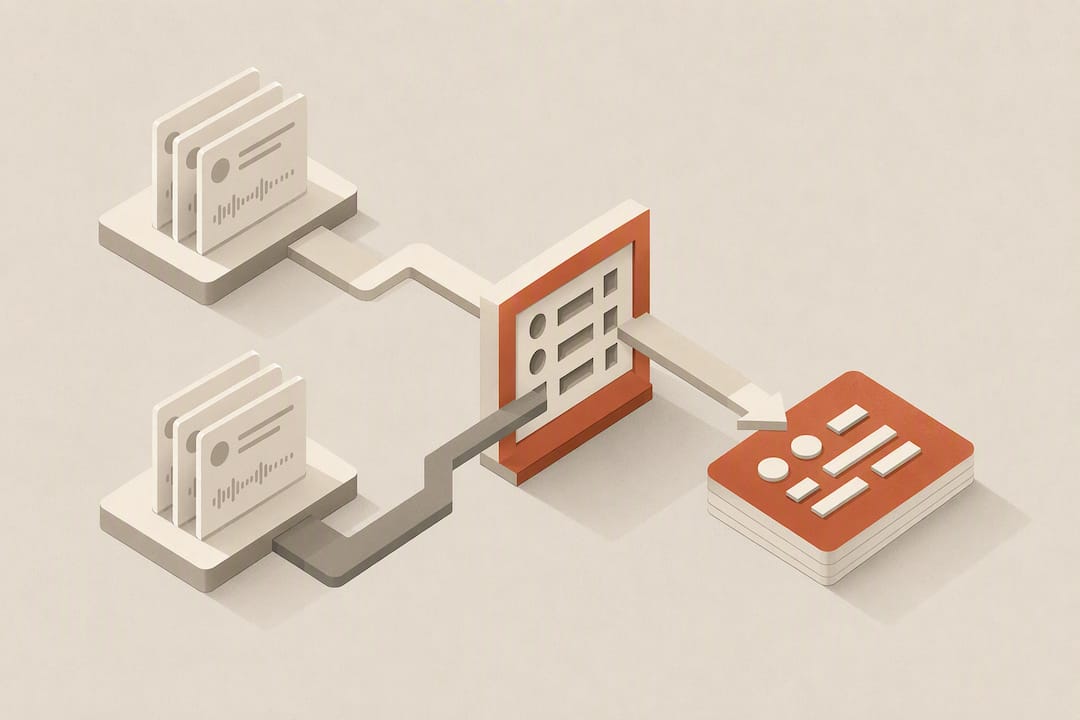
An AI call summary turns a recorded phone conversation into a short, readable recap plus extracted action items and structured data fields, generated automatically during or right after the call. Teams use it to scan dozens of conversations in minutes instead of relisting to full recordings, and to hand off next steps without a manual note-taking step. The output usually includes three pieces: the summary itself, a full transcript for verification, and a set of extracted fields or tasks ready to route into a CRM or task system.
TL;DR:
- Custom call summary templates that extract structured data significantly improve the accuracy and usability of AI-generated summaries for CRM updates.
- Automated post-call summaries with editable structured fields enable seamless integration into CRM systems and reduce manual transcription efforts.
- Real-time summaries support live coaching but are less suited for record keeping, while post-call summaries trigger deeper automation processes.
- Automatic extraction of key details like deal stage, objections, and follow-up dates allows for immediate task creation and faster after-call work.
- Validating template accuracy and starting with small pilots can prevent issues caused by noisy or very short calls, ensuring the summaries truly save time.
Table of Contents
- What Features Make Call Summary AI Useful for Teams?
- How Do Real-Time and Post-Call Summaries Actually Work?
- How Do You Turn a Summary Into CRM Action?
- What Do You Need to Enable Call Summaries?
- Where Do AI-Native CRMs Fit Into the Summary Workflow?
- What Actually Trips Teams Up When Adopting This?
- Try an AI Efficiency Diagnostic Before You Build Anything
- Sources
- FAQ
What Features Make Call Summary AI Useful for Teams?
Most platforms generate two kinds of output: a standard summary (a quick, unstructured paragraph covering what happened on the call) and a custom summary built from an admin-configured template that pulls specific fields, like deal stage, objection type, or callback time. Aircall’s developer documentation describes exactly this split, and it matters because standard summaries work fine for quick review while custom templates are what actually feed automation later.
Transcripts and speaker diarization sit underneath the summary as a verification layer. When a summary flags something ambiguous, the agent or manager can jump straight to the transcript line and speaker label instead of re-listening to twenty minutes of audio.
Beyond the recap, most tools extract:
- Caller intent and key details like names, dates, and appointment times
- Sentiment or risk flags for calls that need manager attention
- Action items and next steps, ready to convert into tasks
CallScaler’s feature page shows this pattern clearly: one-paragraph summaries paired with lead scoring, delivered to the call log within seconds and made fully searchable.
Pro Tip: Run a side-by-side test on 20 calls comparing standard versus custom summaries before you commit to a template. Standard summaries catch nuance better; custom templates catch the fields you actually need for reporting.
The benefit that shows up fastest on a scorecard is after-call work. Five9’s AI Summaries product page notes that generative summarization cuts the time agents spend on wrap-up notes, which is often the single biggest drag on call center throughput. QA teams get a second win: instead of sampling calls at random, they can search summaries for specific keywords or sentiment flags and review the calls that actually carry risk.
How Do Real-Time and Post-Call Summaries Actually Work?
Two distinct flows exist, and they serve different purposes.
Real-time summaries run while the call is happening. On Zoom Phone, an agent starts the AI summary manually during a live call, watches key points populate as the conversation continues, and can stop it at any point. This is built for live coaching and immediate task creation, not for polished CRM data.
Post-call summaries generate automatically once the call ends, and this is the flow most teams rely on for structured records. Here’s the typical sequence:
- The call ends and the platform triggers summary generation in the background.
- The summary appears in call history, searchable alongside the transcript.
- If a custom template is configured, structured fields populate automatically.
- Agents review and edit fields before they get pushed downstream.
- The finalized summary triggers a webhook or becomes available via API pull.
Custom templates are what separate a readable recap from usable data. Instead of a paragraph, the output becomes a set of labeled fields: budget mentioned, objection raised, follow-up date. Agents can edit those fields post-call, which matters because AI extraction is good, not perfect.
For delivery, teams generally pick one of two patterns:
- Subscribe to a
summary.createdwebhook and receive the payload the moment it’s ready - Poll a REST endpoint on a schedule or on demand
One wrinkle worth knowing before you build anything: Aircall’s docs warn that custom-summary webhooks may not include the actual content field. If you’re building an integration, subscribe to the webhook for the trigger, then fetch the finished result from the REST API rather than assuming the webhook payload carries everything.
How Do You Turn a Summary Into CRM Action?
A summary that sits in call history does nothing for a sales team. The value shows up only when the extracted fields land inside the record a rep actually works from.
The common integration targets are predictable: CRM record fields, task management systems, and notification channels like Slack or email. The mechanics behind them are straightforward. A webhook fires, the payload carries the summary’s structured fields, and those fields map one-to-one onto CRM attributes, deal stage, next action, contact sentiment, whatever the template was built to capture. Zoom’s support documentation even shows summaries flowing directly into a Canvas document with next steps attached, which agents can edit like any other doc.
A reliable pattern looks like this:
- Summary generates and structured fields extract via the template
- A human or automated check verifies accuracy before the push
- Verified fields write to the CRM record
- A task auto-creates for whatever next step the summary flagged
This is also where AI agents built into a CRM start to matter, since they can watch for the webhook event and execute the field mapping without a developer maintaining custom automation logic for every integration.
Pro Tip: Build a simple flag for manually edited fields. If a rep changes an AI-extracted value, that edit is a strong signal the field is now verified, and downstream automations should treat it with more confidence than an untouched AI guess.

What Do You Need to Enable Call Summaries?
Most platforms gate call summary features behind specific license tiers or admin-level account settings, and rollout usually requires a minimum app or client version. Before turning anything on, confirm:
- The account plan includes AI summary features (check admin settings, not just the user-facing app)
- Participants are notified that a call may be summarized, which matters for consent in many jurisdictions
- Where summaries live: typically call history, with some platforms also generating a linked document
- Whether auto-task generation is toggled on by default or needs manual activation
Keep transcripts and recordings on hand for audits even after summaries are in place. A summary is a fast first pass, not a legal record, and for anything compliance-sensitive, someone needs to be able to pull the source material.
Where Do AI-Native CRMs Fit Into the Summary Workflow?
Most call platforms stop at generating a good summary. What happens after, whether that recap actually updates a record or just sits in a call log, depends entirely on whether the CRM downstream can consume structured data instead of a free-text note.
Sonta AI was built specifically for this gap. It’s designed for AI-first go-to-market teams, using real-time data management so records update themselves rather than waiting on a rep to type notes after every call. The platform’s agents and automations are built to take structured inputs, like the fields a custom call summary extracts, and act on them directly.
When a summary’s fields map cleanly onto CRM attributes, the manual step disappears entirely. The record updates itself, the task generates itself, and the rep’s after-call work drops to a quick verification pass instead of a full write-up.
Practically, that means:
- Summary fields (deal stage, objection, callback date) push straight into the matching CRM record
- Follow-up tasks generate automatically from the same payload, no separate entry step
- Reps spend their after-call time verifying, not transcribing
The difference between a CRM that stores a summary and one that acts on it is the entire point of building AI-native from the ground up rather than bolting automation onto a legacy data-entry system.
What Actually Trips Teams Up When Adopting This?
Pilot on a small team first. Validate that your custom template fields actually match what reps need, then measure after-call work before and after. Quick wins come from auto-generating follow-up tasks and routing fields straight into CRM records instead of a notes box.
The pitfalls are predictable: noisy calls degrade transcription quality, very short calls produce thin summaries with little to extract, and no team should treat AI summaries as the final word on anything legally or contractually sensitive. Verify before you rely.
— Pavel
Try an AI Efficiency Diagnostic Before You Build Anything
If reps are still copying call notes into CRM fields by hand, that’s exactly the leakage Sonta AI was built to close. Rather than treating a call summary as a document to file, Sonta AI maps its structured fields directly into live CRM records, triggering the same agents and automations that handle lead qualification and account prep, so a finished call becomes an updated record and a queued task without anyone retyping a thing.

You don’t have to guess whether this would actually save your team time. Sonta AI’s AI Efficiency Diagnostic gives you a read on where after-call work and manual entry are costing you hours, in about 30 minutes. From there, check the pricing page to see which plan, Solo, Core, Pro, or Enterprise, fits your team size, or browse the product overview to see how the automations connect end to end.
Sources
This article draws on platform documentation and vendor feature pages rather than third-party analysis:
- Call summaries — Aircall developer docs
- AI Call Summaries for Call Tracking and Lead Generation — CallScaler
- AI Summaries — Five9
For teams weighing governance controls before a wider rollout, this AI governance framework is worth a read, and teams exploring voice automation alongside summarization might look at Wattle’s AI voice agents.
FAQ
How Can I Summarize a Phone Call With AI?
Most modern phone and contact center platforms generate a summary automatically once a call ends, no manual step required. If your platform supports real-time summaries, like Zoom Phone, you can also trigger one during the call and watch it populate live.
Can I Use Call Summary AI for Free?
Some consumer note-taking apps offer free tiers with basic transcription and summarization, though feature limits and call volume caps are common. Business platforms typically gate summary features behind a paid plan tier, and Sonta AI’s own Solo plan starts at $16 per month per seat for teams that want summary data flowing directly into CRM records rather than a standalone app.
What Is a Call Summary?
A call summary is a short, AI-generated recap of a phone conversation, usually paired with a full transcript and a set of extracted details like names, dates, and next steps. It’s meant as a fast first pass for review, not a replacement for the original recording when accuracy is critical.
Does the Summary AI App Record Phone Calls?
Yes, generating a summary generally requires recording and transcribing the call first, and most platforms notify participants that the call may be recorded and summarized. Check your platform’s consent settings before rollout since notification requirements vary by jurisdiction and by how the call is initiated.