3 Modular AI Ready CRM Workflow Automation Templates for RevOps

CRM workflow automation replaces manual data entry and follow-up work with rule-based (and increasingly AI-driven) sequences that trigger the moment a lead, deal, or support ticket changes state. The core payoff is speed to lead and consistency: reps stop chasing admin work and every contact gets the same follow-up cadence regardless of who’s on vacation. This guide covers the use cases worth automating first, the technical mechanics behind triggers and actions, and ready-to-adapt templates further down.
TL;DR:
- Most CRM automation should start with lead capture, follow-up sequences, and reporting digests to handle the majority of sales and marketing processes efficiently.
- Building workflows as modular, single-purpose processes with safeguards like dedupe keys and retry logic improves reliability and ease of maintenance.
- Testing workflows in a dry-run mode with dummy contacts before going live helps prevent common failures such as duplicates or infinite loops.
- AI automation is best introduced gradually, focusing on repetitive tasks like lead qualification and follow-up, with manual rules maintained for compliance and SLA adherence.
- The main risks include duplicate records and unintentional trigger loops, which can be mitigated with proper keys, status flags, and flow controls.
Table of Contents
- What Are the Most Common CRM Workflow Automation Types?
- How Do CRM Workflows Actually Work?
- What Makes CRM Automation Reliable Instead of Fragile?
- How Do You Implement CRM Workflow Automation Step by Step?
- What Goes Wrong With CRM Automation, and How Do You Fix It?
- What Do Real CRM Workflow Templates Look Like?
- When Should You Actually Use AI Instead of Plain Rules?
- Get a Faster Path to Working Automation
- Sources
- FAQ
What Are the Most Common CRM Workflow Automation Types?
Most CRM automation programs concentrate on a handful of repeatable jobs rather than trying to automate everything at once. Vendor documentation consistently groups these into a short list of high-frequency categories, and the pattern holds whether the team is five reps or five hundred.
The typical breakdown looks like this:
- Lead capture and enrichment: A form submission or webhook creates a record, then an enrichment API fills in company size, title, or intent signals. This benefits SDRs most, since it removes the “who is this person” research step before a first call.
- Lead scoring and routing: Field changes or enrichment data trigger a scoring calculation, then a routing rule assigns the record to the right rep or queue. Sales managers rely on this to keep pipeline distribution fair and territory rules enforced.
- Follow-up sequences: A stage change or time-based trigger fires a sequence of emails, tasks, or reminders. Account owners lean on this to stop deals from going cold between touches.
- Onboarding: A “closed won” status triggers a handoff sequence, welcome tasks, and kickoff scheduling. Customer success managers use this to standardize the first 30 days regardless of who signed the deal.
- Support routing: A new ticket or a keyword match triggers priority tagging and assignment. Support leads use this to protect response-time targets.
- Reporting digests: A scheduled trigger aggregates pipeline or activity metrics and posts them to Slack or email. Marketers and RevOps use this to replace the Monday-morning manual report pull.
These use cases, documented across CRM workflow guides, cover the bulk of what teams actually automate before they ever touch anything more advanced.
How Do CRM Workflows Actually Work?
Every CRM workflow, regardless of vendor, is built from the same basic components: a trigger that starts the process and a chain of actions that follow. Workflows are typically structured as if/then logic with waits and conditions layered on top, not a single flat script.
Triggers kick off the workflow. Common ones include:
- A webhook firing from an external system (a new form fill on your website)
- A form submission inside the CRM itself
- A field change (deal stage moves from “qualified” to “proposal sent”)
- A scheduled interval (every Monday at 8 a.m.)
Actions are what the workflow does once triggered:
- Update a record field
- Send a message (email, SMS, Slack notification)
- Create a task or reminder for a human
- Make an API call to an external system, including calling an AI model for classification or content generation, when wired with proper retry logic
Between triggers and actions sit decision nodes (branching logic based on record data), waits (pause for a set duration or until a condition is met), and goals or exit conditions that stop the workflow once its purpose is fulfilled, like a reply that ends a follow-up sequence. Integration points typically follow an upsert pattern: check if a record exists before creating a duplicate, and route notifications through whichever channel the team actually checks.
What Makes CRM Automation Reliable Instead of Fragile?
The single biggest architectural mistake teams make is building one giant workflow that tries to handle lead intake, scoring, follow-up, and reporting all in one sequence. When it breaks, and it will, you’re debugging a monolith instead of a five-step process. Community guidance on workflow design consistently favors single-purpose, modular workflows that are easy to test and easy to disable individually.
A few architecture rules matter more than the rest:
- Idempotency and dedupe keys. Every “create” action should check for an existing match first (email address, phone number, external ID) and upsert rather than insert blindly. Without this, a webhook that fires twice creates two contacts.
- Retry and backoff. External API calls fail. Build in retry logic with increasing delays rather than letting a single timeout kill the whole run.
- Rate-limit awareness. Enrichment and messaging APIs throttle you. Batch requests where possible instead of firing one call per record.
- Operational guardrails. Cap the number of steps per execution, cap outbound messages per contact per day, and define re-entry rules so a contact can’t restart the same sequence five times in a week.
Visual workflow builders now bake many of these protections in directly, including step limits, message caps, and dry-run modes that catch problems before they hit real contacts.
Pro Tip: Before any workflow goes live, run it against a single “canary” test contact in dry-run mode and check that the CRM record, the notification, and the sequence enrollment all fired correctly. It takes ten minutes and it catches the majority of embarrassing production mistakes before they happen.
How Do You Implement CRM Workflow Automation Step by Step?
Rolling out automation without a plan is how teams end up with twelve half-built workflows and no idea which ones actually work. A staged rollout keeps risk low and gives you real data on impact.
- Map the process and find the leakage. Track where reps actually lose time today, manual data entry, delayed follow-up, missed handoffs, and put a rough time or cost estimate on each.
- Choose your first workflows deliberately. Start with speed-to-lead, SLA-based follow-ups, and a reporting digest. A three-workflow approach covering intake and scoring, follow-up enforcement, and reporting handles the majority of what most sales teams need before anything more elaborate.
- Build in a sandbox. Use test contacts, not real leads, and confirm every branch of the logic before touching production data.
- Add observability fields. Fields like
last_automated_at,automation_status, andautomation_noteson the record let you see what fired and when without digging through logs. - Roll out in stages. Launch to one team or segment first, train the users who’ll interact with the output, and set a recurring review cadence (monthly is typical) to catch drift.
Checklist for go-live readiness:
- Test contact ran the full workflow successfully in dry-run
- Dedupe keys confirmed on every create/update action
- Step limits and message caps configured
- Observability fields added to the record schema
- A named owner assigned to monitor the first two weeks of live runs
What Goes Wrong With CRM Automation, and How Do You Fix It?
Five failure patterns account for most of the automation horror stories teams tell.
- Infinite loops. Two workflows trigger each other back and forth (a status change in workflow A triggers workflow B, which changes a field that re-triggers A). Fix it with status flags and explicit re-entry prevention.
- Duplicate records. A missing dedupe key means the same lead gets created three times. Fix it with deterministic upsert keys, usually email or a stable external ID.
- Enrichment blocking the whole flow. If the enrichment API times out and the workflow halts, nothing downstream fires. Mark those steps continue-on-fail with sensible defaults, a pattern recommended for rate-limited API calls.
- Runaway sends. A logic error causes the same contact to get twenty emails in an hour. Step limits and per-contact message caps catch this before it reaches an inbox.
- No observability. Nobody notices a workflow has been silently failing for three weeks. Per-execution logging and basic alerting close that gap.
What Do Real CRM Workflow Templates Look Like?
Three workflows cover most of what a sales and marketing team needs to automate first. Each one below is a skeleton, not a finished build, but it’s enough to adapt to your own stack.
- Lead intake and scoring: Webhook receives a new lead → enrichment API adds firmographic data → upsert into CRM using email as the dedupe key → score calculated from enrichment fields → notify the assigned rep → enroll in a follow-up sequence.
- SLA-based follow-up: Lead scored and routed → task created for the rep with a due time tied to your SLA → if no activity is logged within the SLA window, escalate to the manager and flag the record.
- Reporting digest: Scheduled trigger (e.g., every Monday at 8 a.m.) → aggregate pipeline and activity metrics → post formatted summary to Slack or email.
For all three, test with dummy contacts first, verify the dedupe key actually prevents duplicates, and confirm your observability fields (last_automated_at, automation_status) populate correctly before flipping on live traffic. Case studies automating tasks like lead qualification, follow-up scheduling, and weekly reporting show meaningful time savings even with fairly lightweight builds.
When Should You Actually Use AI Instead of Plain Rules?
AI-native automation earns its place where manual upkeep is the actual bottleneck, not where a simple if/then rule already does the job. Self-updating records and AI agents that qualify leads or draft follow-ups reduce the constant re-entry that eats rep time, but rules still belong in anything with a hard compliance or SLA requirement, where predictability matters more than nuance.
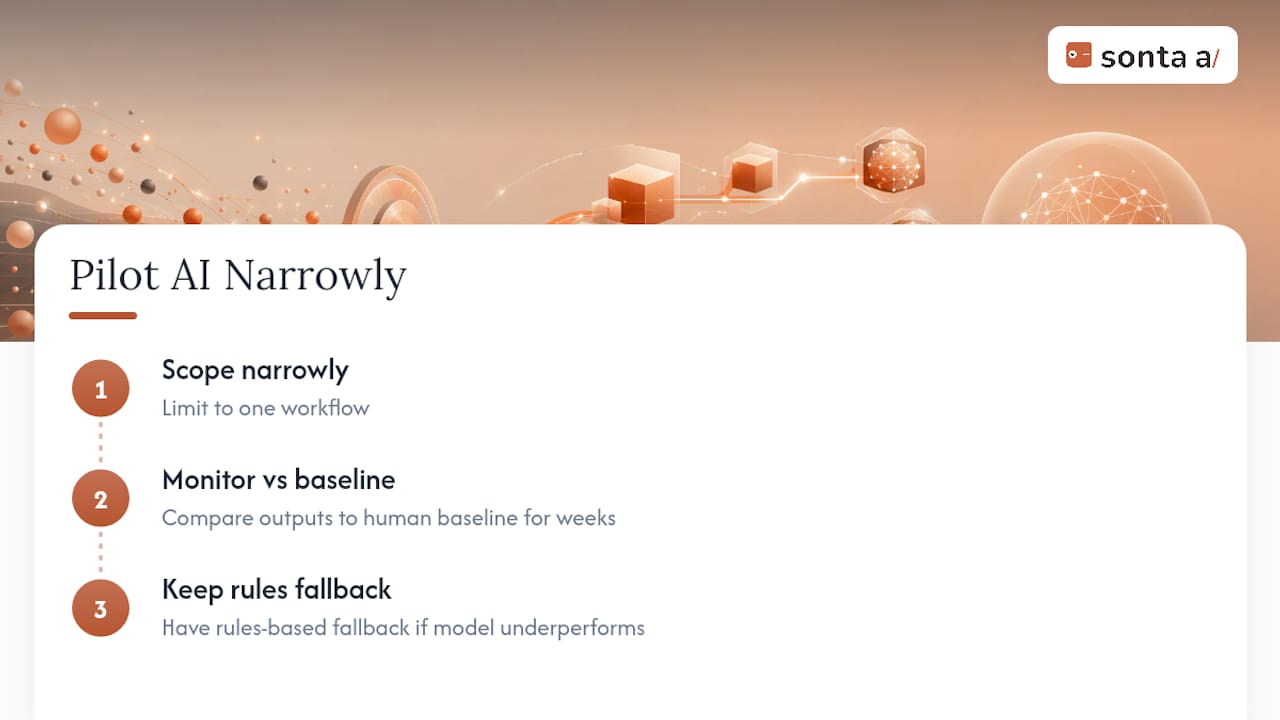
Pilot AI narrowly: scope it to one workflow, monitor outputs against a human baseline for a few weeks, and keep a rules-based fallback ready if the model underperforms. That’s the difference between an AI pilot that earns trust and one that gets shut off after week two. Sonta AI’s own approach to AI-native architecture reflects this: agents handle the repetitive qualification and follow-up work, while the underlying data model stays auditable enough to fall back on.
— Pavel
Get a Faster Path to Working Automation
Most teams lose weeks just mapping which workflows to build first. Sonta AI’s AI Efficiency Diagnostic shortens that step to about 30 minutes, surfacing where manual data entry and delayed follow-up are actually costing you pipeline before you write a single workflow.

Where a traditional CRM asks you to build and maintain each automation by hand, Sonta AI’s agentic CRM runs on self-updating records and AI agents that handle lead qualification, follow-up, and account prep without a usage meter. If you’d rather not build the lead intake and SLA workflows described above from scratch, a workflow build sprint gets a working version deployed for you, and the pricing page lists plans starting at $16 per seat per month. Run the diagnostic first if you want a clear picture of where the leakage actually is before choosing a plan.
Sources
For hands-on technical detail beyond this guide, the Insightly workflow overview covers trigger and action anatomy in depth, while Seedly’s automation docs walk through node types and safeguard configuration. The Whatfix breakdown of CRM workflow types is worth bookmarking when scoping a new use case, and teams evaluating outside implementation help can compare options through 5Quotes’ automation directory.
- 7 Types of CRM Workflow Automations (2025) - Whatfix
- Overview of Workflow Automation - Insightly Help Center
- n8n CRM Automation: Build a Complete Sales Pipeline Without Code | Mintzoro
- Automation & Workflows - Seedly CRM Docs
FAQ
What Is CRM Workflow Automation?
CRM workflow automation uses triggers and rule-based actions to handle repetitive sales and service tasks, like lead routing, follow-ups, and reporting, without manual data entry. It commonly covers lead capture, scoring, onboarding, and support routing.
How Do I Automate My CRM Without Breaking Things?
Start with one modular, single-purpose workflow instead of a monolithic build, and test it against a dummy contact in dry-run mode first. Add dedupe keys, step limits, and observability fields before moving it to live traffic.
Which CRM Automations Should I Build First?
Speed-to-lead intake, SLA-enforced follow-ups, and a scheduled reporting digest cover the majority of what most sales teams need, based on a common three-workflow approach. Build those before attempting more complex, multi-branch sequences.
Does Sonta AI Replace Manual Workflow Building?
Sonta AI’s agentic CRM uses self-updating records and AI agents to handle lead qualification and follow-up automatically, reducing how much manual workflow maintenance is needed. Pricing starts at $16 per seat per month on the Solo plan.
What’s the Biggest Risk in CRM Workflow Automation?
Duplicate records and infinite trigger loops are the two most common failures, both usually caused by missing dedupe keys or workflows that unintentionally trigger each other. Deterministic upsert keys and status flags fix both issues.