CRM Proposal Automation for Sales Ops: Clean Data, Faster Rollouts
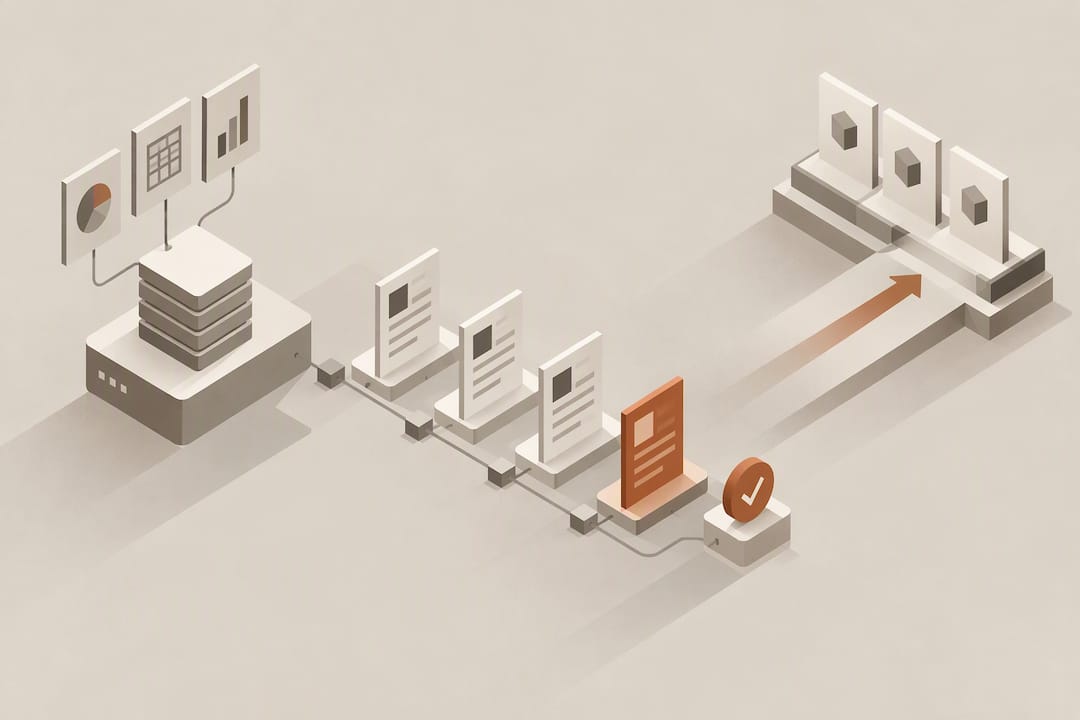
Proposal automation tied to a CRM pulls deal, contact, and product fields directly into a document, then assembles a proposal without manual copy-paste. The result is a faster turnaround, fewer manual-entry errors, and consistent branding across every rep’s output. CRM integration is the engine behind all three, since the proposal is only as accurate as the record it draws from.
TL;DR:
- Proposal automation relies on CRM integration that supports two-way sync and custom fields to ensure data accuracy and reduce manual errors.
- Essential features include content approval workflows, dynamic pricing tables, and AI-assisted draft generation, all tailored to specific deal and product data.
- A phased rollout with CRM data cleaning, pilot testing, and stakeholder feedback helps prevent trust issues caused by faulty data or insufficient review steps.
- Key evaluation criteria involve integration depth, AI governance, security, and realistic timelines to avoid costly rework and implementation delays.
- Self-updating, AI-driven record management minimizes stale data problems, boosting proposal speed, accuracy, and overall sales efficiency.
Table of Contents
- What is proposal automation, and how does CRM integration change the workflow
- Core features to expect from CRM-driven proposal automation
- Benefits and metrics that show up after rollout
- Step-by-step rollout checklist and a realistic timeline
- Evaluation criteria and demo questions for choosing an approach
- How an AI-native CRM applies proposal automation in practice
- What experience with rollouts actually teaches you
- Try Sonta Ai’s approach to proposal-ready CRM data
- Sources
- FAQ
What is proposal automation, and how does CRM integration change the workflow
Proposal automation replaces the old cycle of hunting for the right template, retyping pricing, and emailing a PDF for approval. Instead, the system pulls live fields from the CRM record: contact name, deal size, product line, discount tier, and drops them into a pre-built document. The parts that typically get automated include:
- Templates with personalization tokens that swap in client and deal details automatically
- Pricing and quote tables that populate from CRM product and discount fields
- Approval routing that moves a draft to a manager once it crosses a deal-size threshold
- E-signature requests sent the moment a proposal is marked final
Integration comes in three flavors: a native connector built by the CRM vendor, an open API a proposal tool calls directly, or middleware that sits between systems no one built a connector for. The CRM stays the single source of truth in all three cases, and the sync is what eliminates rekeying, which is where most manual errors start.
Core features to expect from CRM-driven proposal automation
A serious proposal automation feature set goes well past a template library. During a demo, look for these capabilities:
- Template libraries with variable fields and a content approval workflow before anything ships
- Two-way field mapping so updates to a CRM deal record push into an in-progress proposal
- Workflow automation that changes CRM deal stages automatically once a proposal is sent or signed
- Configurable pricing tables with rules for discount ceilings, bundles, and tiered products can be efficiently set up using a white-label configurator that supports easy customization and integration.
- E-signature integration paired with document analytics on opens, time in section, and page-level engagement
- AI-assisted draft generation and pricing suggestions, with a human review step before anything goes to a client
One reason this category matters now: a Gartner survey found that a large majority of sellers struggle to complete their assigned tasks efficiently, which points directly at manual, low-value work like proposal assembly as a place automation pays off fastest.
Benefits and metrics that show up after rollout
Time-to-proposal is the most visible metric, since a document that once took an hour to assemble can go out in minutes once fields populate automatically. Sales cycles shorten accordingly, particularly for deals where the proposal itself was the bottleneck. CRM hygiene improves as a side effect: since pricing and product fields feed directly into the document, dirty or outdated records get caught earlier because a broken proposal makes them visible.
Teams commonly track a small set of KPIs to gauge impact:
- Proposals sent per day per rep
- Time elapsed between the sales call and the proposal going out
- Proposal error rate, meaning pricing, product, or contact mistakes caught after sending
- Win rate on automated proposals versus manually built ones
Consistent, pre-approved content also reduces compliance risk, since reps are pulling from vetted language instead of writing pricing terms from memory.
Step-by-step rollout checklist and a realistic timeline
Rolling out proposal automation works best as a phased project rather than a single switch-flip. A practical sequence looks like this:
- Decide scope: which teams, deal types, and product lines get automated first.
- Map CRM fields and clean the data: required fields, product catalog, pricing tiers, and contact records need to be accurate before automation touches them.
- Build templates and approval flows, and assign content ownership so pricing and legal language stay current.
- Run a pilot with one team, capture the KPIs above, and gather rep feedback on friction points.
- Roll out broadly, train the wider team, and set a monitoring cadence to catch drift in templates or field mappings.
Most teams can move from scoping to a working pilot within a few weeks, with full rollout following once the pilot’s error rate and turnaround numbers hold steady.
Pro Tip: Clean your CRM’s product and pricing fields before building a single template. Automation just makes bad data move faster.

Evaluation criteria and demo questions for choosing an approach
Selecting the right proposal automation setup comes down to a short list of concrete questions to ask in any demo or internal review:
- How deep does the integration go: does it support custom fields, two-way sync, and webhooks, or just a one-way data pull?
- How flexible is the templating, and does it support version history and a real approval step before send?
- Does sending or signing a proposal automatically update the CRM deal stage, or does someone still do that by hand?
- Where does AI touch the draft, pricing, or personalization, and what review step catches mistakes before a client sees them?
- What security and compliance options exist, including data export and e-signature integration?
- What is the realistic implementation timeline, the pricing model, and the support response time once live?
Asking these before signing anything saves the rework that comes from discovering a gap six months in.
How an AI-native CRM applies proposal automation in practice
Sonta Ai is built for AI-first go-to-market teams, and its approach to records is the same logic that makes proposal automation work: fields update themselves in real time rather than waiting on a rep to fix them. The platform’s AI sales agents handle staged automation across lead qualification, follow-up, and pipeline work, which keeps the deal data feeding a proposal accurate without manual cleanup.
- Self-updating records reduce the stale-field problem that causes most proposal errors.
- The AI Efficiency Diagnostic surfaces operational leakages and tech-stack gaps quickly, a useful first step before scoping automation.
- Industry-specific blueprints, including for professional services, tailor field structures to how different teams actually sell.
What experience with rollouts actually teaches you
The biggest mistake is automating a messy CRM, since bad fields just travel faster into client-facing documents. Pilot with one team before going company-wide, and keep a human reviewing AI-generated pricing or legal language. Speed without a review step is how automation projects lose trust fast.
— Pavel
Try Sonta Ai’s approach to proposal-ready CRM data
Sonta Ai fits teams who want the record feeding their proposals to stay accurate without a rep chasing updates by hand. 
- Run the AI Efficiency Diagnostic to see where proposal delays and data gaps are costing time right now.
- Compare plans, including Solo, Core, Pro, and Enterprise, on the pricing page.
- Review the Agentic CRM product to see how self-updating records support faster, cleaner proposals.
Sources
- Gartner newsroom: Survey finds sellers struggle to complete tasks efficiently
- Generative AI for B2B proposal creation and pricing optimization (IJCRT)
FAQ
What does proposal automation actually automate?
It automates document assembly, pulling contact, deal, and pricing fields from the CRM into a template, then routing the draft for approval and signature. Reps typically still write custom sections, but the repetitive fields and formatting happen without manual entry.
How does AI improve proposal accuracy?
Generative AI systems can parse deal and RFP data, then draft tailored proposal content and pricing based on that context, according to a two-stage AI approach described in academic research. A human review step still matters, since AI-suggested pricing or legal language needs a check before it reaches a client.
How long does it take to implement proposal automation?
Most teams can scope and pilot a rollout within a few weeks, assuming CRM fields are already reasonably clean. Full rollout across a team follows once the pilot’s error rate and turnaround time hold steady.
What should I check before choosing a proposal automation tool?
Confirm integration depth, meaning two-way sync and custom field support, and ask how AI-assisted drafting is governed and reviewed. Also check e-signature integration, analytics on document engagement, and the realistic cost and implementation timeline.
Does Sonta Ai offer proposal automation features?
Sonta Ai’s AI-native CRM keeps deal and product records self-updating, which is the foundation proposal automation depends on for accuracy. The AI Efficiency Diagnostic is a practical starting point for teams evaluating where automation would help most.