Freshness SLAs First: Real Time CRM Data Architecture for GTM
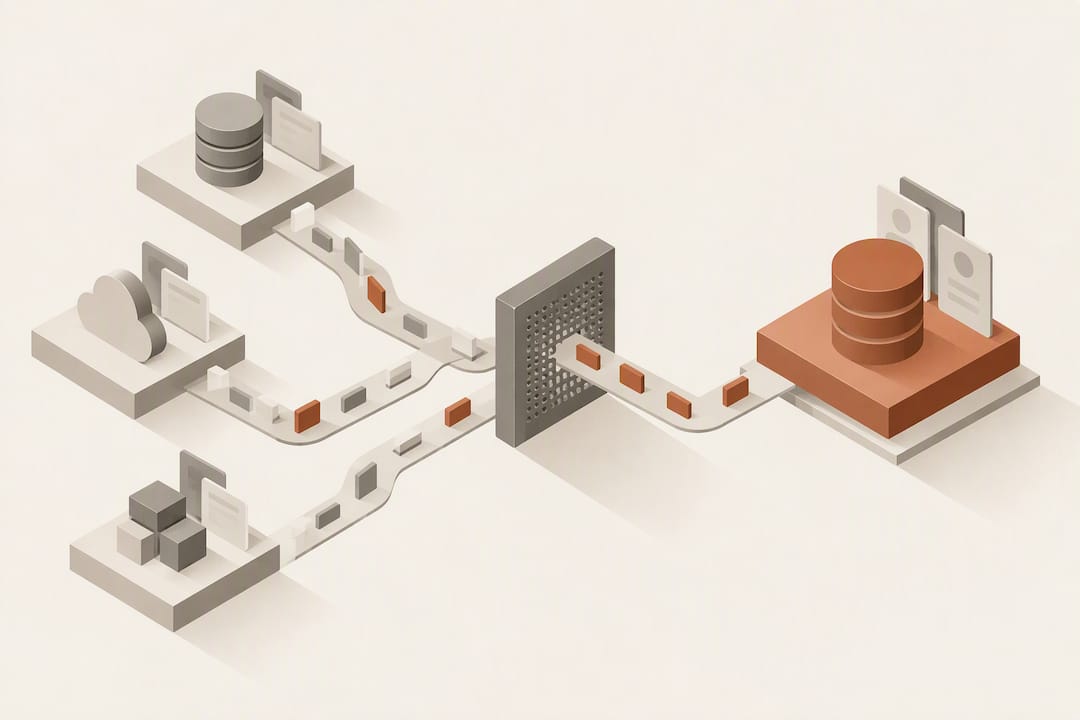
Real-time CRM data is the continuous synchronization of customer events and profile changes so records reflect reality within seconds rather than overnight batches. For sales and GTM teams, that means fresher pipeline views, forecasts built on current signals, and automation that fires the moment a lead acts. Below, we walk through the architecture, the integration mechanics, and the checklist you need to put it into practice.
TL;DR:
- Real-time CRM data synchronization relies on events like lead creation, deal updates, and web activity, typically delivered within seconds through CDC or webhooks.
- Architecture choices such as CDC, webhooks, or polling depend on change volume and complexity, with streaming pipelines and separation of analytics from transactional data improving freshness.
- Ensuring reliability involves idempotent writes, replay IDs, deduplication, and backpressure handling to maintain data integrity during high-volume streams.
- For sales teams, real-time data enhances forecasting accuracy, automates follow-up triggers, and provides operational dashboards with near-instant updates.
- Prioritize defining clear freshness SLAs and conflict resolution policies before selecting technology, to avoid building ineffective pipelines that generate inaccurate or unreliable data.
Table of Contents
- What counts as real-time CRM data
- Architectural patterns that keep CRM data fresh
- How events move from source systems into your CRM
- How sales teams actually use this data
- Checklist before you build or buy
- Where an AI-native CRM fits this architecture
- Our take: the architecture conversation is overdue, but it is not the hard part
- A CRM that keeps itself current without the pipeline work
- FAQ
- Sources
What counts as real-time CRM data
“Real-time” varies by use case: a forecasting dashboard might tolerate a few minutes of lag, while a live conversation alert needs sub-second delivery. What matters is that the system treats freshness as a design requirement, not an afterthought. Concrete events worth streaming or syncing include:
- A lead created or a deal stage changed
- A support case updated or escalated
- A conversation event, such as a call ending or a transcript landing
- A profile attribute update, like a title or company change
- Web or product behavior, such as a pricing page visit or a feature activation
Platforms typically expose these events through change data capture (CDC), webhooks, or specialized APIs. Microsoft, for example, documents a real-time data ingestion path in Dynamics 365 Customer Insights where profile updates and activities can appear within seconds, though the feature carries expiration semantics and limitations that affect exports and downstream reporting.
Architectural patterns that keep CRM data fresh
Most real-time CRM implementations rest on an event-driven backbone: a message broker like Kafka or a managed event stream that carries change events from source systems to every consumer that needs them. CDC fits into this backbone as the publishing layer, capturing inserts, updates, and deletes from a database or CRM and emitting them as discrete events rather than forcing downstream systems to poll on a schedule.
Three choices shape how a team builds this:
- CDC versus polling versus webhooks, where CDC scales better for high-change-volume tables, webhooks suit low-volume, event-specific notifications, and polling remains a fallback when neither is available
- Microbatch versus true streaming, since microbatching (processing every few seconds) is often good enough and considerably simpler to operate than a fully streaming pipeline
- Read-heavy analytics separated from write-heavy transactional operations, typically through streaming SQL or dedicated read replicas, so dashboard queries never compete with the writes that keep records current
Separating reads from writes this way reduces the read/write conflicts that otherwise degrade both transactional throughput and query freshness, according to architecture guidance on real-time CRM streaming patterns. Gartner frames the stakes plainly: by 2029, real-time agentic data streaming is projected to become the default data infrastructure for agentic AI, which means teams still running batch-only pipelines will increasingly compete at a structural disadvantage.
Reliability depends on a handful of patterns regardless of which architecture you pick: idempotent writes so a replayed event does not double-count a deal, deduplication keys, replay IDs that let a consumer resume from a known point after an outage, and backpressure handling so a slow downstream system does not take down the pipeline upstream of it.
How events move from source systems into your CRM
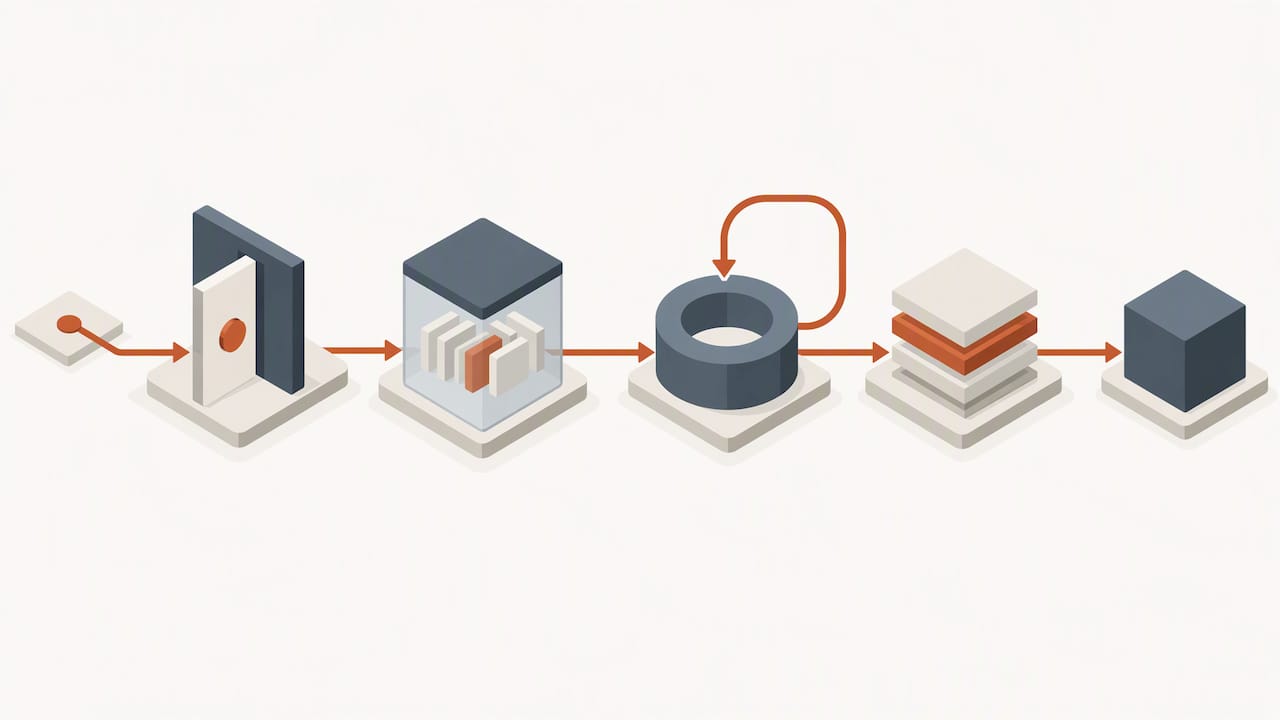
Once an event exists, getting it where it needs to go is a separate engineering problem. A common pattern captures CDC events from a CRM, such as Salesforce, and publishes them to Kafka or a managed event stream through a connector, then applies single message transforms (SMTs) to trim and reshape the payload before it reaches a downstream consumer. One documented example shows a Salesforce CDC pipeline where a case change event flows through a connector, gets reformatted by an SMT, and lands in a Slack channel as a compact notification rather than a raw, noisy payload.
Webhooks handle a different slice of the problem, typically event-specific notifications like a completed call or a new conversation. A well-built webhook endpoint handles retries on failure, enforces bounded timeouts so a slow receiver does not stall the sender, and expects a defined set of payload fields and event names, as outlined in documentation for conversation webhook APIs.
Downstream, events typically land in one of three sink patterns: a direct write into CRM fields, an enrichment step that augments the event before it reaches its destination, or an analytics read store feeding dashboards. Each needs its own operational controls:
- A schema evolution strategy so a new field does not break existing consumers
- Replay capability to rebuild state after an outage
- Explicit ordering guarantees where sequence matters, such as stage changes on the same deal
Pro Tip: Keep webhook payloads minimal and push enrichment downstream. It is easier to add fields to a consumer than to redesign a sender once dozens of systems depend on its exact shape.
How sales teams actually use this data
The architecture only matters if it changes what a sales or GTM team can do day to day. In practice, the payoff shows up in a few recurring places:
- Forecasting and pipeline accuracy: sub-second updates to deal stage and activity mean probability models reflect what is happening now instead of last week’s snapshot.
- Conversation intelligence: call and meeting events auto-fill CRM fields like next steps or sentiment, cutting the manual note-taking that erodes data quality.
- Automated routing and alerts: a high-intent behavior, such as a pricing page visit from an existing opportunity, can trigger instant lead routing or an urgent follow-up task.
- Coaching and operational dashboards: near-real-time views of call volume, response times, and stage velocity give managers something to act on within the same shift, not the following week.
Checklist before you build or buy
Before committing to a real-time CRM data project, define the specifics rather than the aspiration. Start with freshness SLAs per use case: a forecasting dashboard might target a five-minute window, while an urgent-lead alert needs sub-second delivery. Vague goals like “faster data” do not translate into engineering requirements.
From there, confirm:
- Observability in place: end-to-end latency tests, replay verification, and SLIs that catch lag or dropped events before a sales rep notices
- Governance rules that name an authoritative source per field, define conflict resolution when two systems disagree, and keep an audit trail
- Access controls that match who can see or edit which customer data, consistent with your broader data security practices
- Vendor fit: CDC support, a mature connector ecosystem, schema evolution handling, and documented retry semantics
Microsoft’s own documentation is a useful gut check here: it notes that profile updates in its real-time ingestion API can expire after a configurable window, and that real-time changes may not affect exports or downstream reporting until a scheduled refresh runs. That kind of limitation is exactly what a freshness SLA and an observability check are supposed to catch before it reaches a sales rep’s dashboard.
Where an AI-native CRM fits this architecture
An AI-native CRM changes who does the integration work. Instead of a team wiring CDC pipelines, webhooks, and SMTs by hand, the platform absorbs that layer and runs agents directly against the streaming events it ingests. We built Sonta Ai around this premise: records update themselves as events arrive, and configurable agents act on those events rather than waiting for a rep to open a record and type.
In practice, that looks like:
- Self-updating records that reflect calls, emails, and web activity without manual entry
- Agents configured per task, drawing on different AI models depending on the job, such as lead qualification or account prep
- Industry-specific automation, including workflows built for auto retail dealership operations
- An AI Efficiency Diagnostic that surfaces operational leakage and tech stack gaps within 30 minutes
Gartner’s framing of agentic CRM calls for exactly this kind of orchestration layer, one that combines automation, governance, and intelligent experiences rather than bolting AI features onto a static database.
Our take: the architecture conversation is overdue, but it is not the hard part
Most of the public discussion about real-time CRM data focuses on pipeline mechanics: Kafka topics, CDC connectors, streaming SQL. That conversation is necessary, but it is not where most teams actually fail. We see the harder problem sitting in governance: deciding which system owns a field when two sources disagree, and deciding what “real-time” actually needs to mean for a given workflow before any engineering starts.
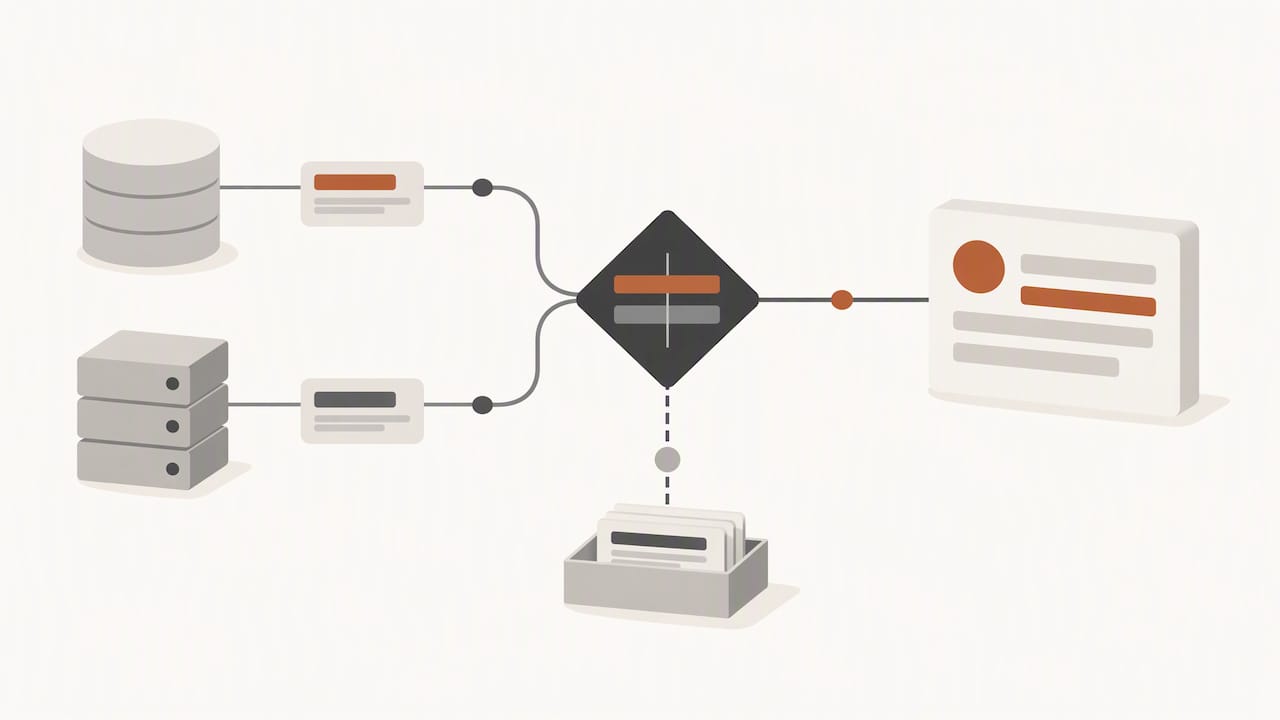
Teams that skip that step end up with pipelines that are technically fast and practically useless, feeding dashboards nobody trusts because the underlying records still conflict. The conventional advice to “stream everything” is also overrated. Not every field needs sub-second freshness, and treating freshness as a universal goal rather than a per-use-case requirement wastes engineering effort on data nobody checks in real time anyway.
If you take one thing from this, prioritize the freshness SLA and the conflict resolution rule before you pick a broker or a connector. The technology choices get easier once those two decisions are made.
— Pavel
A CRM that keeps itself current without the pipeline work
If the architecture above sounds like more engineering than your team wants to own, that is the gap we built Sonta Ai to close. Rather than assembling CDC connectors, webhook handlers, and SMTs yourself, you get a CRM where records update from live events out of the box, and agents act on those events using the model best suited to each task. That fits teams in real estate, recruitment, auto retail, and professional services who need the outcomes described above without hiring for the pipeline itself.

We price by seat rather than by usage tier, starting with Solo at $16 per month per seat for individuals and scaling through Core and Pro plans as your team and automation needs grow. If you want a concrete read on where your current stack is leaking time before committing to anything, our AI Efficiency Diagnostic gives you that picture in 30 minutes.
FAQ
What are examples of CRM data?
CRM data includes contact and account records, deal stages, activity logs like calls and emails, support cases, and behavioral signals such as web visits or product usage. Real-time variants of this data stream as events, including lead creation, case updates, and profile attribute changes, rather than sitting static until someone opens the record.
What are some examples of real-time data?
Real-time data includes a call transcript landing the moment a conversation ends, a web visit triggering an alert while a prospect is still on the page, or a deal stage change propagating to a forecast dashboard within seconds. Change data capture and webhook-driven events are the common mechanisms behind these examples, as documented in Salesforce CDC implementations.
Is there a CRM database?
Every CRM runs on an underlying database, typically relational, that stores contact, account, and activity records. Modern real-time CRM architectures layer event streaming and change data capture on top of that database so changes propagate to other systems without waiting for batch exports.
What does CRM data mean?
CRM data refers to the information a customer relationship management system holds about contacts, accounts, deals, and interactions. The term spans both static profile fields and dynamic activity data, with real-time CRM data specifically describing the subset that updates continuously rather than on a scheduled basis.
How fresh does CRM data need to be?
Freshness targets depend on the use case: a forecasting dashboard can tolerate a several-minute delay, while an urgent-lead alert typically needs sub-second delivery. Defining that threshold per workflow, rather than aiming for uniform real-time everywhere, keeps engineering effort focused on the data that actually needs it.
Sources
- Gartner research: real-time agentic data streaming
- Integrating Salesforce Change Data Capture into an IBM Event Streams Pipeline
- Real-time data ingestion (Dynamics 365 Customer Insights)