Governance First ChatGPT CRM Integration for Sales & Marketing

Yes: you can integrate ChatGPT with your CRM to read context, generate insights, and, with proper authentication and governance, trigger write actions and workflows. The connection runs through ChatGPT apps, plugins, or Model Context Protocol (MCP) connectors, and it requires admin enablement, OAuth-based authentication, and approval controls before any production rollout. Done correctly, the payoff is faster follow-ups, contextualized outreach, automated call summaries, and next-step recommendations pulled directly from account history.
TL;DR:
- Integrating ChatGPT with a CRM requires OAuth authentication with dynamic registration (CIMD or DCR) to ensure secure, scoped tool access and avoid static keys.
- Enabling approval gating and limited tool access at the outset reduces risks, improves governance, and facilitates auditing of write actions and automation triggers.
- Most quick wins come from read-heavy tasks like summarization and enrichment, which provide immediate value with minimal compliance risk during initial pilots.
- A staged rollout with narrow scope, human approval, and comprehensive logging prevents silent failures and allows safe expansion into full automation.
- Using an AI-native CRM platform like Sonta Ai can simplify integration by embedding automation directly, reducing setup time and ongoing maintenance costs.
Table of Contents
- Integration models: plugins, connectors, and MCP servers explained
- High-impact use cases for sales and marketing teams
- Step-by-step checklist: plan, enable, authenticate, test, roll out
- Risk controls: zero trust, safety-layer behavior, and vendor SLAs
- Rollout best practices, common pitfalls, and where Sonta Ai fits
- Evaluation criteria for choosing the right integration approach
- Cost considerations and pricing models
- Expected implementation timeline from start to finish
- Comparing approaches: build, plugin marketplace, or vendor-led CRM
- Where the productivity gains actually show up
- When integrated ChatGPT workflows make sense
- How Sonta Ai helps: an AI-native path to the same outcome
- Sources
- FAQ
Integration models: plugins, connectors, and MCP servers explained
Three distinct architectures sit under the umbrella term “ChatGPT CRM integration,” and picking the wrong one creates friction later. Plugins and apps are the discovery layer inside ChatGPT: a workspace admin enables them, and users interact through a conversational interface without touching the underlying protocol. Remote MCP servers and connectors are the plumbing beneath that interface, exposing specific tools (search a contact, update a deal stage, log an activity) that the model can call directly.
The MCP guide from OpenAI Developers describes the lifecycle behind every tool call: the model lists available tools, issues an mcp_call, and, for sensitive actions, the system generates an mcp_approval_request before anything executes. This approval step matters for two reasons: it gives a human checkpoint before a write action lands in the CRM, and it creates an audit trail that governance teams can review later.
Authentication is where most rollouts stall. According to OpenAI’s plugin authentication documentation, production MCP integrations should publish OAuth discovery metadata and prefer Client ID Metadata Documents (CIMD) or Dynamic Client Registration (DCR) rather than static API keys. Per-tool securitySchemes let ChatGPT trigger the correct linking prompt and scope access narrowly, which matters when a single CRM exposes dozens of callable tools.
Key distinctions to keep straight:
- Plugins/apps provide the user-facing discovery and configuration layer inside ChatGPT.
- MCP connectors expose the actual read and write tools the model calls.
- Remote MCP servers host those tools outside ChatGPT, typically on the CRM vendor’s or your own infrastructure.
- OAuth with CIMD or DCR replaces static keys and lets scopes be reviewed and revoked per tool.
High-impact use cases for sales and marketing teams
Once the plumbing is in place, the practical value shows up in a handful of repeatable jobs rather than a single flashy demo.
- Personalized outreach drafting: ChatGPT pulls CRM fields and recent conversation history to draft follow-ups that reference actual deal context instead of generic templates.
- Contact enrichment and lead scoring: connected tools can pull external and CRM data together to flag which leads deserve immediate attention.
- Call and ticket summarization: transcripts and support threads get condensed into structured notes that populate CRM fields automatically, cutting manual entry.
- Workflow and task triggering: with approval gating in place, the model can schedule a demo, assign a task, or advance a pipeline stage on request.
Pro Tip: Pilot with summarization and enrichment first: they are read-heavy, low-risk, and demonstrate value before you touch write permissions.
Sales teams tend to see the fastest wins in follow-up drafting, since it removes the blank-page problem without requiring any change to CRM data. Marketing teams get more mileage from enrichment, since better-qualified leads compound down the funnel.
Step-by-step checklist: plan, enable, authenticate, test, roll out
A production-safe rollout follows a sequence, not a single configuration change.
- Plan: pick one high-value use case, classify the sensitivity of the data it touches, and define a measurable success metric before writing any configuration.
- Admin setup: enable developer mode and apps/plugins in the ChatGPT workspace, then assign role-based access control (RBAC) so only designated staff can install or approve new tools, per OpenAI’s developer mode documentation.
- Auth and tooling: publish resource metadata, configure OAuth using CIMD or DCR, and declare per-tool security schemes so scopes stay auditable.
- Approval and safety: set
require_approvalon every write action initially, and useallowed_toolsto limit which tools the model can even see. - Pilot and expand: run a read-only proof of value first, log every approval event, then extend to limited write operations once the audit trail is clean.
Before expanding past the pilot, confirm these items are in place:
- Success metrics defined and agreed with sales leadership.
- RBAC roles assigned and reviewed by whoever owns workspace admin.
- Approval logs instrumented and checked against backend activity.
- A rollback plan for any write action that behaves unexpectedly.
The Responses API documentation also notes that exposing too many tools at once raises both cost and latency, so trimming the tool surface with allowed_tools is as much a performance decision as a security one.
Risk controls: zero trust, safety-layer behavior, and vendor SLAs
Governance for a ChatGPT CRM integration is not a formality: it determines whether the integration survives contact with a compliance review. The NIST AI RMF profile for Generative AI recommends moving toward zero-trust architecture for generative AI systems, validating data sources, and restricting agent actions according to risk tier rather than granting broad standing access.
Statistic callout: NIST’s GAI profile treats supplier risk assessment and incident response planning as core governance components for generative AI systems, not optional add-ons. Any MCP-connected CRM vendor should be assessed the same way you would assess a third-party data processor.
Recommended controls for a production integration:
- Apply zero-trust principles: verify every data source and restrict write scope by risk tier.
- Log every approval prompt and correlate it against backend timestamps to catch silent failures.
- Document data residency and storage policies for any MCP-connected CRM endpoint.
- Add generative-AI-specific clauses to procurement checklists, covering incident notification and responsibility for model drift.
One practitioner-level issue deserves specific attention. Reports on the OpenAI Developer Community describe cases where ChatGPT’s safety layer blocks valid write operations before they ever reach the MCP server, even when the connector is configured to allow all actions. No request appears in server logs, so the write simply fails silently. Teams that build client-side correlation between approval prompts and backend attempts catch this faster than teams relying on server logs alone.
Rollout best practices, common pitfalls, and where Sonta Ai fits
Most failed rollouts share the same root cause: too much autonomy granted too early. Starting with narrow, human-approved automations and expanding in stages avoids the compliance headaches that come from a CRM record changing without a clear trail.
- Scope the first automation narrowly and require human approval on every write action.
- Test the full authentication flow end to end, confirming the
_meta mcp/www_authenticatepayload correctly triggers ChatGPT’s connector linking prompt. - Instrument audit trails for every approval and write call so safety-layer blocks surface immediately rather than weeks later.
- Keep staged autonomy in place with fail-safes that prevent unintended record changes as agent permissions expand.
Pro Tip: Run synthetic write tests on a dummy record weekly; a silent safety-layer block is easier to catch on a test record than on a live deal.
For teams that would rather not build this stack from scratch, an AI Efficiency Diagnostic can help prioritize which automations actually free up salesperson time before any engineering work begins, an approach Sonta Ai applies directly in its own onboarding process. For CRMs bolted together after the fact, the tradeoffs are worth understanding before committing engineering time; see the hidden cost of bolt-on AI in legacy CRMs for a fuller treatment of the audit and data-quality risks that stack up.
Evaluation criteria for choosing the right integration approach
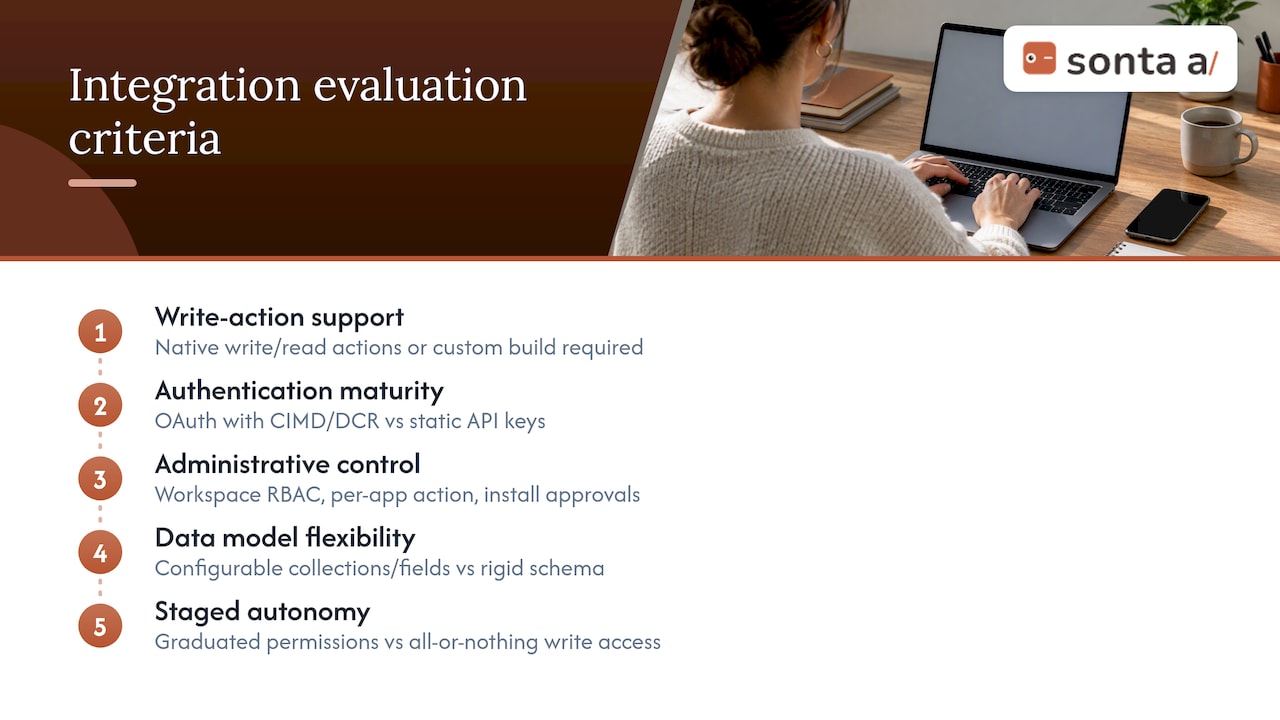
Selecting a ChatGPT CRM integration path comes down to a handful of concrete criteria rather than a feature checklist. Write-action support matters most: confirm whether the vendor’s connector supports require_approval and allowed_tools natively, or whether you would need to build that layer yourself. Authentication maturity is next: a vendor that already supports OAuth with CIMD or DCR saves weeks compared to one still relying on static API keys.
Administrative control is a third criterion. Look for workspace-level RBAC, per-app action controls, and the ability to restrict which roles can install or approve new tools, capabilities the OpenAI Help Center confirms are available on Business and Enterprise/Edu plans. Data model flexibility matters too: a CRM with rigid, predefined fields forces workarounds, while one with configurable collections and fields adapts to how your sales motion actually works, a distinction explored in Sonta Ai’s concepts and data model guide.
Finally, weigh vendor support for staged autonomy. A connector that only offers all-or-nothing write access forces you into either excessive caution or excessive risk; one that supports graduated permission levels lets you expand automation as trust in the system builds. Teams evaluating lead capture and pipeline tools as part of this process can compare feature sets like those in Pipeline’s lead management features against what a native AI integration offers.
Cost considerations and pricing models
Costs for a ChatGPT CRM integration break into three categories: platform fees, integration engineering, and ongoing token or API usage. Platform fees depend entirely on which CRM and ChatGPT plan tier you run, since developer mode and full MCP connector support are typically gated to Business and Enterprise/Edu tiers rather than lower tiers, per OpenAI’s documentation.
Integration engineering costs vary by whether you build a custom MCP server in-house or adopt a vendor’s pre-built connector. Custom builds require ongoing maintenance for authentication, scope management, and monitoring for the safety-layer blocking behavior described earlier. Vendor-led approaches shift much of that maintenance to the provider. Sonta Ai, for example, lists a Custom integration service for teams that need bespoke connections, alongside packaged plans: Solo starts from $16 per month per seat, Core from $28, and Pro from $65, all per seat per month, with Enterprise pricing available on request, according to Sonta Ai’s pricing page.
Ongoing usage costs scale with tool count and call volume, since the Responses API guide notes that importing many tools raises both latency and cost, which is another reason to trim the tool surface with allowed_tools rather than exposing every possible CRM action by default.
Expected implementation timeline from start to finish
A realistic timeline separates a proof of concept from a fully governed production rollout. The planning and admin setup phase (defining the use case, classifying data sensitivity, enabling developer mode, and assigning RBAC) typically happens in the first one to two weeks, since it involves internal decisions more than technical build work.
Authentication and tooling configuration, including publishing OAuth metadata and setting up CIMD or DCR flows, is usually the longest technical phase because it requires coordination between the CRM vendor’s API team and whoever manages the ChatGPT workspace. A read-only pilot can often go live once authentication is stable, since it carries lower risk and needs less approval infrastructure.
Expanding into write operations comes last, gated by however long it takes to build and validate approval logging, since teams need confidence that every mcp_approval_request is being tracked and correlated against backend activity before loosening require_approval settings. Vendor-led integrations, such as those offered through Sonta Ai’s implementation programme, compress this timeline by handling authentication and governance setup as part of onboarding rather than as separate engineering work.
Comparing approaches: build, plugin marketplace, or vendor-led CRM
Three broad paths exist for connecting ChatGPT to CRM data, each with a different tradeoff between control and speed. Building a custom MCP server in-house gives full control over data handling and write logic but requires ongoing engineering investment to maintain authentication, monitor for safety-layer blocks, and keep pace with changes to OpenAI’s tools and connectors guide.
Using an existing plugin or app from the ChatGPT directory is the fastest path to a working integration, since the OpenAI Help Center confirms plugins package workflow capabilities for common services, though availability and write capabilities depend on plan, workspace settings, and app configuration.
A vendor-led, AI-native CRM sidesteps the integration question entirely by building the AI layer into the CRM’s core rather than bolting it on afterward. Sonta Ai takes this route: records update themselves in real time, and configurable AI agents handle lead qualification, follow-up, and scheduling without requiring a separate ChatGPT connector to be wired up, as described in what an AI-native CRM actually is. This route trades some of the flexibility of a custom build for a shorter path to production and less ongoing maintenance burden.
Where the productivity gains actually show up
The clearest productivity gains from ChatGPT CRM integrations tend to cluster around time spent on manual data entry and follow-up drafting, the two tasks that consume disproportionate sales hours without directly moving deals forward. Automated call and ticket summarization removes the step where a rep manually types notes into CRM fields after every call, and contact enrichment removes the research a rep would otherwise do by hand before a call.
The pattern holds across the use cases outlined earlier: automations that reduce keystrokes free up time for actual selling, while automations that attempt to fully replace judgment calls, like autonomous deal-stage advancement, carry more governance risk and slower adoption. Sonta Ai’s own AI Efficiency Diagnostic is built around this distinction, surfacing which specific tasks are consuming the most rep time before recommending which to automate first, rather than assuming every workflow benefits equally from automation.
When integrated ChatGPT workflows make sense
Integrated connectors earn their keep when you can enforce RBAC and approval workflows consistently, not just at launch. Bolt-on AI is faster to stand up, but it raises audit and data-quality risk over time. Someone, usually an operations or chief of staff role, needs to own the rollout and its KPIs, or the integration drifts into shadow IT.
— Pavel
How Sonta Ai helps: an AI-native path to the same outcome
For teams that would rather skip the connector plumbing, Sonta Ai builds the AI layer directly into the CRM: records update themselves in real time, and configurable AI agents handle qualification, follow-up, and scheduling using models chosen per task.

Rather than wiring up plugins and approval flows piece by piece, teams can run the AI Efficiency Diagnostic to see which automations would save the most time, then compare plans on the pricing page, which starts starting from a low monthly price per seat on the Solo plan. Request a demo to see how an AI-native CRM platform might fit your pipeline.
Sources
- Developer mode and MCP apps in ChatGPT | OpenAI Help Center
- Authentication – Plugins | OpenAI Developers
- NIST AI RMF profile for Generative AI
- ChatGPT safety layer blocks valid MCP tool calls - OpenAI Developer Community
FAQ
Can you use ChatGPT as a CRM?
No, ChatGPT is not a CRM on its own; it lacks a persistent data model for contacts, deals, and pipelines. It connects to an existing CRM through apps, plugins, or MCP connectors to read and, with approval controls, write data.
Can I integrate ChatGPT with Salesforce?
ChatGPT can connect to Salesforce data through MCP connectors or plugins configured with OAuth authentication, following the same approval and RBAC patterns used for any CRM integration. The specific setup depends on which connector or custom MCP server exposes Salesforce’s API to ChatGPT.
Can ChatGPT integrate with HubSpot?
Yes, HubSpot can be connected through the same plugin or MCP connector architecture, provided OAuth discovery metadata and per-tool security schemes are configured correctly. Write actions such as updating deal stages should have require_approval enabled during initial rollout.
What integrations does ChatGPT have?
ChatGPT supports integrations through apps and plugins for discovery and interface, plus MCP connectors and remote MCP servers for the underlying tool calls, according to OpenAI’s help documentation. Availability of specific integrations depends on workspace plan, admin settings, and geographic or permission restrictions.
Does an AI-native CRM remove the need for a separate ChatGPT integration?
An AI-native CRM like Sonta Ai builds automation and record updates into the platform itself, reducing the need to configure a separate ChatGPT connector for common workflows. Teams that need custom AI provider connections can still configure them through Sonta Ai’s integration options.