AI Follow Up Automation for Sales: CRM Workflows That Stop at Replies
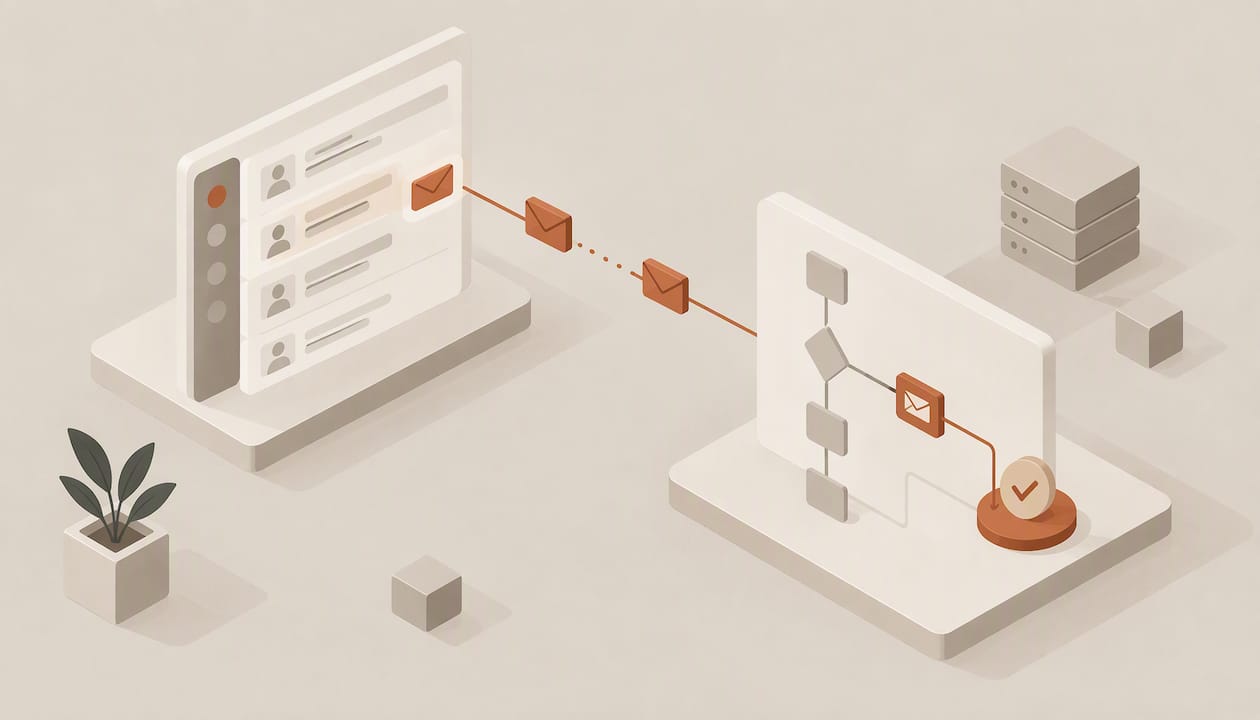
AI follow-up automation cuts dropped leads and raises meeting rates by replying within minutes and keeping every conversation moving without manual effort. It works by pairing CRM-triggered workflows with AI steps that draft personalized messages from record data. This guide gives you ready-to-implement workflows, templates, prompts, and a rollout checklist you can copy into your own pilot.
TL;DR:
- Start with an acknowledgment within 5–30 minutes, then try touches on days 2, 5, 9, and 14; stop immediately after replies, bookings, or unsubscribes.
- Map CRM fields before drafting, test edge cases in a sandbox, prevent duplicate sends with idempotent steps, and cap concurrency before launch.
- Use static templates for confirmations and scheduling, AI drafts for nurture and reengagement, and route pricing, contract, objection, or frustration messages to a person.
- CRMArena agents completed fewer than 58% of realistic CRM tasks with ReAct prompting and under 65% with function calling, so verify bounded workflows before expanding.
- Authenticate domains with SPF, DKIM, and DMARC; warm new mailboxes gradually, test placement with seed inboxes, and retain a manual holdout to measure lift.
Table of Contents
- Which follow-up workflows should you build first?
- How do you wire follow-ups into your CRM?
- How do you personalize at scale without sounding robotic?
- What protects inbox placement and reply rates?
- Which metrics prove the automation works?
- What does a safe rollout checklist look like?
- What does research say about AI agents on CRM tasks?
- What privacy and compliance rules apply to AI follow-ups?
- Where should AI own follow-up, and where should people step in?
- How can we help you move from pilot to scale?
- FAQ
- Sources
Which follow-up workflows should you build first?
Most teams need a mix of workflow archetypes: an immediate acknowledgment, a short nurture sequence, a qualification escalation, and a re-engagement flow. Start with one, prove it, then add the next. Our guide on automated follow-up emails shows how these patterns look in a CRM-first setup.
Immediate acknowledgment. Send within the first 5–30 minutes after a form submit, demo request, or meeting end. The message confirms receipt, restates what the lead asked for, and offers one clear next step. Speed matters more than polish here, and a templated draft with two or three merged fields is enough.
Short nurture sequence. A short sequence of touches, each adding a new piece of value: a relevant case, a short answer to a common objection, or a scheduling link. Space the early gaps tightly and widen them, because early interest decays fastest.
Qualification escalation. Route to an SDR or AE when signals cross a threshold, so reps spend time only where intent is visible.
Re-engagement. Wake dormant leads with a low-pressure message that references their last known activity, then send a follow-up after an appropriate interval and stop.
A few rules hold across all four:
- Stop the sequence the moment a lead replies, books, or unsubscribes.
- Give every touch one job and one call to action.
- Cap total touches per contact so automation never turns into spam.
- Log every sent message back to the CRM record.
A sample cadence to try for a new inbound lead:
- Minute 5–30: acknowledgment with a scheduling link.
- Day 2: a short note with one relevant proof point.
- Day 5: a question that surfaces the lead’s current process.
- Day 9: a brief objection-handling message.
- Day 14: a polite close-the-loop message that leaves the door open.
Escalate to a human when a lead replies with a pricing question, visits the pricing page repeatedly, or reaches your score threshold. Everything else can stay automated.
How do you wire follow-ups into your CRM?
Reliable automation starts with reliable triggers. Pick events your CRM records cleanly, then map the fields your messages and decision logic depend on. If you are unsure whether your current system can support this, our AI-native CRM test is a useful pre-check.
Common, dependable triggers:
- Form submit or demo request created
- Meeting ended (with or without a recorded outcome)
- Deal stage changed
- Lead score crossing a set threshold
- No activity for a defined number of days
Fields worth mapping before you build anything: contact role, company name and size, source, last activity and its date, product or plan interest, and any intent signals such as pricing-page visits. Missing fields are the most common reason AI drafts sound generic, so audit data completeness first. Defining your pilot segment against an ideal customer profile framework helps decide which fields matter most for the audience you are targeting.
Orchestration follows a simple pattern: an agent step drafts or sends, a wait condition holds for a reply or timeout, and an escalation step hands off to a person when conditions are met. Add three safeguards. Set concurrency limits so a bulk import does not fire thousands of messages at once. Make every step idempotent, so a retried trigger never sends the same email twice. Keep a clear exit condition on every branch. For background on how agent steps fit into this structure, see our explainer on AI agents in sales, and our workflow automation templates for modular building blocks.
Testing is not optional. Run the workflow in a sandbox against sample records that cover edge cases: missing company name, duplicate contact, replied lead, unsubscribed lead. Review logs for each step, confirm what the lead would actually see, and write down the rollback procedure (who pauses the automation, and how) before launch.
Pro Tip: Create five fake contacts that each break one assumption, such as an empty role field or a recent reply, and run them through every workflow before real leads touch it.
How do you personalize at scale without sounding robotic?
Good personalization is structured. Every follow-up has the same anatomy: a subject line, a hook tied to something the lead did, one proof or data point, a single call to action, and a signature. The AI’s job is to fill that frame with accurate, relevant details, not to improvise the whole message.
A few templates cover most needs.
Acknowledgment. Subject: “Your request, {company}”. Hook: what they asked about. CTA: a scheduling link. Prompt pattern: “Write a three-sentence reply to {first_name}, a {role} at {company}, who requested {request_type}. Confirm receipt, restate their request, offer one meeting link. Use only the fields provided.”
Nurture touch. Subject built from a pain point tied to their role. Hook: their last activity. Proof: one customer-relevant point from approved content. CTA: a question, not a demand. Prompt pattern: “Using {role}, {industry}, and {last_activity}, draft a four-sentence follow-up that references the activity, adds one point from the approved proof list below, and ends with a single question.”
Re-engagement. Subject: short and plain. Hook: time since last contact. CTA: reply with yes or no. Prompt pattern: “Write a friendly message to a contact inactive since {last_activity_date}. Do not invent news about their company. End with a yes/no question.”
To inject CRM fields safely, pass them as labeled key-value pairs, state which fields are allowed, and tell the model to leave a field out rather than guess when it is empty.
Use only the fields supplied. If a field is empty, omit that detail. Never state facts about the prospect that are not in the record.
Guardrails keep drafts honest: supply an approved list of proof points, ban claims about pricing, availability, or results unless provided, require a fixed signature block, and give the model two or three sample messages that show your tone. Add a human review step for any message that references a deal value or a contract.
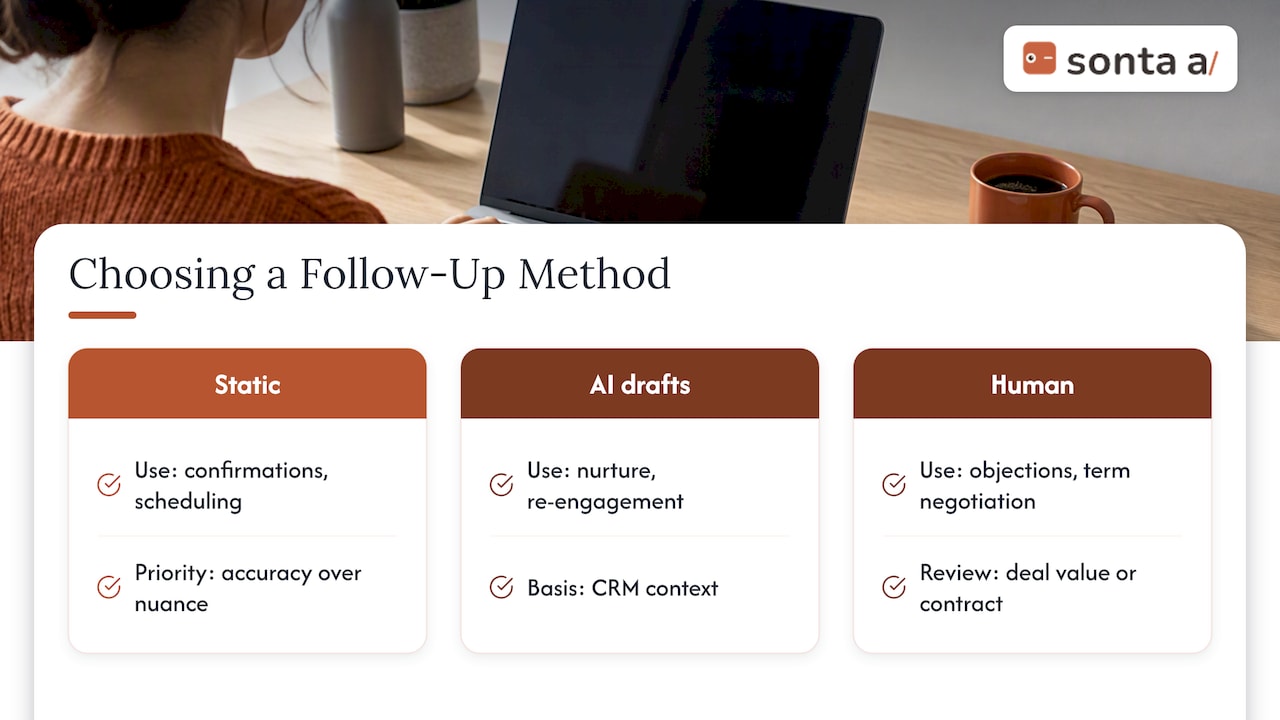
As a decision rule, use static templates for confirmations and scheduling, where accuracy beats nuance. Use AI-generated drafts for nurture and re-engagement, where context from the record makes the message more relevant. When a lead raises an objection or negotiates terms, move to a person.
What protects inbox placement and reply rates?
Automation that lands in spam is worse than no automation. Treat deliverability as part of the build, not an afterthought.
Confirm the basics before sending anything at volume:
- SPF, DKIM, and DMARC are all configured for your sending domain, and a test message passes each check in the headers.
- New sending domains or mailboxes are warmed up gradually rather than used at full volume on day one.
- Per-domain and per-mailbox daily caps are set, and each contact has a per-week touch limit.
- Subject lines are short, specific, and free of all-caps, excessive punctuation, and spam-trigger phrasing.
- Messages are plain-looking, with limited links and no heavy images.
On timing, start with sensible local business hours and adjust by region and by signal. A contact who just opened a message or visited your site is a better candidate for a prompt reply than one who has been silent for weeks. Respect time zones, and avoid sending the same sequence at the same minute to everyone at one company.
To test, build a seed list of mailboxes across major providers, send your real template to them, and check where each message lands. Inbox-placement tools can automate this, and you should re-run the test whenever you change templates, domains, or volume. Watch complaint and unsubscribe rates weekly, because they warn you early.
A note on expectations before you tune any of this: AI agents are not infallible on CRM work, and a peer-reviewed benchmark found that state-of-the-art agents succeed in under 58% of realistic CRM tasks when prompted with ReAct. Deliverability checks and human review are how you absorb that gap.
Which metrics prove the automation works?
Measure outcomes, not activity. Sent volume tells you the system runs; replies and meetings tell you it works.
Primary KPIs: reply rate, meetings booked, conversion from lead to opportunity, and time-to-next-action (how long a lead waits between a trigger and the first touch). Secondary KPIs: open rate, deliverability and placement, and unsubscribe and complaint rates. Opens are a weak signal on their own because privacy features inflate them, so lean on replies.
A practical testing plan, run one variable at a time:
- Subject line: specific versus curiosity-led, on the acknowledgment email.
- First line: referencing the lead’s last activity versus a generic opener.
- Cadence length: a shorter sequence versus a longer one over the same period.
- CTA type: a scheduling link versus a one-line question.
- Sender: a named rep versus a shared team address.
Keep a holdout group that receives your old manual process, so you can attribute lift to automation rather than seasonality or a new campaign. Review results weekly during the pilot and monthly afterward. Share a one-page summary with GTM leadership: what changed, what moved, what you will test next. Our reports and dashboards documentation shows one way to surface these numbers where reps already work.
What does a safe rollout checklist look like?
Use this as a copy-paste plan for your pilot.
- Define a pilot segment (one lead source, one region, or one product line) and write down the objective and success metrics before building.
- Assign roles: sales ops owns the workflow build, IT owns domain and authentication, sales leads own message approval and escalation rules.
- Finalize templates, prompts, the approved proof-point list, and exit conditions.
- Run dry runs in a sandbox with edge-case records, then send to internal inboxes and your seed list.
- Confirm logging is on, every send writes back to the CRM record, and a rollback owner is named.
- Launch to a small share of the pilot segment, review frequently at first, then widen.
- Set safe scale limits: do not expand volume until complaint rates and placement hold steady for two review cycles.
- Establish governance: a change log for any edit to prompts or templates, a monthly review, and short training so reps know what the automation sends and how to take over a thread.
Pro Tip: Freeze prompts and templates during each test window. Changing copy mid-experiment makes results impossible to read.
What does research say about AI agents on CRM tasks?
The most useful reality check we know of is the CRMArena benchmark, which tested language-model agents on realistic professional CRM work. According to the ACL Anthology paper, state-of-the-art agents completed fewer than 58% of tasks using ReAct prompting and under 65% even with function-calling, which points to real limits on complex, multistep CRM work.
State-of-the-art LLM agents succeed in less than 58% of tasks with ReAct prompting and under 65% even with function-calling.
The practical reading is that early deployments should be run as assisted automation: clear acceptance criteria, human oversight on anything consequential, and narrow tasks where success is easy to verify. Simple, bounded steps such as confirmations and scheduling suit agents well; open-ended multi-step judgment does not yet.
For your pilot, that means building task-based tests into acceptance. Define a set of realistic records, state the expected output for each, and check the agent’s results, including whether it calls the right function with the right fields. Promote a workflow to wider rollout only after it clears those checks consistently.
What privacy and compliance rules apply to AI follow-ups?
Automated follow-ups touch personal data, so privacy needs a place in the design. Rules differ by country and by channel, so confirm the requirements for each market you contact with your legal counsel or the relevant regulator rather than assuming one rule fits everywhere.
Practical habits that hold up across jurisdictions:
- Send only to contacts you have a lawful basis to email, and record where each contact came from.
- Include a working unsubscribe mechanism in every message, and process opt-outs across all sequences immediately.
- Share with an AI model only the CRM fields a message needs. Leave out sensitive data such as health or financial details.
- Check how your AI provider stores and uses submitted data, and whether prompts can be used for model training.
- Keep an audit trail of what was sent, when, and from which record, so you can answer a data request or complaint quickly.
- Honor deletion and access requests across the CRM and any connected tools.
Treat the AI step like any other data processor in your stack: documented, limited in scope, and reviewed on a schedule.
Where should AI own follow-up, and where should people step in?
My view is that autonomy should track the cost of a mistake. Let AI own routine confirmations, scheduling, and short nurture touches, where a slightly imperfect message costs little and speed pays back quickly. Keep pricing, contract terms, and nuanced objections human-led, because trust is won or lost in those moments. A workable threshold: any reply that mentions budget, legal terms, a competitor, or frustration goes to a rep immediately, and the automation stops. The change-management piece matters as much as the technology. Show reps what the automation sends, how to see the thread in the CRM, and how to take over without the lead noticing a seam.
— Pavel
How can we help you move from pilot to scale?
We built Sonta Ai as an AI-native CRM, so agent steps, triggers, and a configurable workflow builder sit in one place instead of across stitched-together tools. This brings agent steps, triggers, and workflow building together in one place. Here is how you can start:

- Run our AI Efficiency Diagnostic to find where follow-ups leak today.
- Try an automation from our available blueprints, then adapt it with our guide to adding an AI step to an automation.
- Request a workflow build sprint, and check pricing to scope your pilot. You can also explore our Agentic CRM to see the platform in action.
Book the diagnostic first: it takes 30 minutes and helps identify operational leakages.
FAQ
What is AI follow-up automation in sales?
AI follow-up automation uses CRM triggers to send timely emails that an AI step personalizes from record data. It replaces manual reminders and generic mass emails with context-aware messages. Reps step in when a lead replies or crosses an escalation threshold.
How fast should an automated follow-up go out?
Aim to send the first acknowledgment within 5–30 minutes of the trigger, such as a form submit or meeting end. Fast replies catch the lead while interest is high. Later touches can be spaced out over days.
Can AI agents run follow-ups without human review?
Not safely for everything. A CRM benchmark study found state-of-the-art agents succeed in less than 58% of realistic CRM tasks with ReAct prompting. Let AI handle confirmations and scheduling, and keep a person on pricing and objections.
How do you avoid spam folders with automated emails?
Authenticate your domain with SPF, DKIM, and DMARC, warm up new mailboxes, and cap sends per domain and contact. Keep subject lines plain and test placement with a seed list before scaling.