CRM Duplicate Detection: How It Works and How to Do It Well
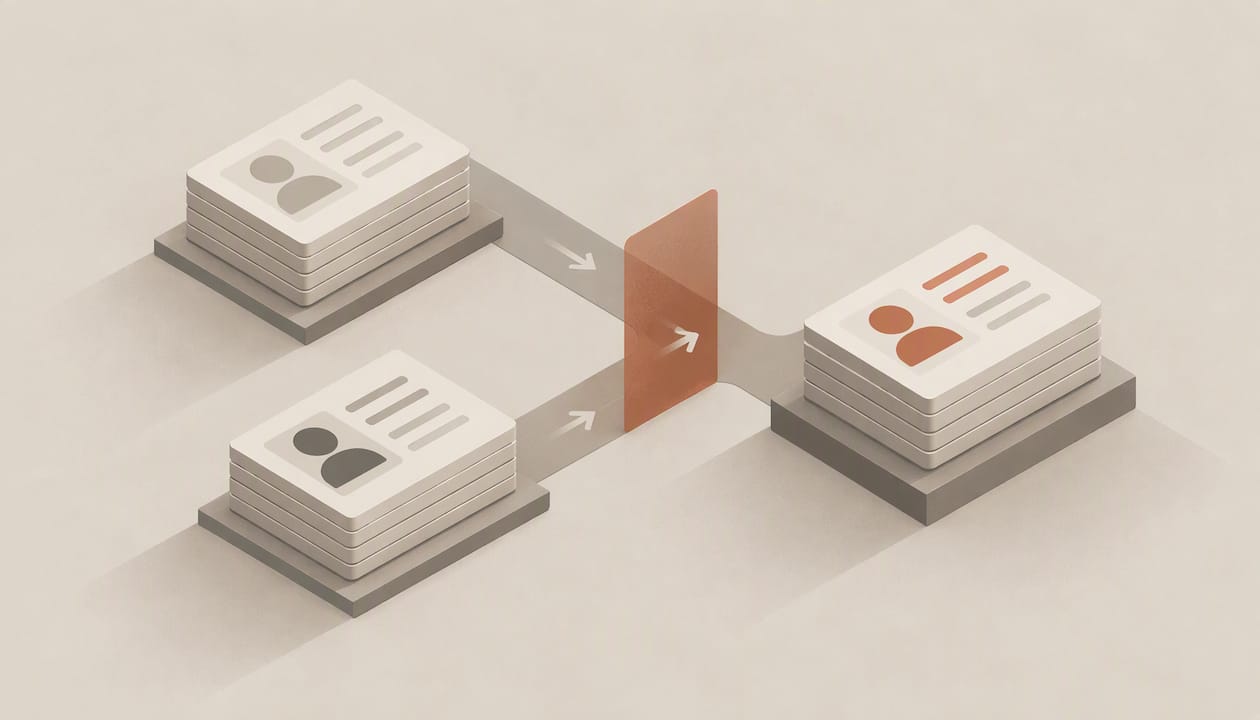
CRM duplicate detection is the process of comparing records on identifiers such as email, phone, domain and name, scoring how likely two records are to describe the same person or company, and then blocking, flagging or merging them. Done well, it runs at three points: when a record is created, in periodic sweeps of existing data, and continuously afterward. Most teams only do the second, and that is why duplicates keep coming back.
This guide covers the mechanics (exact and fuzzy matching, thresholds, stoplists), the merge step where most damage happens, and what to ask of any CRM before trusting it with your pipeline.
TL;DR
- Detection has two halves: finding candidates (matching) and resolving them (merging). Bad merges usually cost more than the duplicates did.
- Rule-based native detection leans on exact or basic fuzzy matches; one vendor estimates it misses 30% to 40% of real duplicates, so treat that figure as indicative rather than universal.
- Use tiers: auto-merge only high-confidence pairs, send the ambiguous middle to a human review queue, and block obvious duplicates at the point of entry.
- Standardize data first, exclude generic values such as info@ addresses, and re-link every child record (deals, activities, tickets) during a merge.
- Prevention beats cleanup: if records capture and update themselves, fewer duplicates are typed in by hand in the first place.
Table of Contents
- What duplicate detection actually does
- Where native detection falls short
- Build a matching strategy in six steps
- Prevention, batch cleanup and monitoring
- What duplicates cost
- Our perspective: fewer duplicates start with less typing
- How to evaluate a CRM’s duplicate handling
- Where Sonta AI fits
- FAQ
- Sources
What duplicate detection actually does
A duplicate is not always two identical rows. More often it is a lead created from a web form, a contact imported from an event list, and an account created by a rep who typed the company name slightly differently. Each looks plausible alone. Together they split activity history, distort pipeline reports and cause two reps to contact the same buyer.
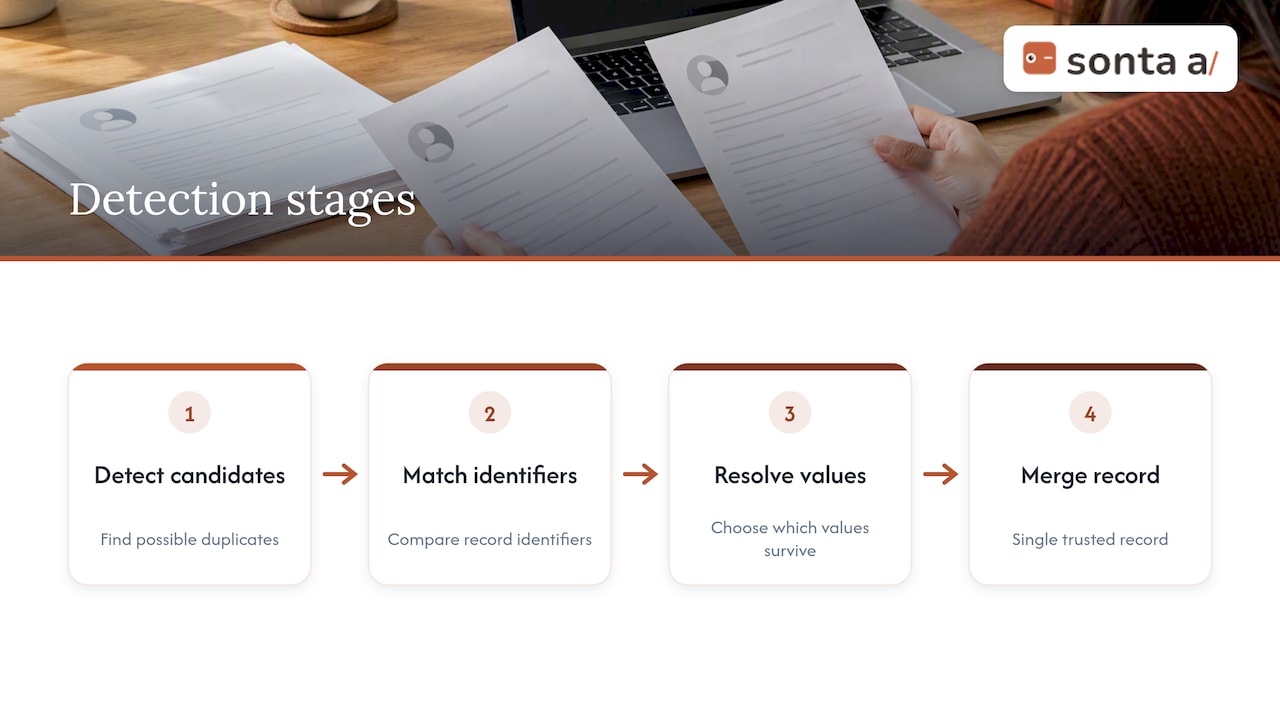
Detection systems generally work in four stages, which one lead deduplication playbook describes as detecting candidates, matching them on identifiers, resolving which values survive and merging into a single trusted record. Keeping those stages separate matters, because a rule that is good at finding candidates is not automatically safe to act on.
Deterministic matching
Deterministic (exact) matching compares a normalized key, usually a lowercase email address, an E.164-formatted phone number, or a company domain. It is fast and rarely wrong when the key is genuinely unique to one entity. It misses everything that is spelled differently: a person who signs up with a personal address and later with a work address, or “Acme Inc.” versus “Acme Incorporated.”
Probabilistic and fuzzy matching
Fuzzy matching compares several fields and produces a similarity score. Edit-distance algorithms such as Levenshtein and Jaro-Winkler are common, and a data quality FAQ for a Salesforce-ecosystem deduplication app describes proximity scoring that expresses how closely records relate as a percentage. Thresholds for automated merging typically sit around 80 to 90%, but the right number depends on your data. A threshold tuned on consumer contacts will behave differently on a database of professional-services firms with many similar surnames.
Rules versus scoring
Many CRMs implement detection as rules: pick fields, pick an exact or fuzzy comparison, and the system flags records that satisfy the rule. Rules are transparent and easy to audit. Their weakness is that each rule is binary. A pair that matches on two weak fields and nothing else either trips a rule or does not, with no sense of how confident the match is.
Where native detection falls short
Three gaps show up repeatedly in practice.
- Coverage. Rules only compare the fields you configure and only the record types they cover. Duplicates that differ in the fields you did not think of pass through. The same vendor estimate cited above puts the share missed by built-in tools at 30% to 40%, and notes that prevention at the point of entry can catch 50% to 60% of potential duplicates. Both numbers come from a company that sells deduplication software, so use them as a prompt to measure your own database, not as a benchmark.
- Timing. If detection runs after routing, ownership assignment, enrichment or campaign attribution, the damage is already done. One revenue operations write-up makes this point directly: the timing of deduplication decides whether it prevents pipeline problems or merely documents them.
- Context blindness. Standard rules do not know that two contacts sharing an email domain may work for different subsidiaries, or that a shared mailbox belongs to several people. The result is either missed matches or false positives, and false positives are the expensive kind. For more on why standard matching rules can leave duplicates in place, this piece on forwarded and shared documents shows how one buyer can appear as several contacts once content circulates inside an account.
Build a matching strategy in six steps
1. Profile before you match
Run counts of blank fields, format variants and obvious repeats. Practitioners quoted by MatchLogic describe rushing to merge without profiling and standardizing as the most common cause of bad merges. Normalize casing, strip suffixes such as LLC and Inc. for comparison purposes, standardize phone formats and expand address abbreviations before any scoring happens.
2. Choose your keys and build stoplists
Email and domain are the strongest keys and also the most dangerous ones. Generic addresses (info@, sales@, support@) and parent-subsidiary structures make identical values invalid as match keys, and revenue operations practitioners use stoplists to exclude them before deterministic matching so that unrelated people are not merged accidentally. Add free-mail domains to the list for account-level matching, since a Gmail domain says nothing about the employer.
3. Run a cascade, cheapest rung first
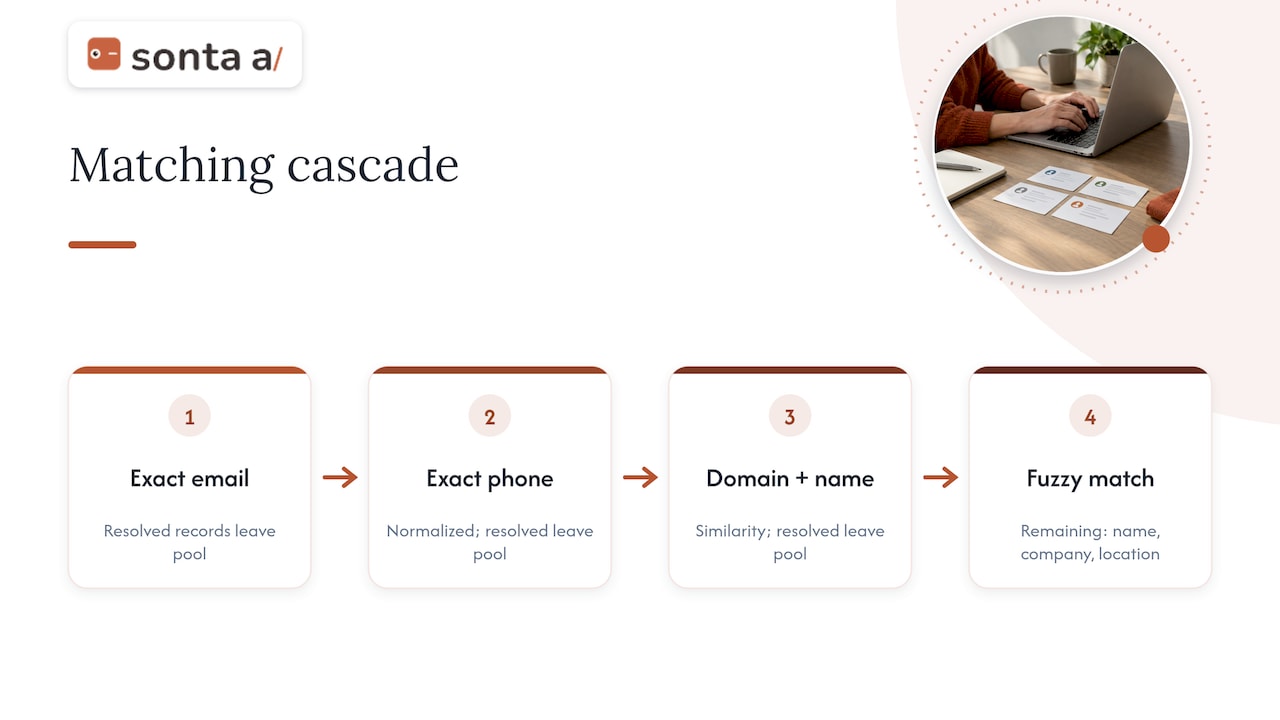
The same revenue operations source frames deduplication as a cascade in which each rung is cheaper and more certain than the one below it, and every record resolved by a higher rung leaves the candidate pool before the expensive rungs run. In practice: exact email, then exact normalized phone, then domain plus name similarity, then fuzzy name plus company plus location. The fuzzy rung should only ever see what is left.
4. Tier by confidence
High-confidence matches can be merged automatically. Ambiguous candidates should go to a human review queue instead of being forced through by the machine. According to the lead deduplication playbook, this also lets you retune thresholds from real reviewer decisions, which is what keeps false positives down over time.
| Confidence tier | Typical action | Who decides |
|---|---|---|
| Exact key match, passes stoplist | Auto-merge with an audit log | System |
| High fuzzy score across several fields | Auto-merge or one-click confirm | System or owner |
| Middle band | Review queue with both records side by side | Rep or RevOps |
| Low score, single weak field | Ignore | None |
5. Treat a merge as survivorship
A merge is not a choice between record A and record B. The better practice is to pick the best value for each field, append rather than overwrite history and associations, and favor the most recent value for volatile fields such as phone numbers and job titles, as described in the same playbook. Define a rule per field before the first merge, not during it.
6. Re-link everything attached to the record
Opportunities, activities, notes and support tickets belong to a record. A merge that leaves them pointing at the deleted record produces broken pipeline reporting and lost account history, a problem RevOps practitioners say can cause larger operational trouble than the duplicates themselves. Test on a sandbox copy and confirm child counts before and after. If you manage associations across several systems, this overview of marketing operations tooling for professional services is a reasonable example of the downstream systems that also need to stay in sync after a merge.
Prevention, batch cleanup and monitoring
Effective programs layer three controls: prevention at the point of entry, periodic batch cleanup and ongoing monitoring with alerts for newly created duplicates. Each catches what the others miss.
- Point of entry: block or warn when a rep, form or import is about to create a record that matches an existing one. Warnings with a “view existing record” link work better than hard blocks for lead-gen forms, where a blocked submission means a lost lead.
- Batch cleanup: run the cascade against the existing database on a schedule, starting with accounts, since contacts depend on them.
- Monitoring: track the duplicate rate by source (web form, import, integration, manual entry). The source with the highest rate is the one to fix first.
The Pedowitz Group’s guidance on preventing duplicate records takes the same stance: stop duplicates at the source, catch them in transit, and apply survivorship so each person or account has one golden profile.
What duplicates cost
The direct cost is licensing and storage. Many platforms price per record or per contact, so a 15% duplicate rate in a database of 500,000 contacts can inflate annual license costs by thousands of dollars. That is the smaller number. The larger one is misrouted leads, double outreach to the same buyer, inflated pipeline coverage and forecasts built on opportunities attached to the wrong account. Our own guidance on lead-to-account matching and sales data enrichment makes the same ordering argument: dedupe first, then enrich and map fields.
Our perspective: fewer duplicates start with less typing
Most duplicate detection is built around a premise we question: that people will keep entering data by hand and software will chase the errors afterward. Every manual entry point is a place where a duplicate can be born, so a cleanup tool that runs weekly is always one step behind the people creating records.
We build Sonta AI around the opposite premise. Records are meant to update themselves in real time, with AI agents handling routine work such as lead qualification, follow-up and account preparation, so fewer records are typed in freehand and fewer variants of the same company appear. That does not remove the need for matching rules, stoplists or review queues. It reduces the volume that reaches them. When a unique field does collide, the platform tells the user rather than silently creating a second record; the academy page on duplicate values on a unique field explains what that looks like.
Our practical advice for any team, whatever CRM it runs: do the dedupe before a migration, not after (we wrote up the sequence in Phase 0 dedupe for CRM data migration), keep automation of data hygiene continuous rather than quarterly (data hygiene automation covers the decay problem), and never let an automated merge run without an audit trail you can reverse from.
— Pavel
How to evaluate a CRM’s duplicate handling
Before buying or relying on a system, test it with your own messy data. A short checklist:
- Does it match on multiple fields at once with and/or logic, including exact and fuzzy comparison? Cloudingo’s 2026 buyer guidance lists email, domain, normalized company name and phone patterns as criteria you should be able to combine.
- Can you set stoplists and field-level survivorship rules?
- Is there a review queue, and does reviewer feedback tune the thresholds?
- Does a merge carry over activities, deals and tickets, and is it reversible?
- Does detection fire at creation time, including on imports and API writes?
- Can you see the duplicate rate by source in a report?
For a wider look at what separates AI-native systems from bolted-on features, see our guide to AI CRM software features.
Where Sonta AI fits
If your duplicates trace back to manual entry, scattered integrations or a pending migration, the AI Efficiency Diagnostic is a 30-minute session that identifies operational leakages and where your tech stack can be tightened. For teams ready to move, migration and data modelling starts from 2,500 USD one-off, and plans start at 16 USD per month per seat on the pricing page. Sonta AI does not meter AI or automation usage, so running matching and hygiene automations does not add a usage bill.
FAQ
What is the difference between duplicate detection and deduplication?
Detection finds and flags candidate duplicates, often at the moment a record is created. Deduplication is the broader process that also resolves them: choosing surviving values, merging records and re-linking associated data. You need both, and detection without a clear merge policy just produces a longer to-do list.
What similarity threshold should I use for auto-merging?
Data quality guidance commonly cites 80% to 90% similarity for automated merging, but treat that as a starting range. Test on a sample you have reviewed by hand, merge automatically only above the level where you saw no false positives, and send the band below it to human review.
Should I clean duplicates before or after migrating CRMs?
Before. Moving duplicates into a new system multiplies the problem, because the new system’s matching rules then run on top of unresolved conflicts. Profile, standardize and merge in the source, then load the cleaned data and switch on prevention in the new CRM.
Can a merge be undone?
It depends on the platform. Some keep a merge log with the original values, others delete the losing record permanently. Check this before your first bulk merge, take a backup or sandbox copy, and keep the audit trail of which record absorbed which.
Sources
- What Is CRM Deduplication? | MatchLogic
- Lead Deduplication: The Technical Playbook (2026)
- How do you handle data deduplication when merging two companies’ CRMs?
- Salesforce Deduplication & Data Quality FAQ
- Deduplicate Salesforce Records Without Breaking Your Pipeline | Sweep
- How do you prevent duplicate records? | The Pedowitz Group
- How to choose Salesforce deduplication tools in 2026 | Cloudingo