CRM Integration Strategy: A Practical Framework for 2026
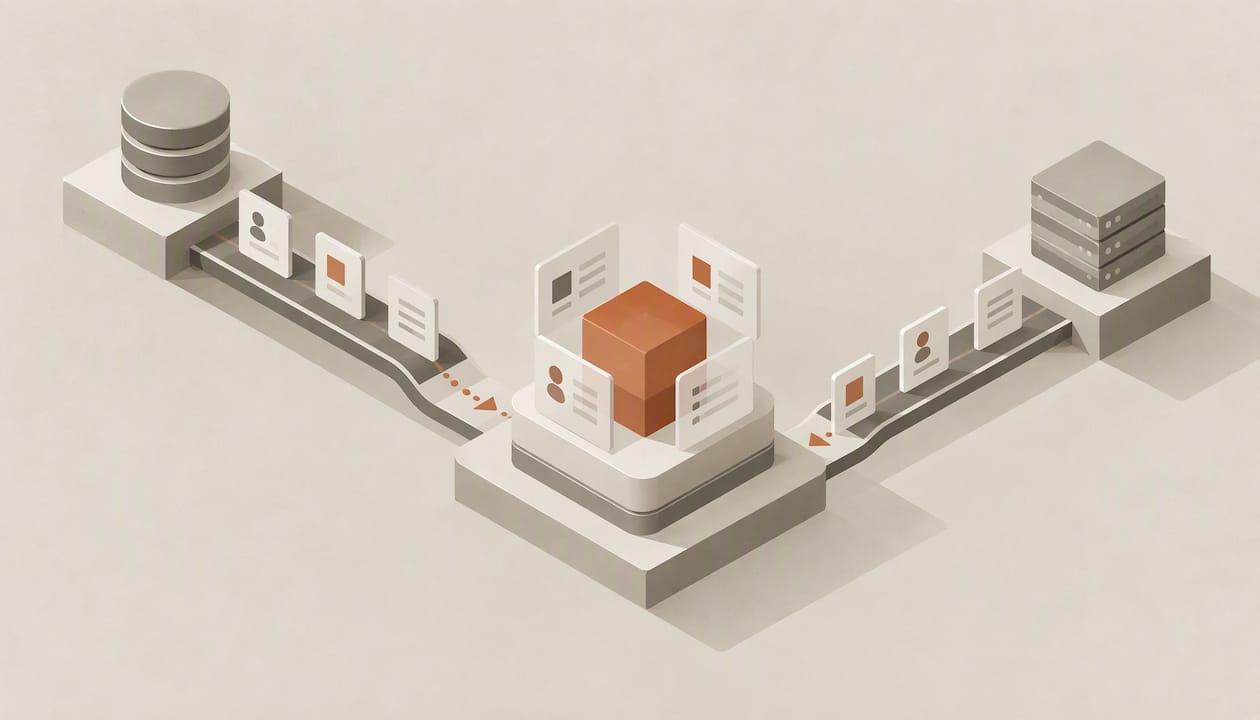
A CRM integration strategy is the plan that decides which systems connect to your CRM, which one owns each piece of data, how information moves between them, and who is allowed to change what. Teams that skip this plan and go straight to connectors tend to end up with duplicate records, conflicting fields and a CRM nobody trusts. This guide walks through the decisions in the order you should make them, from the system of record to governance, rollout and measurement.
TL;DR
- Define a system of record for every object (contacts, accounts, deals, activities) before you build a single connector, and write down which direction each field syncs.
- Treat duplicates as the primary failure mode: every integration should check for an existing record (by email, phone or external ID) before it creates one.
- Separate read access, scoped write access and human approval for consequential changes, especially when AI agents touch the CRM.
- Plan for a phased program of roughly 12 to 16 weeks rather than a tool-first sprint, and measure adoption, not just uptime.
- The best integration is often one you do not have to maintain: reduce manual entry at the source so records update themselves.
Table of Contents
- Why integration strategy, not just integrations
- Step 1: Map the data before the tools
- Step 2: Design around duplicates and data quality
- Step 3: Choose the integration pattern
- Step 4: Put governance around write access
- Step 5: Plan a phased rollout
- Step 6: Design for adoption, not just connectivity
- Step 7: Measure what the integration actually changes
- Common mistakes in CRM integration
- Our perspective: fewer integrations, fewer places to fail
- Where Sonta AI fits
- FAQ
- Sources
Why integration strategy, not just integrations
Most companies already have the connectors. Email, calendar, marketing automation, billing, support and data warehouse tools all offer a “connect to CRM” button. The problem is that each button encodes someone else’s assumptions about which system wins when two values disagree, how often to sync, and what counts as a match.
The stakes are not abstract. A 2025 summary from Sales Engine puts CRM adoption rates between 26% and 40%, reports that 55% of CRM implementations fail to meet planned objectives, and notes that 72% of sales and operations leaders say record creation takes too much time. Those numbers describe a gap between how the CRM was designed and how people actually sell, and integrations are where that gap either closes or widens. A connector that dumps unmatched, unowned data into the CRM adds to the administrative burden. A connector that captures call notes, meeting details and email threads automatically removes it.
That is the lens for the rest of this article: an integration is successful when the CRM contains more accurate information with less human typing, and fails when it creates cleanup work.
Step 1: Map the data before the tools
Start with a capability and data map, not a vendor list. A peer-reviewed review of CRM transformation describes a successful CRM strategy as one that covers governance and roles, a capability map, a target architecture and data governance, and argues for aligning business priorities with a target state before tool selection. In practice, that means a single working document with four parts.
Inventory every system that touches a customer
List every application that creates, reads or modifies customer information: marketing automation, website forms, email and calendar, meeting recorders, billing, product analytics, support desk, enrichment providers, and the data warehouse. Include spreadsheets. Shadow spreadsheets are usually where the real pipeline lives, and they are the first things to break your clean model.
Name one system of record per object
For each object, choose where the authoritative version lives and where it is merely mirrored.
| Object | Typical system of record | Other systems | Sync direction |
|---|---|---|---|
| Contact and lead | CRM | Marketing automation, enrichment | Bidirectional on defined fields only |
| Account | CRM | Billing, support | CRM to others for names and owners |
| Deal and pipeline | CRM | Finance, BI | CRM to others, read-only |
| Invoice and payment | Billing system | CRM | Billing to CRM, read-only |
| Ticket | Support desk | CRM | Support to CRM, read-only |
| Activity (calls, emails, meetings) | Source tool | CRM | Captured automatically into CRM |
The table is an example, not a prescription. What matters is that every cell is filled in and every field has exactly one writer by default. Bidirectional sync on every field is the most common source of overwrite loops.
Define the match keys
Decide how a record is identified across systems: email for contacts, domain or an external ID for accounts, a stable customer ID for billing. Without agreed keys, every integration invents its own matching logic, and duplicates multiply.
Step 2: Design around duplicates and data quality
Integration guidance from NimbleBrain states that most CRM integrations fail because of poor handling of existing duplicates, and recommends an upsert or existence check (using email, phone or an external ID) before any new record is created, rather than blind inserts. That advice applies to every integration, not only AI agents: forms, importers, enrichment jobs and sync tools all need the same rule.
A workable data quality baseline looks like this:
- Check before you create. Every automated writer performs a lookup on the agreed match key first.
- Normalize on the way in. Standardize phone formats, country codes, company suffixes and casing at the integration layer, not in the CRM afterward.
- Keep provenance. Store the source system and timestamp of each automated write so you can trace and reverse errors.
- Merge deliberately. Treat merges as consequential operations that require review (see the governance section below).
- Scan on a schedule. Run duplicate and completeness checks weekly, and review the results with the people who own the data.
If you want a fast way to test how exposed your data is, our guide to scanning CRM data governance in 30 minutes lays out the controls to check first.
Step 3: Choose the integration pattern
Not every connection needs the same architecture. Match the pattern to the job.
| Pattern | Best for | Watch out for |
|---|---|---|
| Native connector | Email, calendar, common marketing tools | Fixed field mappings, limited conflict rules |
| Webhooks (event-driven) | Real-time triggers such as form submissions or stage changes | Retries, ordering and idempotency |
| Scheduled API sync | Billing, finance, reporting data | Rate limits, stale data between runs |
| Warehouse or reverse-ETL | Analytics-heavy models, product usage scores | Latency, ownership of the transformed fields |
| AI agent through a controlled interface | Capture, enrichment, follow-up, scheduling | Write permissions, hallucinated values, audit trail |
Two principles help when choosing. First, prefer event-driven flows for anything a seller or customer is waiting on (a new inbound lead, a booked meeting) and batch flows for anything that is reported on (revenue, usage). Second, design every write to be safe to repeat. Retries are inevitable, and an integration that creates a second record on the second attempt is a duplicate generator.
If you use webhooks, our Academy page on webhooks in and out covers how inbound and outbound events are handled in Sonta AI.
Step 4: Put governance around write access
As AI agents enter the stack, the integration question shifts from “can it connect?” to “what is it allowed to change?” The NimbleBrain guidance frames connecting agents to a CRM as fundamentally a governance decision rather than a technical one, and recommends a three-tier model instead of rigid rule engines:
- Read: broad access so the agent has context on accounts, history and open deals.
- Scoped write: specific, validated operations (log a note, update a next-step date, create a task) rather than open-ended field edits.
- Gate: human approval for consequential changes such as changing record ownership or merging records.
This model is useful beyond agents. Apply it to every automation and every connected app: broad reads are cheap, scoped writes are reviewed once and trusted, and the few irreversible operations always go through a person. Document which tier each integration sits in, and review the list quarterly.
We describe how this plays out in practice on our page about AI sales agents with staged autonomy, and the broader architectural background is in what AI-native architecture looks like in a working CRM.
Step 5: Plan a phased rollout
The same CRM transformation research describes a structured, multi-phase roadmap that typically spans 12 to 16 weeks and resists jumping straight to tool selection. A timeline that fits most mid-sized sales teams:
| Phase | Weeks | Output |
|---|---|---|
| Discovery and data map | 1 to 3 | System inventory, system-of-record table, match keys |
| Design | 3 to 6 | Field mappings, sync directions, governance tiers, success metrics |
| Sandbox build and test | 6 to 10 | Integrations tested on a copy of production data, duplicate and error handling verified |
| Pilot | 10 to 13 | One team or segment live, daily review of exceptions |
| Rollout and hardening | 13 to 16 | Remaining teams, monitoring, runbooks, ownership handed over |
Two habits make the difference. Test in a sandbox with realistic data volumes, because integrations that look fine on 200 records misbehave on 200,000. And involve the end users in the pilot from the first day, since they will notice wrong values and clumsy flows before any dashboard does.
Step 6: Design for adoption, not just connectivity
Integration can quietly raise or lower adoption. Sales Engine’s analysis argues that the cure for poor adoption is operational redesign that removes administrative work, not more training: artifacts from calls and meetings should populate the CRM as a by-product of selling instead of becoming a separate task afterward.
That has concrete implications for your integration plan:
- Prioritize integrations that eliminate typing (email and calendar capture, call and meeting notes, form and enrichment data) over integrations that merely display more data.
- Keep required fields to the minimum that downstream reporting truly needs, and fill the rest automatically.
- Document the exceptions and reasoning behind your rules, not only the steps. Teams that write down why a field syncs one way keep that logic alive when people change roles. This approach to workflow documentation for teams is a good model for capturing decisions alongside procedures.
- Review adoption with the same discipline as uptime: field completion, time from activity to record update, and how many records managers fix by hand.
For the people side of this, see our playbooks on CRM change management and on improving CRM adoption in 90 days.
Step 7: Measure what the integration actually changes
Pick five to seven metrics before go-live and baseline them.
- Duplicate rate among new contacts and accounts, measured weekly.
- Field completeness on the fields that drive routing, forecasting and reporting.
- Update latency: the time between a real-world event (a meeting, a reply) and the CRM reflecting it.
- Sync error rate and mean time to resolve failures.
- Manual edits per record by sellers and ops, a direct proxy for admin burden.
- Lead response time and speed to first follow-up.
- Forecast accuracy, the downstream metric leaders care about most.
Review them monthly with sales, marketing and operations in the same room. Integration problems are rarely owned by a single team, so the review should not be either.
Common mistakes in CRM integration
- Starting with the vendor. Choosing connectors before the data map locks you into someone else’s model.
- Syncing everything both ways. Bidirectional sync on all fields invites overwrite loops and arguments about whose data is right.
- Ignoring existing duplicates. Integrating on top of dirty data multiplies the mess. Clean and dedupe first, then connect.
- No owner. Without a named integration owner, errors sit in a queue until a seller complains.
- Granting agents open write access. Scope writes and gate irreversible actions.
- Underestimating change management. A technically perfect integration that changes how sellers work without explanation still fails the adoption test.
- Never retiring anything. Every integration you keep is a maintenance liability. Remove tools that no longer earn their place; our AI Efficiency Diagnostic exists partly to find these leaks in a tech stack.
Our perspective: fewer integrations, fewer places to fail
We see integration strategy through one recurring observation: the more a CRM depends on people copying information between systems, the more integrations you need to compensate, and the more governance you need around them. Legacy CRMs set a manual data entry ceiling, and each connector is a patch on top of it.
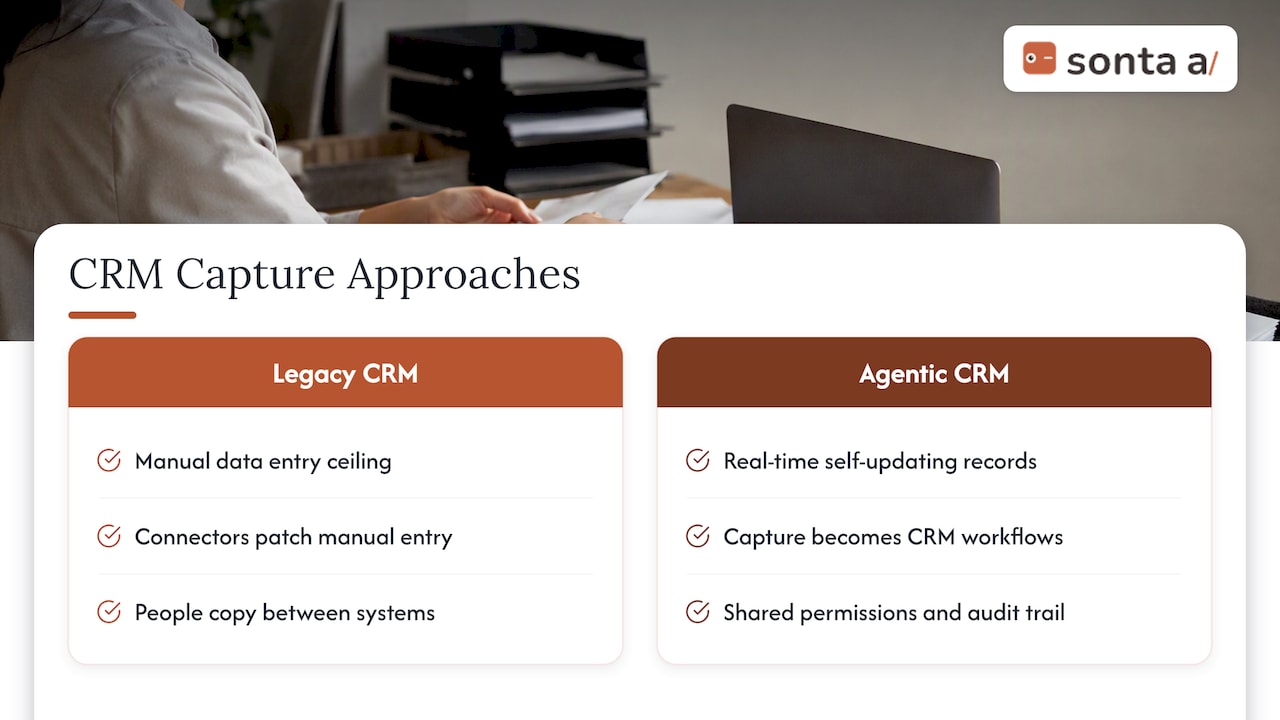
That is why Sonta AI was built as an agentic CRM in which records update themselves in real time, powered by configurable AI agents that handle lead qualification, follow-up, account prep, scheduling and pipeline management. When capture is native, many of the integrations a team would otherwise build (note-taking, activity logging, enrichment, routing) become workflows inside the CRM, with the same permissions, audit trail and match logic as everything else. We also choose models per task and do not meter AI or automation usage, so teams are not nudged to automate less to control cost.
Our advice is not “integrate nothing.” Billing, finance, product data and the warehouse will always live elsewhere, and they deserve the full discipline described above. But before you add the next connector, ask whether the data could be captured at the source instead. If you want a deeper comparison of architectures, see our breakdown of AI-native versus AI-enabled CRM and the four factors that separate them.
— Pavel
Where Sonta AI fits
If you are planning an integration program and want an outside view first, our AI Efficiency Diagnostic delivers actionable findings in 30 minutes on where your operations and tech stack leak time. When you are ready to evaluate the platform, Sonta AI’s plans start at $16 per month per seat (Solo), with Core from $28 and Pro from $65 per seat per month, and Enterprise on request. Migration and data modelling is available from $2,500 one-off, and workflow build sprints from $5,000 one-off.
FAQ
What is a CRM integration strategy?
It is a documented plan for how your CRM connects to the rest of your stack: which systems integrate, which one owns each data object, how records are matched, which direction fields sync, and who may change what. It also covers rollout, testing and ownership after launch.
What are the best practices for CRM integration?
Define one system of record per object, agree on match keys, check for existing records before creating new ones, and sync only the fields that need to move. Test in a sandbox, roll out in phases, scope write access and require approval for merges and ownership changes. Then measure duplicates, completeness and update latency.
How long does a CRM integration take?
Research on strategic CRM transformation describes a structured roadmap that typically runs 12 to 16 weeks from discovery to rollout. A single native connector can go live in days, but a program spanning several systems, data cleanup and a pilot needs more time.
Should AI agents be allowed to write to the CRM?
Yes, within limits. Give agents broad read access for context, scoped and validated write operations for routine work, and a human approval gate for consequential actions such as merging records or reassigning owners. Log every automated write with its source and timestamp.
Sources
- Why Sales Methodology Adoption Keeps Failing, Sales Engine
- Connecting AI Agents to Your CRM, NimbleBrain
- Optimizing CRM Systems for the Future: Strategic Approaches to Overhaul and Innovation