Sales Cadence Automation: Build Cadences That Run Themselves
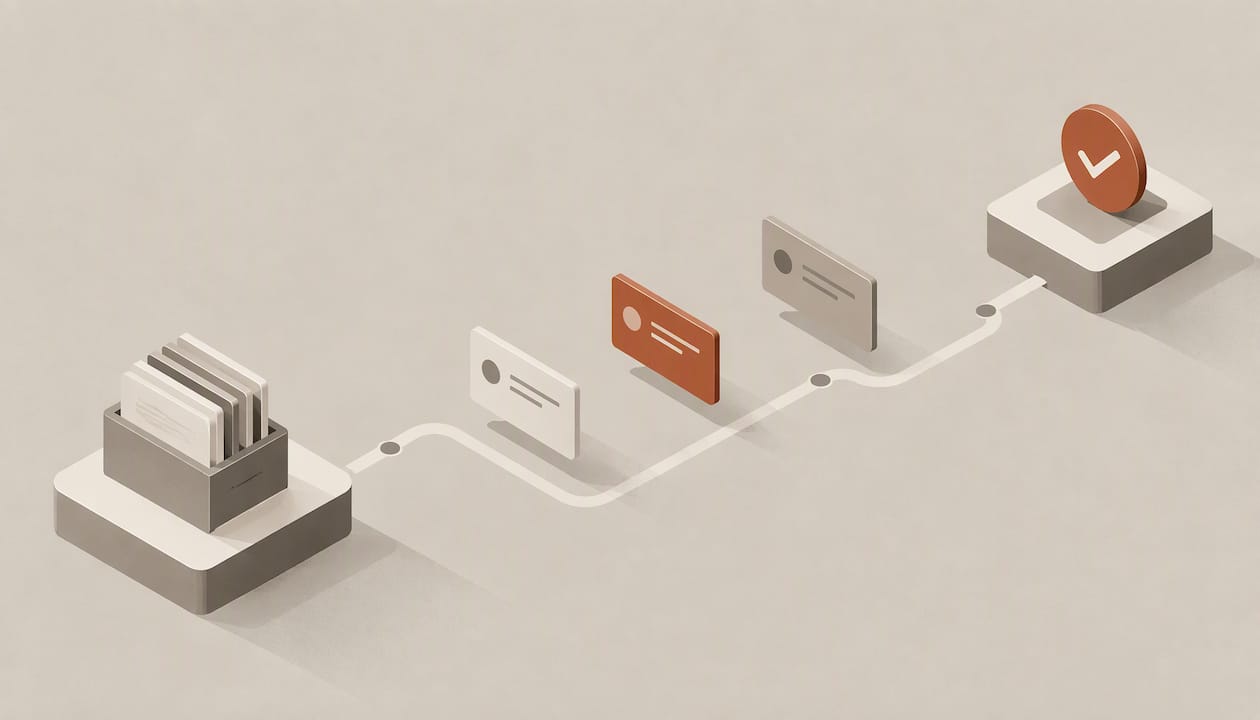
Sales cadence automation means defining a sequence of touches (emails, calls, LinkedIn tasks, texts) once, then letting software pace, deliver and log every step while reps handle only the moments that need a human. Done well, it removes the manual follow-up that decays pipeline. Done badly, it produces overlapping rules nobody can audit. This guide covers how cadences are built, where they break, how lead routing fits in, what the tooling costs, and how an agentic CRM changes the work.
TL;DR
- A cadence is a timed, multi-channel sequence; automation handles scheduling, sending, logging and branching, and hands a task to a rep when judgment is needed.
- Use rules for immediate actions such as lead routing, and structured multi-step programs for engagement, to avoid “automation spaghetti”.
- Most failures come from treating a cadence as a one-time setup, stacking delays on top of listener waits, or ignoring platform capacity limits.
- Standalone engagement tools ran roughly $79 to $230 per seat per month in May 2026; an AI-native CRM can fold cadences into the record system instead of adding a layer.
Table of Contents
- What a sales cadence is, and what automation actually changes
- Anatomy of a cadence that holds up
- Where automated cadences break
- Lead routing automation: the step before the cadence
- What the tooling costs in 2026
- Our perspective: cadences belong inside the record system
- Building a cadence in an agentic CRM: a practical sequence
- How to choose between a cadence tool and an AI-native CRM
- Where Sonta AI fits
- FAQ
- Sources
What a sales cadence is, and what automation actually changes
A sales cadence is the planned schedule of contact attempts against a prospect: which channel, on which day, with which message, and what happens when the prospect responds or stays silent. A basic example is a 14-day sequence with a first email on day one, a call task on day two, a LinkedIn touch on day four, a follow-up email on day seven and a breakup message on day fourteen.
Without automation, the schedule lives in a rep’s head or a spreadsheet. With automation, the system does four things:
- Schedules each step relative to enrollment or to the previous step.
- Executes the automatable steps (email sends, task creation, field updates) without rep involvement.
- Logs activity and outcomes against the contact, account and opportunity.
- Branches based on signals: a reply, a click, a meeting booked, a bounce.
The fourth item is where most of the value and most of the mess sit. A cadence that only sends emails on a timer is a drip campaign. A cadence that reacts to what the buyer does is closer to what teams mean by sales engagement.
Anatomy of a cadence that holds up
Segment before you sequence
One generic cadence for every lead wastes the touches that matter most. Separate cadences by buyer persona, vertical and trigger event (a hire, a funding round, a tool adoption), and keep the highest-value accounts on a more manual track. Getting the segments right depends on knowing who you actually sell to; this ideal customer profile framework walks from data to rep actions in six steps and is a sound starting point for deciding which cadence a lead should enter.
Build main, positive and negative tracks
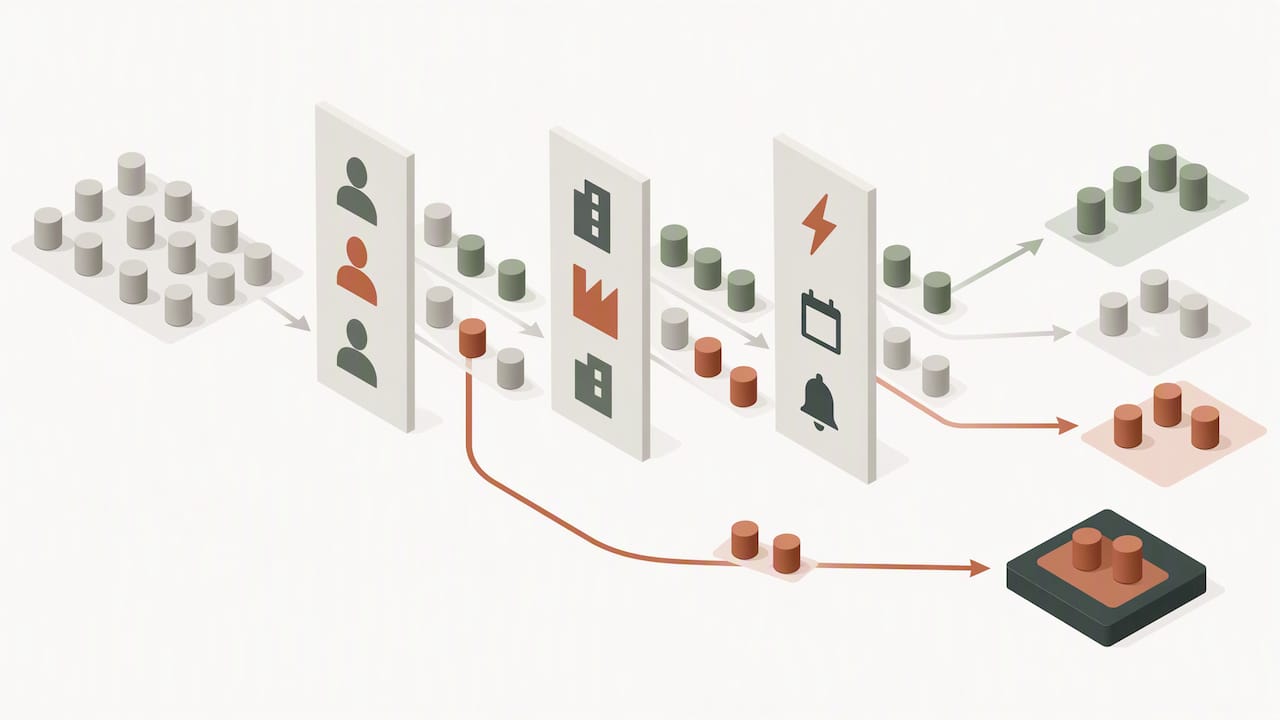
Practitioners who build cadences at scale describe a main track plus branching tracks (in one widely used engagement module, up to three). A workable pattern:
- Main track: the default sequence for a prospect who has not responded.
- Positive track: triggered by a reply, a click on pricing or a meeting request; it stops the outbound sequence and creates a task or books time.
- Negative track: triggered by an unsubscribe, a “not now” or a bounce; it suppresses further sends and may schedule a long-dated re-engagement.
The point is that every signal has a defined consequence. If a prospect replies on day three and still receives the day-five template, the cadence is working against you.
Mix channels, but only where you can execute
Email steps can be fully automated. Call and LinkedIn steps usually become tasks for a rep. Adding channels you cannot staff only creates overdue tasks, which trains reps to ignore the queue. Start with the channels your team will honestly work, then add.
Personalize the steps that count
Automate the structure, not the thinking. Template the follow-up that confirms receipt or resurfaces a thread; personalize the first touch and any step to a high-value account. AI drafting makes this cheaper than it used to be, provided a person approves messages to important accounts. Our guide to automated follow-up emails that book meetings covers the drafting side in more detail.
Where automated cadences break
Compounded delays
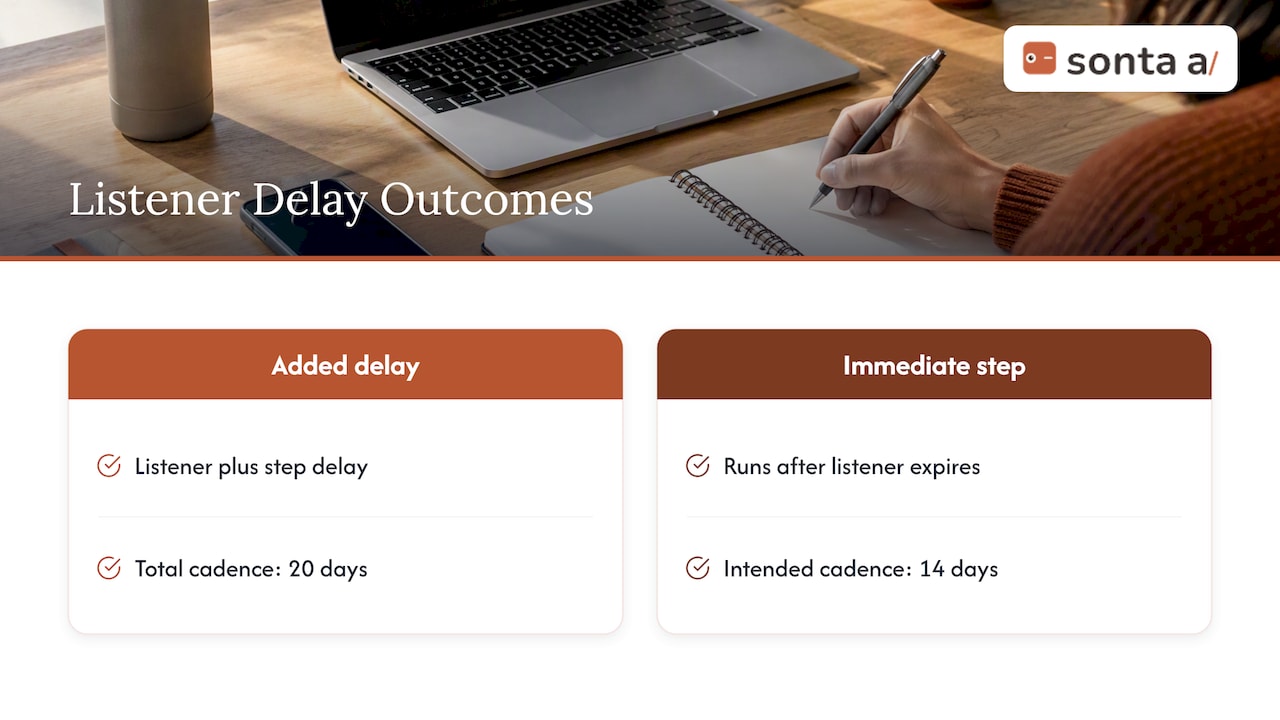
When a step waits for a listener (for example, an email click) and also carries its own delay, the two waits add up. Community guidance on a major engagement platform notes that designers should set the next step to run immediately after the listener expires rather than adding another delay. A cadence you intended to run in 14 days can quietly take 20. Before launch, trace the longest path through the cadence and add up every delay and listener duration.
Automation spaghetti
Salesforce practitioners describe unmanaged, overlapping rules as the typical outcome when growing teams keep adding rules to solve each new case. Their advice is a useful division of labor: rules for immediate, high-priority actions, and a visual, structured program for multi-step engagement. Not all automation is equally time-sensitive, and treating it that way is how teams end up with ten rules that fire on the same record.
Treating the cadence as a finished project
Analysts reviewing the category observe that most teams fail because they view cadence creation as a one-time setup rather than an iterative process. Review reply rates and meeting rates by step every month, retire the step that never converts, and test one variable at a time (subject line, hook, step spacing).
Capacity limits at scale
System limits tend to surface only after a team has grown into them. One engagement module documents a cap of about 500,000 active target records and 150,000 active trackers, and recommends a governance process to purge completed prospects and stale cadences. Whatever platform you use, ask what its limits are, and assign someone to clean up finished enrollments quarterly.
Lead routing automation: the step before the cadence
A cadence cannot start until a lead has an owner. Lead routing automation assigns inbound leads (from forms, ad platforms, inboxes and imports) to the right rep or queue, then enrolls them in the correct cadence. The common routing criteria are:
| Criterion | Example rule | Typical use |
|---|---|---|
| Territory | Leads from the Northeast go to the regional rep | Field or regional teams |
| Segment or size | Companies above a headcount threshold go to enterprise reps | Tiered sales orgs |
| Round robin | Next available rep in a pool | High-volume inbound |
| Existing owner | Contacts at a known account go to the account owner | Account-based motions |
| Vertical | Real estate leads go to the real estate pod | Industry-specialized teams |
Routing is the textbook case for a rule: it is immediate, deterministic and easy to explain. The multi-step engagement that follows is better handled by a cadence or an agent. Keeping those two layers separate is the simplest defense against the spaghetti described above.
One practical check: after routing, the enrolled cadence should be chosen by the same segmentation logic, not by the rep. If reps pick cadences manually, your reporting by segment will be unreliable within a quarter.
What the tooling costs in 2026
The market for standalone sales engagement software is split. Per a May 2026 review of 18 platforms, the enterprise engagement platforms charge about $130 to $230 per seat per month, while all-in-one challengers that bundle engagement and intelligence charge about $79 to $149. The same analysts note that AI SDR agents are pushing the category away from cold outbound and toward warm outbound and account orchestration, and they advise buyers considering a three-year contract to insist on a 12-month evaluation clause because agentic capabilities are changing so quickly.
That advice generalizes: with a category moving this fast, short terms and explicit performance criteria protect you more than a deep discount does.
The cost that rarely appears on the price page is the integration layer. A standalone engagement tool sits between your CRM and your outbound channels, so every step needs data to sync both ways. When the sync lags, reps see stale statuses, and the cadence emails a contact who already booked a meeting.
Our perspective: cadences belong inside the record system
We build Sonta AI, an AI-native CRM, so we have a stake in this, and we will state it plainly. The reason cadences go wrong is rarely the sequence design. It is the data underneath: records that depend on reps typing updates, so the cadence acts on information that is days old.
Our approach follows from that. Records update themselves in real time, and customizable AI agents handle routine work such as lead qualification, customer follow-up, account prep, scheduling and pipeline management, using models chosen per task. A cadence in that setup is not a separate product bolted onto the CRM. It is one workflow among several that read and write the same live record. We also do not meter AI or automation usage, which matters for cadences specifically: the more steps you automate, the more a per-action fee would punish you for doing the right thing.
Two cautions from how we see teams work. First, start with staged autonomy: let an agent draft and queue steps for approval, then widen its authority as the results justify it (our product page describes how staged autonomy works). Second, resist automating everything on day one. Pick the one cadence where follow-up currently fails, usually inbound lead response or post-demo follow-up, fix that, and measure it before building the next.
If you want the wider comparison, we have written about what an agentic CRM actually does and how AI-native and AI-enabled CRMs differ.
— Pavel
Building a cadence in an agentic CRM: a practical sequence
The steps below apply to most platforms, with notes on how they look in an AI-native one.
- Define the entry condition. Which leads qualify, by source, segment and score? In Sonta AI, you set up the pipeline first (build a pipeline) so enrollment ties to a stage.
- Write the steps and spacing. Keep early steps close (days one to four), then widen. Cap the total at a length your team can defend, commonly two to three weeks for cold inbound.
- Add the AI step where judgment is cheap to automate. Drafting a context-aware reply or summarizing prior activity is a good fit; see how to add an AI step to an automation.
- Define exit and branch conditions. Reply, meeting booked, bounce, unsubscribe, deal opened. Each needs a destination.
- Trace the timeline. Add up delays and wait windows on the longest path so the real duration matches the intended one.
- Pilot with a small cohort. Run it on one segment, review the replies by hand, then scale.
- Report and prune. Build a report of step-level reply and meeting rates (build a report) and remove what does not convert.
Teams in real estate, recruitment, auto retail and professional services often need cadences tuned to long, relationship-driven cycles. Industry blueprints in Sonta AI package those pipelines and automations as a starting point; see the available blueprints.
How to choose between a cadence tool and an AI-native CRM
Use these criteria rather than feature checklists:
- Data freshness: does the cadence act on records that update themselves, or on fields reps maintain?
- Number of systems: every added layer is another sync to monitor and another seat license.
- Branching depth: can you build main, positive and negative tracks, and can you read the logic later?
- Usage pricing: is automation metered, and what will the bill look like at three times your current volume?
- Governance: are there caps on active records, and who purges stale enrollments?
- Contract terms: can you get a 12-month evaluation clause, given how fast agent capabilities are changing?
A dedicated engagement platform can be the right call for a large outbound-heavy team with deep tooling already in place. For teams whose follow-up problem is really a data and workflow problem across the whole funnel, folding cadences into the CRM usually reduces both cost and failure points.
Where Sonta AI fits
Sonta AI is an agentic CRM for sales teams and GTM organizations. Plans are priced per seat per month: Solo from $16, Core from $28 and Pro from $65, with Enterprise available through sales. Optional services include migration and data modeling from $2,500 one-off and a workflow build sprint from $5,000 one-off, for teams that want cadences and routing built for them.
If you are not sure where your follow-up leaks, the 30-minute AI Efficiency Diagnostic maps operational leakage and your tech stack, so you can decide which cadences to automate first.
FAQ
What is the difference between a sales cadence and a sequence?
The terms overlap heavily. A sequence usually means the ordered list of steps, while a cadence adds the timing, channel mix and branching rules around them. In practice, tools use the words interchangeably, so compare capabilities rather than labels.
How many touches should an automated cadence have?
There is no universal number, and we would not trust one without your own data. A common starting point is a two-to-three-week sequence with a handful of touches across email, phone and social, then adjusting by step-level reply and meeting rates. Cut steps that never produce responses.
Should lead routing and cadences be the same automation?
Keep them separate. Routing is immediate and rule-based, so it suits a simple rule. Cadences are multi-step and signal-driven, so they suit a structured program or an agent. Separating them keeps both easier to audit.
Can AI agents run cadences without a rep?
They can run the routine steps: drafting, sending, logging, scheduling and follow-up. We recommend staged autonomy, where agents queue work for approval at first and gain independence as results prove out. High-value accounts should keep a human on the personalization steps.
Sources
- Sales Engagement Software: 10 platforms ranked, Zendikt (May 2026)
- Moving from Automation Rules to Engagement Studio, Salesforce Ben (January 2024)
- Sales engagement cadences skill notes, GitHub
- Cadence Step Timing & Listeners, Trailblazer Community (June 2026)