Call Logging Automation: How to Set It Up and Keep CRM Data Clean
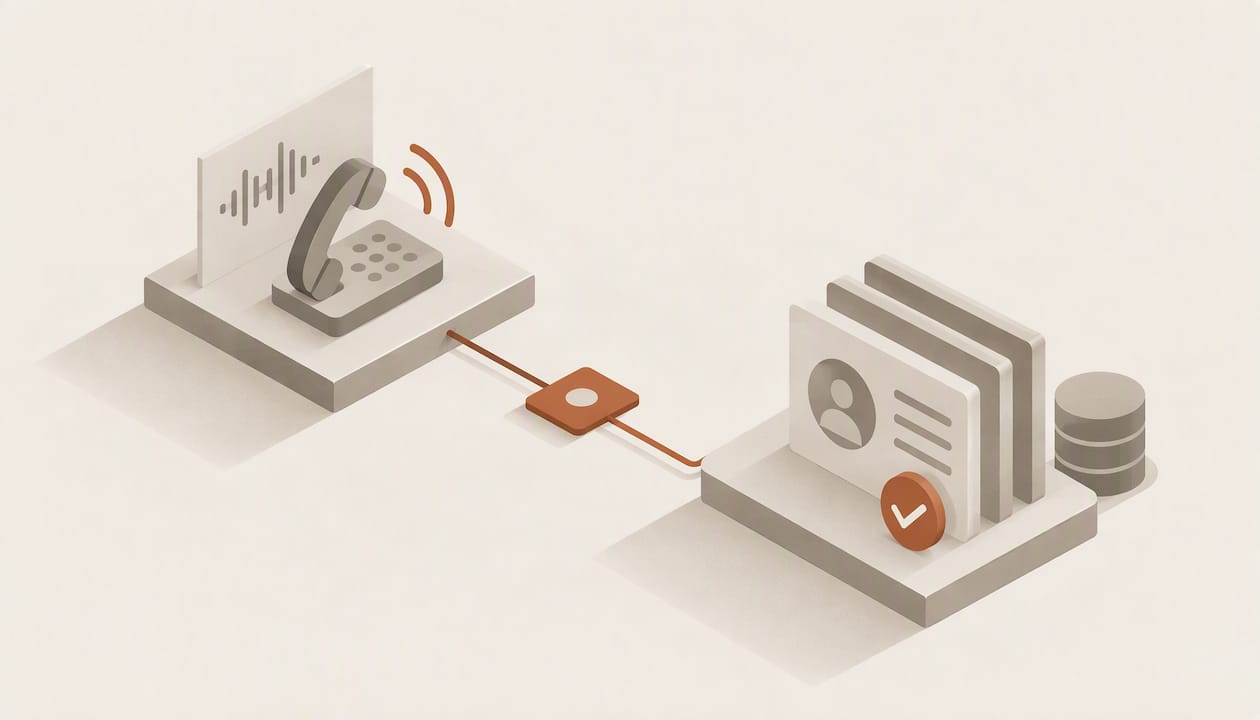
Call logging automation connects your phone system or dialer to your CRM so that every call’s metadata, outcome, recording and notes land on the right record without a rep typing them in. The connection itself is easy to build. The hard parts are matching each call to the right contact, keeping AI-generated text out of fields that expect structured values, and making sure the automation fails visibly instead of silently. This guide covers all three, plus the recording-consent rules that apply before you automate anything.
TL;DR
- Automated call logging works by syncing call records, metadata and notes from telephony to the CRM after each call. Start with plain auto-logging, then add conditional workflows, then pipeline updates.
- Key your integration to a stable call ID from the telephony provider, not to phone-number matching, which practitioners report can produce duplication rates of 10-30%.
- Write structured values (disposition, next step, date) to CRM fields and send low-confidence AI output to a human review queue instead of the record.
- Recording and transcribing calls carries consent obligations that differ by state in the US and are stricter under GDPR for EU and EEA residents.
- Monitor the sync: a log that silently stops is worse than a manual one, because the CRM keeps looking complete.
Table of Contents
- What call logging automation actually does
- Three levels of automation, in the order to build them
- How to set it up, step by step
- Where AI summaries help, and where they hurt
- Recording and consent: check this before you automate
- What to look for in a CRM that logs calls for you
- Perspective: why we treat call logging as a record problem, not a feature
- Putting it into practice with Sonta AI
- A rollout checklist
- FAQ
- Sources
What call logging automation actually does
Manual logging means a rep ends a call, opens the contact, creates an activity, picks a disposition, types a summary and schedules a follow-up. JustCall estimates that this post-call work can consume nearly 40% of an agent’s day. Even if your own figure is lower, the cost compounds: the tasks that get skipped are exactly the ones that make the CRM trustworthy.
The consequence shows up in data quality. A 2025 Validity survey of 602 CRM users, as summarized by Deepgram, found that 76% said less than half of their CRM data is accurate and complete, with manual entry errors and incomplete logs as the main causes.
Automated logging replaces the typing with a pipeline of four stages:
- Capture. The phone system, dialer or softphone emits an event when a call ends, with timestamps, direction, duration, participants, outcome and a link to the recording.
- Match. The event is tied to a contact, account or deal in the CRM.
- Enrich. Optionally, a transcript is produced and an AI step extracts a summary, objections, commitments and next steps.
- Write. The CRM activity is created or updated, and downstream workflows (tasks, sequences, stage changes) fire.
Most failures happen at stage 2 and stage 4, not at capture.
Three levels of automation, in the order to build them
The research on successful GTM teams points to a tiered approach: treat call automation as a business process, not a software setting. In practice that means building in layers and not moving to the next one until the previous one is stable.
| Level | What it does | Typical trigger | Risk if rushed |
|---|---|---|---|
| 1. Auto-logging | Creates an activity with metadata, recording link and disposition | Call ended | Duplicates and unmatched calls |
| 2. Conditional workflows | Creates tasks, sends follow-ups, routes missed calls | Disposition equals voicemail, no answer, interested | Wrong branch fires because disposition data is inconsistent |
| 3. Pipeline logic | Moves stages, updates lead scores, flags at-risk deals | Verified engagement across several calls | Forecast distorted by a misread transcript |
Level 1 gives you a baseline of real activity. Only once you trust that baseline does it make sense to let a disposition send an email or move a deal. Our guide to automatic activity capture for CRM admins covers what to expect in the first 30 to 180 days of that rollout.
How to set it up, step by step
1. Decide which system is the source of truth for calls
Your phone system knows when a call started, how long it lasted and who answered. The CRM knows who the contact is and which deal it belongs to. Let telephony own call facts and the CRM own relationship facts. When both are allowed to edit the same field, one of them eventually overwrites the other.
2. Pass a stable external ID with every call
Standard CRM matching on phone numbers is fragile: formatting differences, shared switchboards, mobile numbers shared between colleagues and contacts stored under several numbers all create misses. Botphonic’s field-by-field guide recommends dedupe logic that prevents ghost records, and its related material says to key integrations to a unique identifier such as a call external ID passed from the provider, so a later update modifies the existing record instead of creating a new one.
Use the phone number only to find the contact. Use the call ID to decide whether the activity already exists.
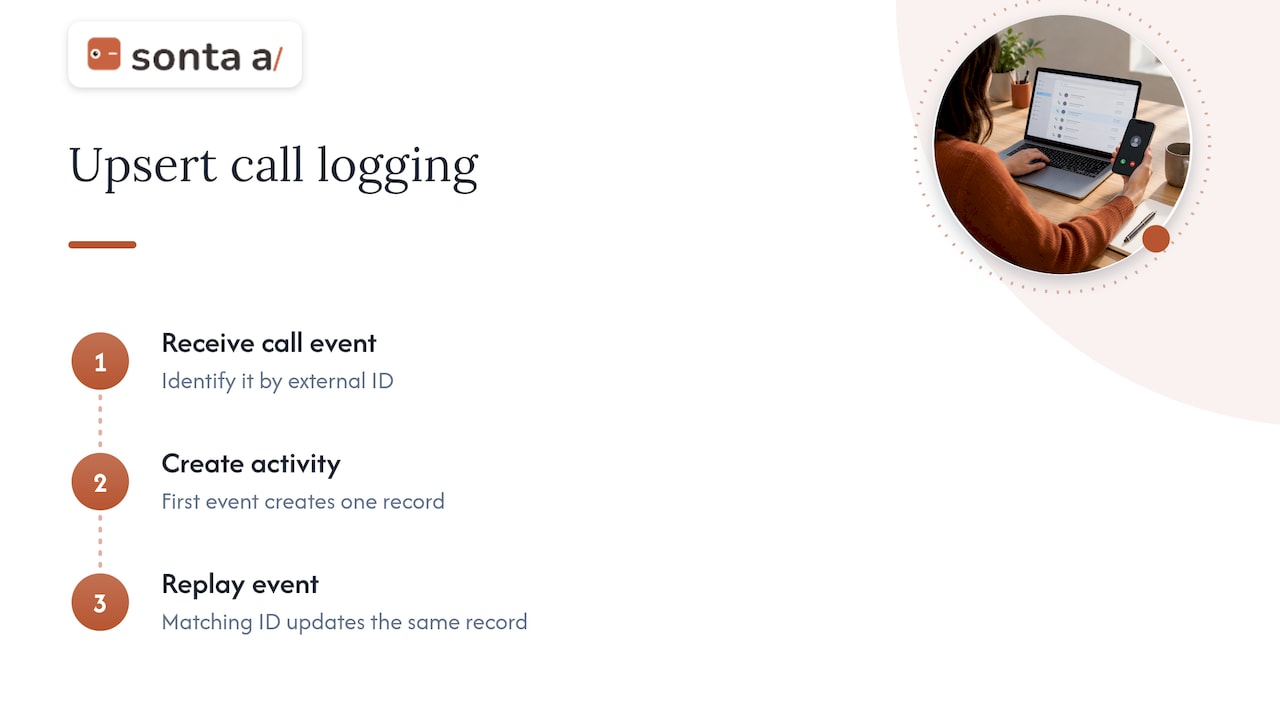
3. Write with upserts, not inserts
Webhooks retry. Jobs re-run. If your automation simply creates a new activity each time, a retry produces a duplicate. The more robust pattern, described in this dialer-to-CRM logging workflow, is an upsert against a custom external ID field, so a repeated event updates the same activity. Test it deliberately: replay the same call event twice and confirm you still have one record.
4. Standardize dispositions before you automate on them
If reps have used “Connected”, “Spoke to” and “Talked” interchangeably, a workflow that triggers on one of them will miss the others. Collapse your outcomes into a short, fixed list (for example: connected, voicemail, no answer, wrong number, callback requested) and map the dialer’s values onto it. Conditional workflows are only as good as this list.
5. Map fields deliberately
Decide which call data goes to which field type:
- Fixed-format fields: call direction, duration, disposition, timestamp, recording URL, external ID.
- Long-text fields: the AI summary, kept on the activity, not on the contact.
- Structured AI outputs: next step, follow-up date, stated budget, named competitor, each in its own field with a defined format.
6. Build a failure alert
Syncs often fail without any error a rep would notice, for example rate-limit throttling or unstructured transcript text pushed into fixed-format fields. Add a daily check that compares the number of calls in telephony against the number of activities in the CRM and alerts an admin when the gap passes a threshold. Build it to fail visibly.
Where AI summaries help, and where they hurt
Adding transcription and summaries turns a log entry into something a manager can read in ten seconds. It also introduces a new failure mode: confident, wrong data.
Deepgram’s analysis notes that even strong speech models can show error rates of 28.9% on personal names and 19.6% on organization names. Those are exactly the fields a CRM depends on. The same analysis argues for prioritizing structured output over free-text summaries so the pipeline does not fill with noisy data.
Three controls make AI enrichment safe enough to write into a live pipeline:
- Confidence thresholds. Update a CRM field automatically only when the model’s confidence clears a bar (Botphonic gives 90% as an example), and route anything lower to a human reviewer.
- Validation against internal data. Practitioners recommend structured JSON outputs and retrieval against your own datasets to check what the model claims, which reduces hallucinated details.
- Separation of record and suggestion. The transcript and summary are stored as evidence. Fields that drive forecasting (stage, amount, close date) change only through a rule or a human approval.
For a deeper look at the summary step, see how call summary AI updates CRM records.
Recording and consent: check this before you automate
Logging call metadata is one thing. Recording and transcribing the conversation is another, and it is the part with legal exposure. This is general information, not legal advice: have counsel review your script and your states.
- United States. Consent rules are set largely at state level. One compilation counts 38 states and Washington, D.C. as one-party consent, while others, including California, Florida and Delaware, require all parties to be notified. If your reps call across state lines, the safe operating assumption is to apply the stricter rule, typically with an announcement at the start of the call. Confirm the current rule for each state you call with your attorney.
- EU and EEA residents. GDPR covers recordings, voicemail and call metadata. According to SIPSymposium’s compliance guide, you need a legal basis, documented purpose and defined retention periods, which it describes as ranging from about six months for training data to seven years for regulatory purposes, with automatic deletion when the window ends.
- Consent in the call flow. Some platforms build it in: Microsoft’s consent-based recording feature asks customers for explicit permission before recording and transcribing in a voice agent.
Practically, store the consent status as a field on the call activity, and make the automation skip transcription when consent is absent. Set retention in the same system that stores the recording, so purges do not depend on someone remembering.
What to look for in a CRM that logs calls for you
Whether you extend your current stack or move to a new platform, evaluate on these criteria:
| Criterion | Question to ask |
|---|---|
| Matching | Does it match on a stable call ID, and can you control dedupe rules? |
| Idempotency | If the same event arrives twice, does it update or duplicate? |
| Structured output | Can AI extract into typed fields, not only a text blob? |
| Review path | Is there a queue for low-confidence updates? |
| Observability | Can an admin see failed or skipped syncs? |
| Metering | Are AI steps and automations charged per run, so costs climb with call volume? |
| Consent handling | Can you condition recording and transcription on a consent field? |
The metering question matters more than it looks. Call volume is the thing you are trying to scale, and per-run pricing taxes it.
Perspective: why we treat call logging as a record problem, not a feature
We build Sonta AI around one premise: a CRM record should update itself, and the rep’s job is to sell. Call logging is the clearest test of that premise, because it is the task reps skip first and admins distrust most.
Our view is that logging a call is only the first write. The useful outcome is that the account record, the next step and the pipeline reflect what was said, without someone transcribing it. That is why we work with AI agents that handle routine work under staged autonomy, with models chosen per task, instead of one summarizer attached to a dialer. Agents propose and execute within limits you set, and anything that moves a forecast can wait for approval.
We also never meter AI or automation usage, which removes the incentive to ration automations on your busiest call days. And we start most engagements with a diagnostic, because in our experience the leak is rarely the logging step itself. It is usually inconsistent dispositions, duplicate contacts or an integration nobody monitors, and those need fixing before any AI is layered on.
— Pavel
Putting it into practice with Sonta AI
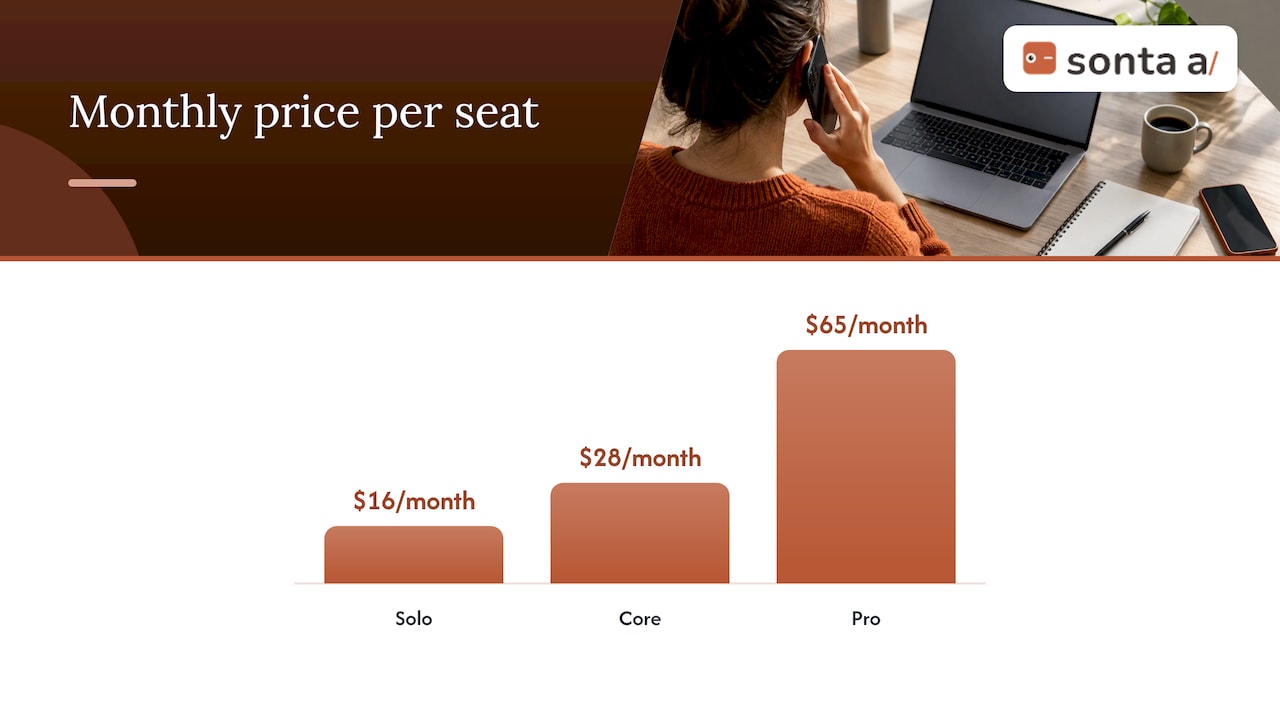
If you want to see where your own call and follow-up workflow leaks time and data, our AI Efficiency Diagnostic gives you actionable findings in 30 minutes. If you are ready to evaluate the platform, Sonta AI’s Agentic CRM is built for self-updating records, and plans on the pricing page start at $16 per month per seat for Solo, $28 for Core and $65 for Pro. Enterprise has no published price.
For teams that connect external telephony, the webhooks documentation explains how events move in and out, and the guide to creating and activating an automation shows how a trigger becomes a live workflow. To extend logging into follow-through, read about automated follow-up emails that book meetings and sales pipeline automation.
A rollout checklist
- Audit a sample of 50 recent calls: how many have a CRM activity, and how many are on the right contact?
- Fix and shorten the disposition list.
- Confirm the telephony provider passes a unique call ID.
- Enable level 1 auto-logging for one team and verify no duplicates after replaying events.
- Add the daily reconciliation alert.
- Add transcription only where consent is recorded.
- Add AI extraction with confidence thresholds and a review queue.
- Add conditional workflows, then pipeline updates, one at a time.
FAQ
What is call logging automation?
It is the automatic creation of CRM activity records from phone calls, including metadata, outcome, recording links and often an AI summary. It removes manual note-taking after each call and keeps activity history consistent across reps.
Can a CRM log calls automatically without a separate tool?
Some CRMs include a built-in dialer, but many rely on an integration with a phone system or dialer that sends call events to the CRM. Check whether the integration matches on a stable call ID and whether it handles retries without creating duplicates.
Is it legal to record sales calls?
It depends on where the parties are. In the US, most states are one-party consent, but several require every party to agree, and GDPR adds legal-basis and retention requirements for EU and EEA residents. Ask your attorney to confirm the rules for the states and countries you call.
Why does automated call logging create duplicate records?
The usual cause is matching on phone numbers and inserting a new activity on every event. Using a stable external call ID and an upsert pattern means a retried event updates the existing record.
Sources
- How to Automate Call Follow-Up and Cut Post-Call Admin (JustCall)
- Conversational intelligence for enterprise sales (Deepgram)
- Botphonic
- Dialer to CRM Logging Workflows (Prospecting Manual)
- Case Study: Scaling customer intelligence (Ignorance.ai)
- GDPR for VoIP and Call Recording (SIPSymposium)
- Consent-based recording (Microsoft Learn)
- Call Recording Laws by State 2026