CRM Automation ROI: How to Measure It and What to Expect
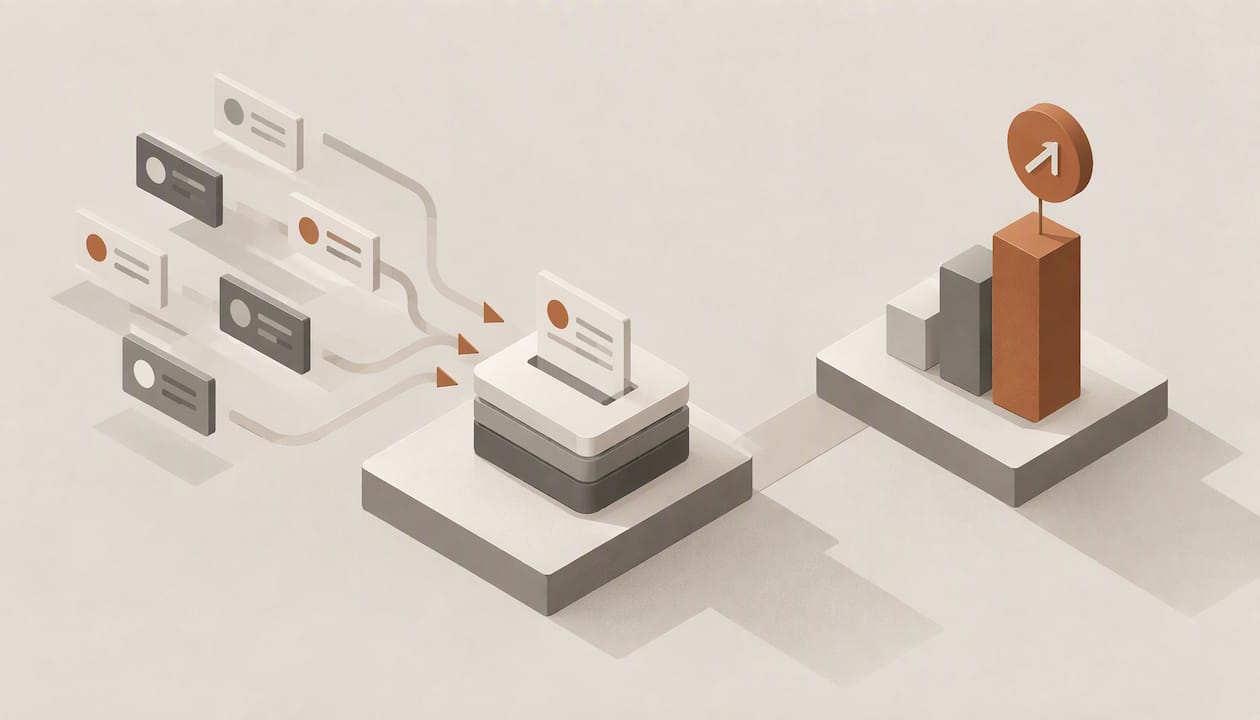
CRM automation ROI is the net gain from automated CRM work (reclaimed rep hours, faster follow-up, better lead qualification, fewer lost deals) divided by what the system and its rollout cost. The formula is simple. The difficulty is the inputs: most teams never capture a baseline, so the number cannot be defended when a CFO asks for it at renewal. Published benchmarks cluster between roughly $3 and $5 returned per dollar spent, and the spread between teams depends far more on implementation than on software.
TL;DR
- Use ROI = (total gain − total cost) ÷ total cost, and count licenses, migration, rollout time and ongoing maintenance on the cost side.
- Benchmarks differ by method: Nucleus Research puts the average at $3.10 per dollar, while a 938-company B2B benchmark reports 287% for AI-native CRM. Treat both as ranges, not promises.
- Most of the return comes from time: Nucleus attributes 51% of modern CRM ROI to productivity and process efficiency, and less to new revenue.
- Capture a baseline (weekly admin hours, response time, conversion by stage) before you deploy anything, or you will not be able to prove the result.
- Negative first-year ROI is common with poor implementations, so budget for configuration and retraining, not only seats.
Table of Contents
- What counts as CRM automation ROI
- Benchmarks: what the data says, and how far to trust it
- Where the return actually comes from
- How to calculate CRM automation ROI, step by step
- A worked example
- Why some teams see negative ROI
- Our perspective
- Finding your own leakage before you buy
- Which automations to measure first
- FAQ
- Sources
What counts as CRM automation ROI
CRM automation covers anything the system does without a rep typing: logging emails and calls to the right record, enriching contacts, scoring and routing leads, drafting and sending follow-ups, scheduling meetings, preparing account briefs, and moving deals through pipeline stages. The ROI question is whether the hours and revenue these automations produce exceed the full cost of running them.
It helps to separate three categories of return, because they have different reliability:
- Time returned to selling. The most measurable category: hours of data entry, record cleanup, meeting notes and research that no longer land on a rep.
- Conversion and speed. Faster first response, no skipped follow-up attempts, better-prioritized leads. Real, but harder to isolate from seasonality and marketing changes.
- Cost avoidance. Fewer tools in the stack, less manual reporting, less spend on outsourced prospecting or data work.
The Nucleus analysis of 11 CRM ROI case studies found that time savings and process efficiency account for 51% of total return, with increased revenue contributing the least. That ordering should shape how you build a business case: lead with hours, and treat revenue lift as upside you verify later.
Benchmarks: what the data says, and how far to trust it
Benchmarks for CRM ROI vary widely because each publisher measures a different population with a different method. A realistic reading of the main figures:
| Benchmark | Figure | What to keep in mind |
|---|---|---|
| Nucleus Research, 11 case studies from 2023 | $3.10 returned per $1 spent | Down 37% over ten years, which is why the old $8.71 figure should no longer be quoted |
| Optifai sales ops benchmark, 939 B2B companies | 280% average ROI, 8-month payback | Formula and method published by the vendor of the benchmark; the sample is self-selected |
| Same benchmark, 938-company stack analysis | 287% for AI-native CRM | Category ranking, not a guarantee for any one deployment |
| Which 50 summary by company size | 303% over 3 years for businesses under 100 employees, 211% for firms with 100 to 999 | Smaller firms see quick gains because less process has to change |
Two cautions apply. First, a 280% ROI and $3.10 per dollar are not the same claim: 280% ROI means $3.80 back per dollar once cost is netted out, while $3.10 is a gross return ratio in Nucleus’s framing. Comparing them directly is a common error. Second, none of these numbers describe your pipeline. They tell you the order of magnitude; your baseline tells you the answer.
Where the return actually comes from
Reclaimed selling time
The strongest case for automation is the share of the week reps do not spend selling. Several analyses put that figure around 70%. Salesmotion’s breakdown cites reps spending about 72% of their time on non-selling work, and a B2B sales report from Kondo points to 10 to 15% efficiency gains from automation and AI across sales teams. A Vantagepoint analysis argues that agentic AI can return 10 to 15 hours per rep per week, a figure we would treat as a ceiling rather than a planning assumption, since it comes from a vendor-side estimate.
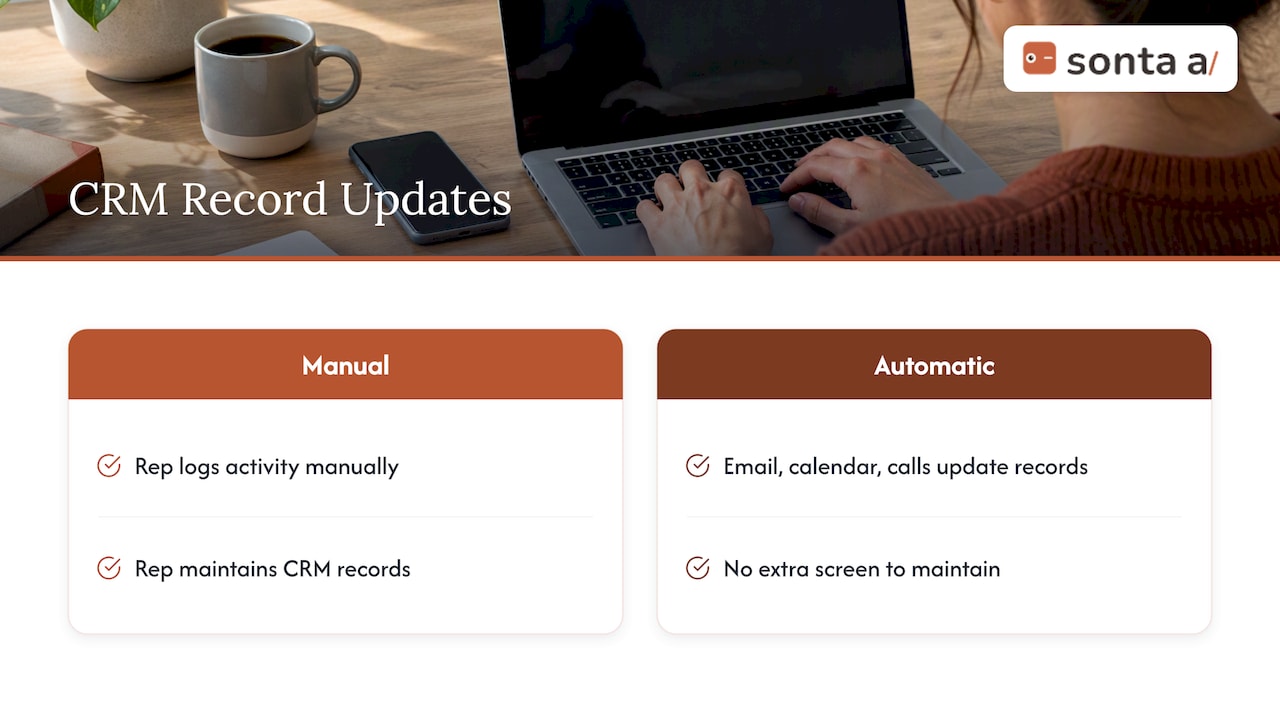
The pattern behind these numbers is the productivity paradox: organizations buy a CRM to be more efficient, yet reps still enter data by hand. Return arrives only when the automation removes the entry step itself (records that update from email, calendar and call activity) instead of adding another screen to maintain.
Follow-up consistency and speed
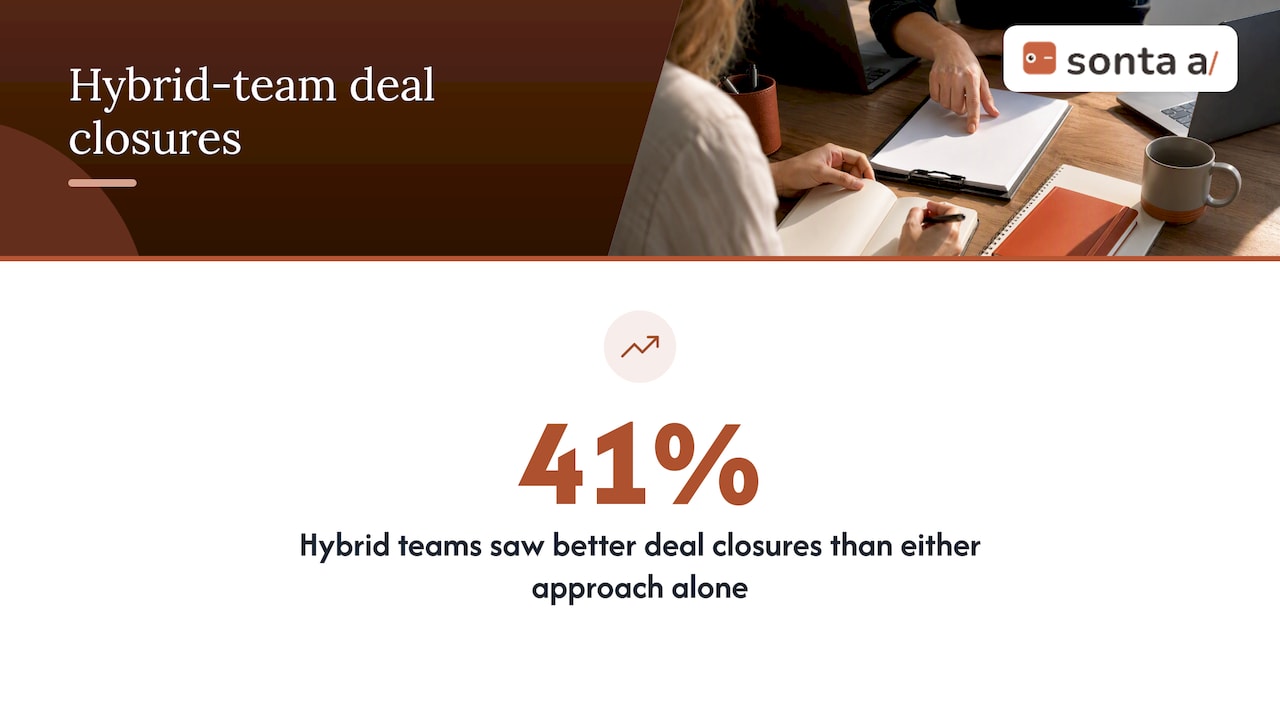
Humans skip the fifth attempt on an older lead; automated sequences do not. In an analysis of 800 sales teams by RejoiceHub, AI-driven SDR functions reached higher follow-up completion than human-only teams, along with a lower cost per meeting. The same source reports that hybrid teams (AI for prospecting, humans for closing) saw 41% better deal closures than either approach alone. Those are vendor-adjacent figures, so use them to decide what to test, not what to forecast.
Lead qualification accuracy
Scoring models reallocate rep attention toward leads likely to close. In one agency case, Dream Code Labs reported that the overall close rate moved from 12% to 19% over six months, with high-scoring leads closing at 34%. It is a single-agency result, and the model was trained on 18 months of history. The same write-up implies a cost many ROI models omit: scoring models need retraining every two to three months as lead sources and campaigns shift. Put that maintenance on the cost side of your calculation.
How to calculate CRM automation ROI, step by step
- Fix a measurement window. Twelve months is standard; also report a payback month, since finance teams often care more about that than the annual percentage.
- Record the baseline before deployment. Weekly hours each rep spends on manual logging, prep and reporting; median first-response time; stage-to-stage conversion; deals stalled for lack of follow-up; number of tools in the stack and their cost.
- Total the real costs. Seats, migration and data modeling, workflow build time, integration work, internal admin hours during rollout, training, premium support if you buy it, and model or key costs if usage is metered.
- Convert benefits to dollars conservatively. Hours saved multiplied by a loaded hourly cost, then discounted by the share of hours that actually turn into selling activity. Revenue lift counted only where you can isolate it.
- Isolate the effect. Compare automated and non-automated rep cohorts, or compare before and after periods of equal length under similar market conditions. The Optifai formula frames gain as revenue lift plus cost savings minus CRM cost, which keeps the two benefit types visible separately.
- Recompute quarterly. ROI that is calculated once at purchase is a forecast. ROI recalculated each quarter is evidence.
A worked example
The numbers below are illustrative assumptions, not client results. Take a 10-rep team and use the floor of published pricing: Sonta AI’s Core plan starts at 28 USD per month per seat, and migration and data modeling starts at 2,500 USD one-off. Because those are “from” prices, your real quote may be higher.
| Line | Assumption | Annual figure |
|---|---|---|
| Licenses | 10 seats × $28 × 12 months | $3,360 |
| Migration and data modeling | One-off, from | $2,500 |
| Internal rollout time | 80 hours at an assumed $60 loaded rate | $4,800 |
| Total first-year cost | $10,660 | |
| Reclaimed time | 1.5 hours per rep per week × 10 reps × 48 weeks = 720 hours at an assumed $50 | $36,000 |
| Net gain | $36,000 − $10,660 | $25,340 |
| ROI | $25,340 ÷ $10,660 | about 238% |
| Payback | $10,660 ÷ ($36,000 ÷ 12) | about 3.6 months |
Notice what the example leaves out on purpose: any revenue lift, and any retirement of other tools. It also assumes only 1.5 reclaimed hours per rep per week, a fraction of the 10 to 15 hours some analyses claim. If conversion improves or a point solution is retired, ROI rises. If the hours are saved but not redeployed to selling, the benefit is smaller than the table shows, and that is the assumption to challenge first.
Why some teams see negative ROI
The research on CRM failure is consistent: software alone does not return value. Practitioners cited in academic and industry work describe poor implementations producing negative ROI in the first year, and they point to missing business cases and baseline metrics as the shared cause. The usual failure modes:
- Automation layered on dirty data. Duplicate accounts and inconsistent fields make scoring and routing unreliable from day one.
- No owner. Workflows drift when nobody maintains them, and scoring models decay without retraining.
- Adoption without removal. Reps keep their spreadsheets because the old process was never retired.
- Metering surprises. Per-action or per-credit AI pricing can erode savings as usage grows.
- Over-automation of high-stakes conversations. The hybrid evidence above suggests humans still win complex, consultative, enterprise deals.
Our perspective
We build an agentic CRM, so we have a stake here, and we would rather state the position plainly. The ROI of CRM automation is mostly an admin-time argument before it is a revenue argument. If a rep still has to log the call, update the stage and write the follow-up, the system has added a cost without removing one. Our design premise is that records update themselves in real time, with configurable AI agents handling qualification, follow-up, account prep, scheduling and pipeline hygiene, and with models chosen per task.
Two choices follow from that and matter for the arithmetic. We do not meter AI or automation usage, so the cost line in your model stays predictable as automation volume grows. And we give agents staged autonomy, so a team can start with suggestions that a human approves and widen what runs unattended as accuracy is proven. That keeps the hybrid model (machines for volume and consistency, people for negotiation) as a setting rather than a rebuild.
Our advice to any buyer, including those who choose someone else: run the baseline first, pick two or three automations tied to a measured bottleneck, and judge the platform on the next quarter’s numbers, not on the demo. For more on how architecture changes these economics, see our comparison of AI-native and AI-enabled CRM and our guide to AI lead scoring.
— Pavel
Finding your own leakage before you buy
If you cannot yet say where the hours go, start there. Our AI Efficiency Diagnostic is a 30-minute session that identifies operational leakage in your current process and tech stack, which gives you the baseline the ROI formula needs. When you are ready to size a deployment, the published plans list seat prices and one-off services such as migration, workflow build sprints and full implementation, so you can enter real costs into the model above.
Which automations to measure first
Start where the baseline shows the largest gap and the result is easiest to observe:
- Automatic record capture. Measure weekly entry hours before and after; this is the cleanest metric you have.
- Lead response and follow-up. Measure median first-response time and the share of leads that receive every planned touch.
- Lead qualification and routing. Measure close rate by score band and the time reps spend on leads that never convert.
- Account prep and scheduling. Measure minutes per meeting prepared and the booking rate from qualified leads.
- Reporting. Measure the hours that managers spend assembling pipeline reviews by hand.
Track each for at least one full sales cycle where possible. Our posts on sales process automation and personalized AI outreach cover the mechanics of the first and second items in more detail.
FAQ
What is the ROI of a CRM?
Published averages range from about $3.10 returned per dollar spent in the Nucleus Research analysis to roughly 280% ROI in a large B2B benchmark. Your figure depends on adoption, data quality and how much manual work the system removes. Calculate it with your own baseline rather than quoting an industry average.
What is CRM automation?
It is the set of tasks a CRM performs without manual input: logging activity, enriching contacts, scoring and routing leads, sending follow-ups, scheduling and updating pipeline stages. AI-native systems extend this to agents that execute multi-step work such as qualification and account preparation.
Will CRM be replaced by AI?
The evidence points to the CRM changing rather than disappearing. Records still need a system of truth, but AI now maintains them and acts on them. Hybrid teams, with AI handling volume and humans handling complex negotiation, report stronger closing results than either alone.
How long does it take to see a return?
The Optifai benchmark reports a typical payback period of about 8 months across nearly 1,000 B2B companies. Small teams with simple processes can recover costs faster, as in the worked example above, while heavy migrations or custom integrations take longer.
Sources
- Nucleus Research: CRM benefit areas with the greatest ROI impact
- Sales Tech Stack Benchmark: ROI Analysis of 938 Companies
- CRM ROI Calculation: Formula and Benchmark (Optifai)
- Average CRM ROI By Company Size (Which 50)
- Why Reps Spend 72% of Their Time Not Selling (Salesmotion)
- 2025 Data-Driven Report for Revenue Leaders (Kondo)
- Sales Reps Spend 70% of Their Time Not Selling (Vantagepoint)
- AI SDR Tools in 2026: 800+ Teams Data (RejoiceHub)
- AI Lead Scoring for Agencies: Real 6-Month Results (Dream Code Labs)