Sales Playbook Automation: What to Automate and How
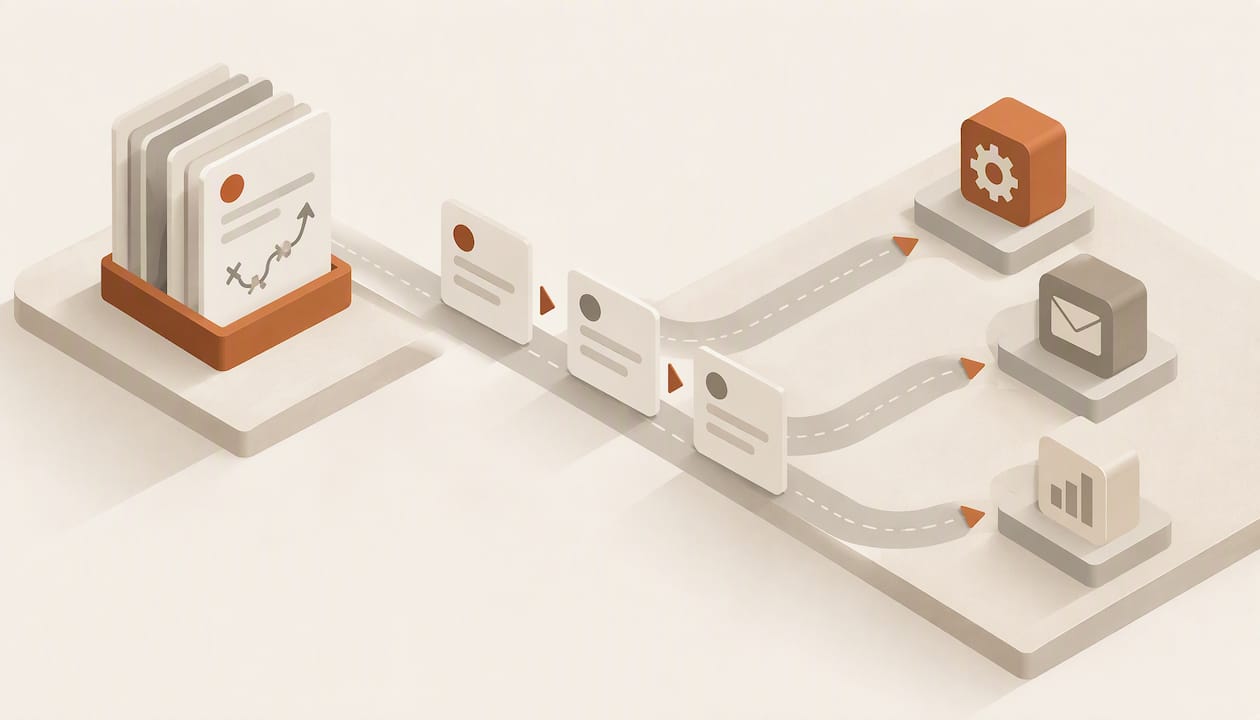
Sales playbook automation means turning the guidance in your playbook (stages, plays, talk tracks, qualification rules, follow-up cadences) into workflows that run inside your CRM, so the playbook acts on every deal instead of waiting to be read. The document stays, but it becomes the specification for triggers, AI steps and record updates. This guide covers what a playbook should contain, which parts are worth automating, how to design each workflow with its safeguards, and how to measure the result.
TL;DR
- A playbook that lives in a PDF or wiki depends on reps remembering it; an automated playbook fires from CRM events (a stage change, a reply, a stalled deal) and writes its results back to the record.
- Automate the repeatable, rules-based work first: account research, lead qualification, routing, follow-ups, meeting prep and record updates. Keep judgment calls (pricing exceptions, executive relationships) with people.
- Every workflow needs four things written down: a trigger, an action, a safeguard and an owner. Without the safeguard, automation scales mistakes as efficiently as it scales good practice.
- Measure stage conversion, time in stage, response time after handoff and disqualification reasons, then revise the plays that the data says are not working.
- Costs matter at the platform level: usage-metered AI makes heavy automation expensive, so check how your CRM prices automation before you build on it.
Table of Contents
- What a sales playbook is, and where automation fits
- What goes into a playbook before you automate it
- Which playbook tasks to automate first
- How to design one automated play, step by step
- Keeping follow-ups and records current in real time
- Qualification, routing and handoffs
- Measuring and maintaining the automated playbook
- Perspective: automate the evidence, not the judgment
- Where Sonta AI fits
- Getting started in 30 days
- FAQ
- Sources
What a sales playbook is, and where automation fits
A sales playbook is an internal written guide for handling specific selling scenarios. It records best practices, strategies, messages and processes so that execution is consistent, repeatable and scalable, which is how Trumpet’s guide to sales playbooks describes it. A play is one repeatable tactic for one situation (for example, “champion goes silent after a demo”); the playbook is the system of plays plus the rules for when to run each.
The traditional failure is not that the playbook is wrong. It is that nobody opens it at the moment of need. A 30-page document competes with a full calendar, a crowded inbox and a CRM that demands data entry. Automation fixes the delivery problem in three ways:
- Detection. The system notices the situation (a deal sits in negotiation for 14 days, a prospect visits the pricing page twice) rather than relying on the rep to notice.
- Execution. Routine steps in the play happen without a human: research gets compiled, a draft follow-up is prepared, a task is created, a field is updated.
- Feedback. Because the workflow writes to the CRM, you can see which plays ran and what happened afterward, and the playbook improves from evidence instead of opinion.
That last point is why the CRM is the natural home for playbook automation. A standalone enablement tool can show a rep a script, but only the system of record knows the stage, the history and the next commitment. For a broader view of how teams that build around this idea perform, see how AI-first sales teams outperform.
What goes into a playbook before you automate it
Automating a vague playbook produces vague automation. Before you build anything, make sure the playbook covers these elements, which are the ones most guides agree on:
- Company and product context, including products, packaging and pricing rules.
- Target personas and segments, with separate playbooks where the buying motion genuinely differs.
- Sales methodology and the detailed sales process, mapped to the stages you actually use, not the ones in the original slide deck.
- Sales plays, each with a trigger situation, goal, talk track, objection handling and assets.
- Compensation and KPIs, so reps and managers know what good looks like.
For each stage, the most usable structure gives the stage a goal, entry and exit criteria, discovery questions, a talk track, common objections, supporting assets, common mistakes and one KPI. Entry and exit criteria are the part automation depends on most, because they are what a workflow can test. “Exit when a decision maker has confirmed budget” can become a required field; “exit when the deal feels ready” cannot.
If your playbook is organized around buyer scenarios rather than only stages, it is easier to translate into triggers. This overview of structuring playbook guidance shows how to organize positioning and messaging so each scenario has a clear owner and output, which is useful groundwork before you write any workflow.
Start the content itself from evidence: interviews with your best reps, win/loss conversations and loss-reason data from the CRM. Plays built from what actually closes deals will automate better than plays built from what leadership assumes closes deals.
Which playbook tasks to automate first
Not every line of a playbook deserves a workflow. A practical filter: automate a task when it is frequent, rule-based, and cheap to reverse if it goes wrong. The table ranks common candidates.
| Playbook task | Typical trigger | Automated action | Safeguard |
|---|---|---|---|
| Account research | New account created or opportunity enters discovery | Compile firmographics, recent news and stakeholders into a standard brief on the record | Cap sources, flag low-confidence fields for review |
| Lead qualification | New inbound lead or form fill | Score against your criteria, enrich missing fields, set a qualification status | Route borderline scores to a human instead of disqualifying |
| Routing and handoff | Lead meets qualified threshold | Assign owner by territory, segment or capacity; create first task with an SLA | Reassign automatically if untouched past the SLA |
| Follow-up after meetings | Meeting ends or call is logged | Draft summary and next-step email, update next-step and close-date fields | Rep approves before sending, at least in the first weeks |
| Stalled-deal nudges | No activity for a set number of days in a stage | Create a task, suggest the relevant play, notify the manager | Suppress on deals with a scheduled meeting |
| Record updates | Any email, call or calendar event | Write activity, contacts and stage evidence to the record | Log every change so edits can be audited and reverted |
| Proposal preparation | Stage moves to proposal | Populate a draft from record data | Human review before it goes out |
The common thread is that the workflow does the assembling and the rep does the deciding. Follow-ups are the highest-return starting point for most teams because the damage from a missed one is immediate and the pattern is repetitive. We cover that workflow in detail in our guide to AI follow-up automation for sales, and the proposal step in CRM proposal automation for sales ops.
How to design one automated play, step by step
Treat every automated play like a small product with a spec. The same five steps work whether you build in a visual workflow builder or with code.
- Write the play in one sentence. “When a qualified lead has not replied in three business days, send a second touch referencing their stated priority.” If you cannot say it in a sentence, split it.
- Define the trigger from CRM data. Use fields and events that already exist and are reliable: stage, last activity date, lead score, owner. If the trigger needs data you do not capture, fix capture first.
- Specify the action and who sees it. Decide whether the workflow writes a field, creates a task, drafts a message or sends one. Drafting for approval is the right default for anything customer-facing.
- Add safeguards. Throttle volume, handle retries when a data source fails, suppress the play when a human is already engaged, and set a cap on how many times it can fire per contact.
- Name an owner and a review date. Someone in sales ops or enablement owns the play, reads its results monthly and retires it if it does not earn its place.
The safeguards in step four are where practitioners spend the most time. In ScaleVP’s write-up of standardized account plans, GTM practitioner Blake Cohlan stresses chaining the workflow into stages, controlling how data is retrieved, formatting the output consistently, delivering it to the CRM, and handling throttling and retries. The same write-up reports that this kind of automated research saved reps 45 to 60 minutes per account. That is one team’s reported result, not a benchmark, but it shows where the time goes: assembling information, not deciding what to do with it.
Using AI steps without losing control
An AI step (summarizing a call, extracting next steps, drafting an email, judging fit) is just another action in the workflow, with one difference: its output is probabilistic. Three habits keep it safe:
- Constrain the output. Ask for a fixed structure that maps to CRM fields, so the result can be validated rather than read.
- Choose the model per task. Extraction and classification rarely need the same model as long-form drafting. Platforms that let you pick per step let you balance quality against speed.
- Keep a review path. Route low-confidence results to a person and log what the AI changed.
If you build in Sonta AI, the Academy walks through how to create and activate an automation and how to add an AI step to an automation.
Keeping follow-ups and records current in real time
The weakest link in most playbook programs is data. A follow-up play that triggers on “no activity in five days” fires wrongly if the rep had a call that never got logged. Automation that sits on top of stale records automates the wrong thing faster.
There are two ways to close the gap. The first is to demand more discipline: required fields, weekly pipeline hygiene, reminders. It works briefly and then erodes, because manual entry competes with selling. The second is to make capture passive: the system reads email, calendar and call data and writes the record itself, so the trigger data is current by construction. This second approach is the design principle behind an agentic CRM, and it is what lets follow-up plays run on facts rather than on what reps remembered to type.
In practice, a reliable follow-up workflow has this shape:
- Capture: the meeting or email is logged to the right contact and opportunity automatically.
- Extract: an AI step pulls commitments, objections and the agreed next step from the conversation.
- Update: the next-step field, close date and stakeholder roles are changed, with the change logged.
- Act: a follow-up is drafted in the rep’s voice, and a task is set to the date the buyer agreed to.
- Escalate: if the commitment date passes without a reply, the next play in the cadence fires and the manager is notified only when it is a deal above a set value.
For guidance on when a recommendation should fire and how much history it needs to be trustworthy, see our piece on making next best action work for GTM teams. It argues for a minimum interaction history before the system starts suggesting actions.
Qualification, routing and handoffs
Qualification and handoff are where playbook automation pays back fastest for teams with separate marketing and sales functions, because the cost of delay is high and the rules are explicit. A well-automated flow scores a lead against written criteria, enriches missing fields, assigns an owner and starts an SLA clock, all before a human sees it.
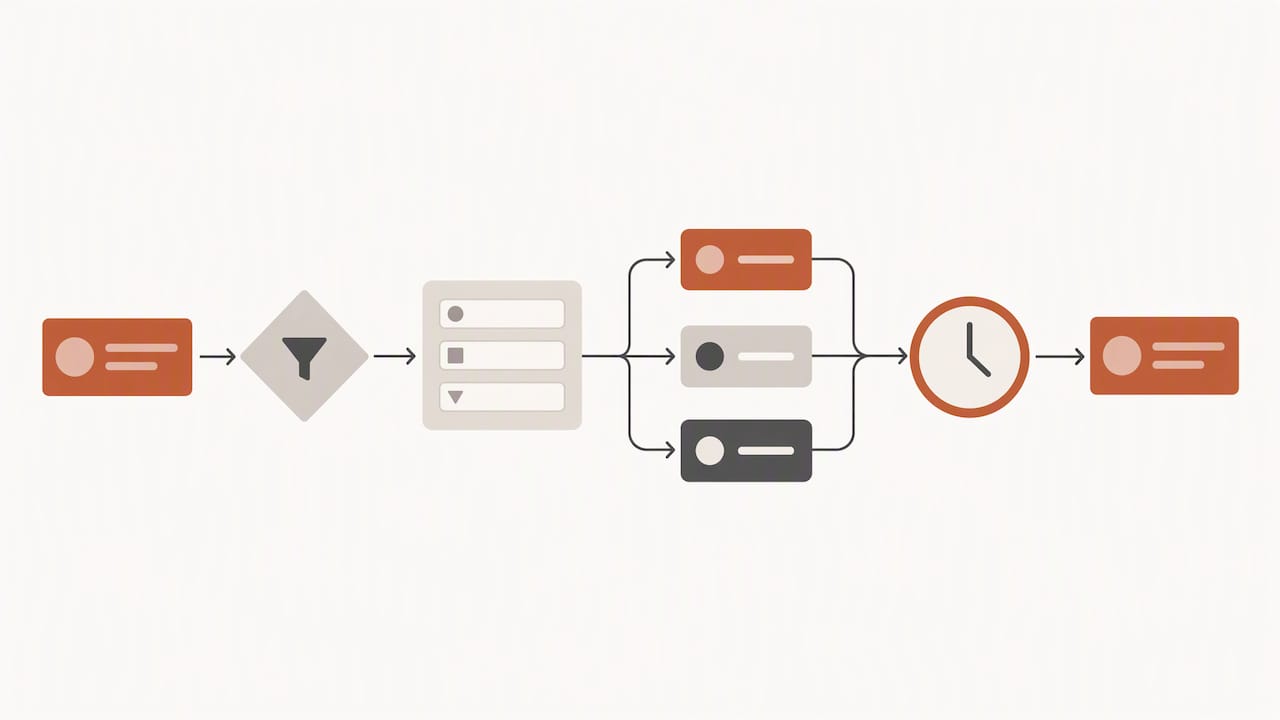
The measurement side matters as much as the routing. Revenue Ops LLC recommends an MQL-versus-SQL tracker that follows what happens after handoff, including response speed and eventual pipeline, rather than counting MQLs alone. Their point is that handoff quality only becomes visible when you look past the handoff. If you want a practical process for writing the SLA and documentation that sits behind this, this five-step marketing-to-sales handoff process is a good template to adapt before you encode it in workflows.
A few rules that hold up across teams:
- Write disqualification reasons as a pick list, not free text, so you can analyze them later.
- Never let a workflow silently discard a lead. Borderline scores go to a person.
- Set a reassign rule for leads that sit untouched, and track how often it fires. Frequent firing is a capacity or routing problem, not a lead problem.
Measuring and maintaining the automated playbook
A playbook that is automated but never reviewed drifts as fast as one that is never read. Build a small set of reports and a review cadence from the start.
Revenue Ops LLC’s lifecycle dashboard is a useful reference for what to track: stage volume, stage-to-stage conversion, time in stage, lead velocity, aging, source-to-close conversion, recycled leads and disqualification reasons. Add two measures specific to automation:
- Play coverage: the share of eligible deals on which each play actually fired. Low coverage usually means a trigger depends on a field that is often empty.
- Play outcome: what happened on deals after a play ran compared with similar deals where it did not, or was overridden. Treat this as directional, since reps may override plays on the deals they already expect to lose or win.
Then run a monthly review: retire plays with no measurable effect, tighten triggers that fire too often, and promote the practices of top reps into new plays. Field feedback should flow in continuously; reps need an easy way to flag a play that misfired. For the reporting side in Sonta AI, the Academy covers reports and dashboards.
Adoption deserves the same attention as design. Automation that reps work around will quietly rot, so involve them in writing the plays and be explicit about what changes in their day. Our CRM change management playbook covers rollout in detail, and the same logic extends past the sale: see renewal playbook automation for CSMs for the post-sale version.
Perspective: automate the evidence, not the judgment
We see the same pattern in teams that come to us. They have a reasonable playbook and a CRM full of fields, and the gap between the two is a layer of manual work: logging, updating, remembering. When reps carry that layer, the playbook is followed on the deals a rep happens to have time for. When the system carries it, the playbook is applied evenly, and managers can finally see which plays work.
Our view is that three decisions matter more than any feature list. First, records should update themselves, because every trigger in your playbook is only as good as the data it reads. Second, the model should be chosen per task, since classification, extraction and drafting have different quality and cost profiles. Third, automation usage should not be metered per run, because metering pushes teams to ration the very workflows that make the playbook valuable. Those are choices we made in building Sonta AI, and they shape how we advise teams to design plays.
We also hold a firm line on what not to automate: pricing exceptions, negotiation strategy and executive relationships stay with people. The workflow assembles the evidence and prepares the draft; the seller decides.
— Pavel
Where Sonta AI fits
Sonta AI is an AI-native CRM built for GTM teams, with AI agents for lead qualification, follow-up, account prep, scheduling and pipeline management, and a configurable workflow builder for the plays specific to your motion. Industry blueprints (real estate, recruitment, auto retail and professional services) give you a starting set of workflows you can adapt to your business.
Plans start at $16 per seat per month for Solo, $28 for Core and $65 for Pro, with Enterprise priced on request; migration and data modelling starts at $2,500 one-off, and a workflow build sprint starts at $5,000 one-off. Details are on the pricing page. If you want to see where your current stack leaks time before committing to anything, the AI Efficiency Diagnostic delivers actionable findings in 30 minutes.
Getting started in 30 days
A realistic first month looks like this:
- Week 1: Audit the playbook. Mark every stage’s entry and exit criteria, and flag which are testable with CRM data today.
- Week 2: Fix data capture for the fields your first triggers need, and choose two or three plays: typically lead routing, post-meeting follow-up and a stalled-deal nudge.
- Week 3: Build the workflows with approval steps on anything customer-facing, and pilot with one team.
- Week 4: Review coverage and outcomes, loosen approvals where the drafts are consistently good, and queue the next plays.
To see how this connects to the rest of the pipeline, read our guides to sales process automation and sales pipeline automation.
FAQ
What is included in a sales playbook?
A complete playbook covers company and product information, pricing rules, target personas, the sales methodology, the detailed sales process by stage, sales plays, compensation information and KPIs. For automation purposes, the most important parts are the entry and exit criteria for each stage and the trigger situation for each play, because those are what a workflow can test.
Can a sales playbook be fully automated?
No, and it should not be. Repeatable work such as research, qualification scoring, routing, follow-up drafting and record updates automates well. Judgment calls like pricing exceptions, negotiation and executive relationships should stay with sellers, supported by the evidence the automation prepares.
How is an automated playbook different from sales playbook software?
Playbook content tools mainly deliver guidance to reps, such as scripts, battle cards and templates. An automated playbook inside the CRM also detects the situation, performs the routine steps and writes results back to the record, so the guidance and the data stay in one system.
What should I automate first?
Start with post-meeting follow-ups and lead routing. Both are frequent, rule-based, and costly when missed, and both give you clean data to measure within a few weeks. Keep a human approval step on anything sent to a customer until the drafts have proven reliable.
Sources
- A guide to sales playbooks for 2023 (Trumpet)
- How to use AI to make standardized account plans (ScaleVP)
- The Revenue Operations Blueprint (Revenue Ops LLC)