Real-Time CRM Insights: What They Are and How to Get Them

Real-time CRM insights are answers about your pipeline, accounts and rep activity that reflect what happened minutes ago, not what a nightly job or a Monday report captured. They depend on two things: records that update the moment something happens, and rules or agents that turn those updates into a next step. If either is missing, you have a faster dashboard, not a real-time system.
This guide defines the term precisely, shows how a CRM produces live insight, lists the signals worth watching, covers the data quality and latency problems that quietly undermine “real-time” claims, and lays out a rollout a sales team can follow.
TL;DR
- Real-time means data collected within roughly the past hour; data from the past 24 hours is near real time, and anything older is batched.
- Live insight needs live records. If reps type updates after the fact, the dashboard is only as current as the last manual entry.
- Watch a short list of signals first: new-lead aging, follow-up completion, stale deals, stage conversion and data completeness.
- The usual failure points are polling delays, duplicate records from retried webhooks, API rate limits and inconsistent field definitions.
- Start with one decision that is currently made too late, tie an alert to it, and measure response time before and after.
Table of Contents
- What counts as a real-time CRM insight
- How a CRM produces insight in real time
- The insights worth tracking first
- Where “real-time” breaks in practice
- A rollout that works for sales teams
- Turning live insight into follow-up and qualification
- Our perspective
- See it on your own pipeline
- FAQ
- Sources
What counts as a real-time CRM insight
The most cited academic framing is older than most CRM products. Reimers (2003), as discussed in a peer-reviewed review of real-time CRM, described real-time analytics as analysis of data collected within the past hour and near real-time analytics as analysis of data collected within the past 24 hours. Analytics on data older than 24 hours are typically considered batched. That gives you a practical test: ask any vendor, or your own stack, how old the oldest data in a given view can be.
A standard CRM report is a snapshot. Someone defines a filter, the system runs it, and the output describes a past period. A real-time insight differs in three ways:
- Freshness. The underlying record changed seconds or minutes ago, not at the last scheduled sync.
- Delivery. The insight reaches the person without them opening a report. It appears in the record, in a notification, or as an action an agent already took.
- Actionability. It is attached to a decision: reassign this lead, send this follow-up, escalate this deal.
The cost of staleness is concrete in operational settings. The same review cites Raden (2003), who observed that about 90% of call center activity concerns issues of that business day, so an application working from day-old data loses roughly 90% of its usefulness. Sales work is not a call center, but the logic carries: a reply to an inbound lead, a pricing question before a renewal, or a stalled proposal all have a short window in which the insight matters.
How a CRM produces insight in real time
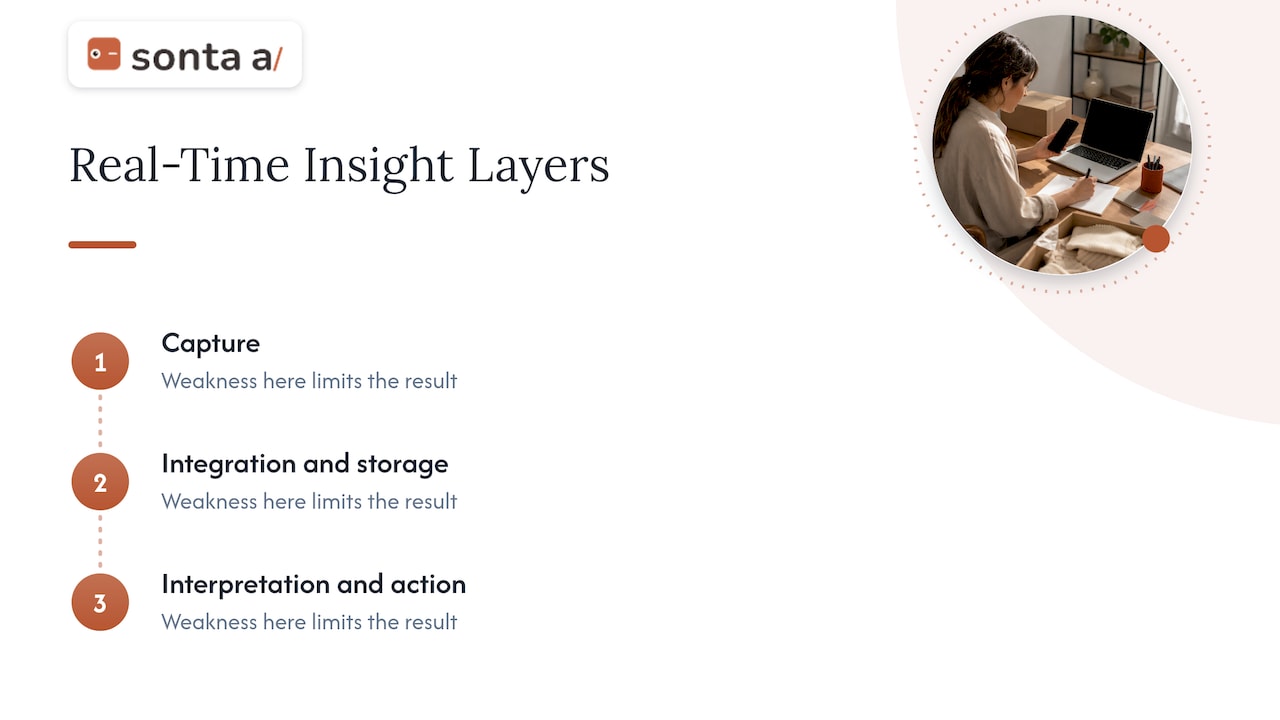
There are three layers, and a weakness in any one limits the others.
Capture
Every interaction has to land in the system without a person retyping it: emails, meetings, call transcripts, form fills, calendar changes, product usage and enrichment signals. The academic overview of real-time CRM describes it as built on front-end and back-end e-business systems, knowledge-based systems and analytic processing. In practice, capture is where legacy CRMs hit what we call the manual data entry ceiling: the record can never be fresher or more complete than the effort reps are willing to spend after a long day of selling.
Integration and storage
The same paper notes that virtual data warehouses allow real-time queries against distributed data sources without copying everything into a physical database, and that real-time analytics can combine current data with batched historical analysis for time-sensitive decisions. That hybrid is the sensible design: live data for “what is happening now,” historical data for trends, benchmarks and forecasting.
Interpretation and action
Raw fresh data does not help a rep. Something has to score the lead, summarize the thread, spot the stalled stage or draft the follow-up. This is where AI agents change the picture: instead of a dashboard that a manager checks, the system runs the routine work and surfaces exceptions. Our own overview of real-time sales insights covers how that looks day to day.
The insights worth tracking first
CRMs can produce hundreds of metrics. Most teams benefit from a short list tied to decisions someone makes daily. The groups below are the ones a lead-to-renewal motion typically needs; the “live” column describes what changes when the data is current.
| Insight group | Example signals | What “live” adds |
|---|---|---|
| Lead capture | New leads, source, lead age | Unworked leads surface while the buyer is still engaged |
| Lead quality | Qualification rate, disqualification reason | Scoring happens on arrival, not at the weekly review |
| Sales activity | Calls, meetings, emails, follow-up completion | Missed follow-ups are flagged the same day |
| Funnel conversion | Stage-to-stage conversion | Drop-offs show up while a cohort is still recoverable |
| Pipeline health | Value, coverage, stale deals | Stale deals are flagged as they stall, not at forecast time |
| Customer health | Engagement, retention, expansion signals | Risk reaches the account owner before renewal prep |
| Data quality | Missing fields, duplicates | Gaps are filled or flagged as records change |
The groupings follow common CRM analytics taxonomies, such as the one in this overview of CRM analytics metrics, but the choice of which to prioritize is yours. A recruiter cares about candidate response lag; a real estate team cares about inquiry-to-showing time; an auto retailer watches lead response and appointment show rate. If your CRM supports industry-specific blueprints, start from the one that matches your motion, and see how pipeline stage reporting works in our academy for a concrete example of a stage-level view.
Where “real-time” breaks in practice
The label is easy to print and hard to deliver. The issues below come from peer-reviewed and practitioner descriptions of CRM data engineering, and each has a way to test for it in your own stack.
Bad data produces confident wrong answers
An academic analysis of CRM analytics engineering (2024) states plainly that wrong data can lead to wrong insights and bad decisions. It also points to synchronization across several cloud environments and networks, incompatible formats and standards across external platforms, dependence on external APIs, and the need for middleware to translate and normalize data. Slow ingestion, it adds, weakens the quick intelligence a real-time system is meant to give. Data protection obligations, GDPR among them, apply to customer data wherever you collect it.
“Real-time sync” that is really polling
Some integrations check for changes every 5, 15 or 60 minutes. That is near real time at best, and an hour of delay can sit inside a promise of “live.” Ask exactly how a connector detects changes: event-driven (a webhook or change stream) or interval-based.
Duplicates and conflicts
Event-driven systems usually deliver each event at least once, so a retried event can create a duplicate contact or task unless writes are idempotent. Conflict rules matter too: a simple “latest write wins” policy can misbehave with clock drift and time zone differences between systems. When you evaluate a CRM or an integration, ask how duplicates and conflicting edits are resolved, and run a test where two systems update the same record.
Rate limits and cost
Always-on integrations consume API quotas, need retry and replay logic when a downstream service is unavailable, and cost more to run than nightly batches. This is why some teams reserve true real-time for a few high-value flows (inbound leads, replies, stage changes) and leave the rest on a short schedule. That is a reasonable design, as long as it is deliberate.
Tiers and refresh cycles
Platforms marketed as real-time can differ: some update live on the record while others refresh on a schedule or hold live sync back for a higher plan. Before you buy anything, confirm in writing which plan includes the freshness you need and for which objects.
A rollout that works for sales teams
The most common mistake is to start with dashboards. Start with a decision.
- Pick one decision that is currently made too late. Examples: how fast an inbound lead gets a first reply, how soon a stalled deal is noticed, how quickly a post-call summary reaches the record.
- Define the terms. A practitioner playbook on operationalizing leading indicators (Revenue Analytics 2.0 playbook) argues that metrics become actionable when they rest on clear definitions, a clean system of record, threshold-based alerts, automated notifications and role-specific playbooks. If “qualified” means three things to three people, no amount of speed helps.
- Set refresh to the decision speed. The same playbook recommends refresh schedules that match how fast a decision must be made, for instance hourly or daily, and notification workflows with role-based routing, context and escalation rules within an agreed response time. Not every metric deserves a stream.
- Remove manual entry from the capture path. Calls, emails and meetings should write to the record on their own. Our guides on call logging automation and updating records from call summaries cover the mechanics.
- Add an action, not just an alert. An alert that says a deal is stale is useful; an agent that drafts the follow-up for a rep to approve is better. See AI follow-up automation for sales for workflow patterns.
- Measure before and after. Record median first-response time, share of leads with complete qualification fields, and hours of admin per rep per week for two to four weeks before the change. Compare after.
- Widen gradually. Add the next decision only when the first one is stable and trusted.
Turning live insight into follow-up and qualification
The two places live data pays off fastest are lead qualification and follow-up, because both are time-sensitive and repetitive.
For qualification, an agent can research the company on arrival, check fit against your ideal customer criteria, write a structured summary into the record and route the lead. Because the scoring writes back into the CRM, the pipeline view reflects it immediately. For follow-up, agents can draft messages from the conversation, with the rep reviewing before it goes out; our walkthrough of CRM-first automated follow-up emails shows how to keep that review step light. Teams that also run lighter-weight campaigns may find a four-week pilot approach to AI-assisted email a useful way to test cadence ideas before wiring them into the CRM.

Staged autonomy is the safeguard that makes this workable. Agents begin by suggesting, then act with approval, then act alone on the tasks where you have seen consistent results. Our AI sales agents with staged autonomy follow that progression.
Our perspective
We built Sonta AI on one observation: most CRM insight is stale because the record is stale, and the record is stale because it depends on people typing. Faster dashboards over the same hand-entered data only deliver the old answer sooner.
Our approach is to make the record update itself. Customizable AI agents capture activity, qualify leads, prepare accounts, schedule meetings and keep the pipeline current, using models chosen per task. Because the data is current at the source, the insight on top of it is current without a reporting project.
We also think the economics matter. We do not meter AI or automation usage, so teams can let agents run on every record instead of rationing them to the deals that seem important. And because sales motions differ, the workflow builder and industry blueprints for real estate, recruitment, auto retail and professional services let you shape the system to the way you sell, not the other way around.
If you are unsure where your current stack leaks time or data, start with the diagnostic. It is a 30-minute look at where manual work and tool gaps are costing you.
Pavel
See it on your own pipeline
If you want live records and agents that act on them, Sonta AI’s agentic CRM is built for exactly that. Published plans on our pricing page start at $16 per month per seat for Solo, $28 per month per seat for Core and $65 per month per seat for Pro, all listed as “from” prices, with Enterprise available on request. Implementation services such as migration and data modelling start at $2,500 one-off, and a workflow build sprint starts at $5,000 one-off.

Not sure which workflow to automate first? The AI Efficiency Diagnostic returns actionable findings in 30 minutes and points to the operational leaks and tech stack gaps worth fixing first.
FAQ
What is the difference between real-time and near real-time CRM insights?
In the classic academic definition, real-time analytics use data collected within the past hour, while near real-time analytics use data from the past 24 hours. Anything older is batched. For sales work, the distinction matters most for inbound leads, replies and stage changes, where hours of delay can cost a conversation.
Do I need real-time data for every CRM metric?
No. Forecast trends, quarterly attribution and cohort analysis work fine on batched data. Reserve live updates for decisions with a short window, such as lead response, follow-up completion and stalled deals, and set refresh to match how fast each decision must be made.
Why does my CRM dashboard say real-time but still look out of date?
Common causes are interval-based polling between systems, scheduled refresh cycles, live sync that sits in a higher plan tier, or records that depend on manual entry. Ask how each connector detects changes and how often, and check how long it takes for a logged call to show up in the pipeline view.
What should I measure to prove real-time insights are working?
Track median first-response time to new leads, the share of leads with complete qualification fields, follow-up completion rate and weekly admin hours per rep. Capture a baseline for a few weeks first, then compare after the change.
How do AI agents fit into real-time CRM insight?
Agents turn fresh data into action: they enrich and score leads, summarize calls into the record, draft follow-ups and flag stale deals. Starting with approval-based actions and widening autonomy as results prove consistent keeps the team in control.
Sources
- The Anatomy of Real-Time CRM (academic review, 2006)
- From Data to Insights: Engineering the Analytics Engine in CRM (2024)
- Revenue Analytics 2.0 Playbook: Operationalizing Leading Indicators
- CRM Analytics: Guide, Metrics, Examples, and AI Workflow