CRM Integration Automation: How to Connect Systems and Automate the Work
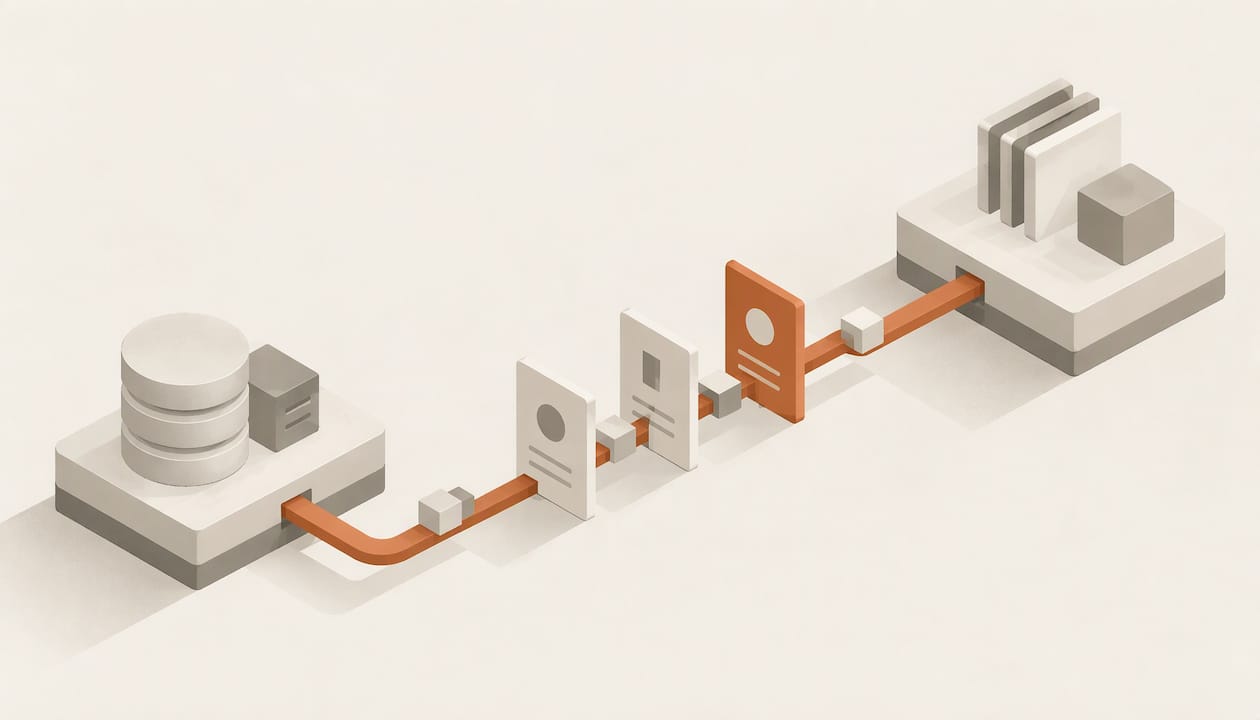
CRM integration automation means two things working together: integration moves data between your CRM and the rest of your stack, and automation acts on that data (updating records, routing leads, sending follow-ups) without a person doing it by hand. Integration without automation gives you synced fields and no action. Automation without integration gives you fast workflows built on partial data. This guide covers what to connect, which workflows to automate first, how to keep records current in real time, and how to roll the whole thing out without damaging your data.
TL;DR
- Integration connects systems so they exchange data automatically; automation executes tasks through triggers, workflows and rules. You need both for the CRM to run without manual entry.
- Connect the systems that hold buying signals and account facts first: marketing automation, email and calendar, support, billing and ERP.
- Automate the repeatable sales work first: lead capture and routing, qualification, follow-up sequences, meeting scheduling, and account prep.
- Prefer event-driven webhooks over polling, assign a source of truth per field, and run any new workflow in a reporting-only mode before it changes records.
- Budget weeks, not days: a mid-market CRM implementation commonly runs 10 to 20 weeks end to end.
Table of Contents
- What CRM integration and CRM automation actually are
- Which systems to connect to your CRM
- Which CRM workflows to automate first
- Keeping integrated data accurate in real time
- A rollout plan that avoids the common failures
- Our perspective
- How Sonta AI approaches CRM integration automation
- FAQ
- Sources
What CRM integration and CRM automation actually are
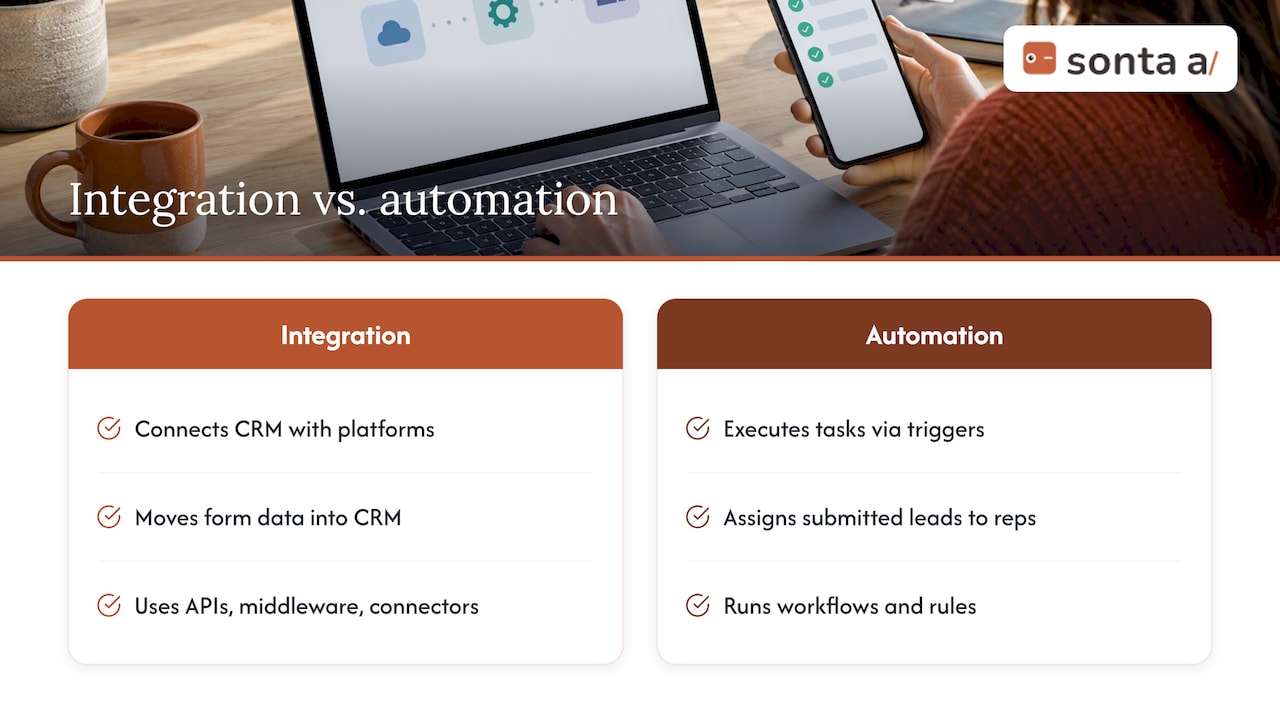
The two terms are often used as if they were one, so it helps to separate them. IBM defines CRM integration as connecting a customer relationship management system with internal or external platforms, applications and data sources so that they can exchange data automatically. The mechanisms are familiar: APIs, middleware, integration-platform-as-a-service tools, or prebuilt connectors that synchronize data and workflows between the CRM and whatever is connected to it.
Automation is a different layer. It is the execution of specific tasks and processes through triggers, workflows and rules, and it can run on its own, though it becomes more powerful when paired with integration. A rule that assigns a new lead to a rep when a form is submitted is automation. The form tool pushing that submission into the CRM is integration. If the form tool is not connected, the rule never fires.
The practical consequence is that the order of work matters. Teams that build workflows first and connect data later tend to automate against incomplete records: a follow-up sequence goes out to a contact who already became a customer, because billing was never connected. Teams that connect everything and automate nothing end up with a very expensive read-only dashboard.
Where the traditional model breaks
Legacy CRMs treat integration as a bolt-on and automation as a rule engine that someone has to maintain. Records only stay accurate when reps type updates, so the ceiling on data quality is the discipline of the least diligent rep. That is the gap an AI-native CRM is built to close: records that update themselves from emails, calls and connected tools, with AI agents handling routine steps. We come back to this in the perspective section below.
Which systems to connect to your CRM
Not every tool deserves a connector. The useful test is whether the system holds a fact or signal that changes what a salesperson does next. Research on connecting a CRM to ERP, customer success, marketing automation and communication tools points to the same split: order and account data, service and renewal signals, buyer intent, and conversation history. Slack’s CRM integration guide lists marketing automation, customer support, ERP, communication tools and billing platforms as the usual candidates for a single source of truth.
| System type | What it contributes to the CRM | Automation it enables |
|---|---|---|
| Marketing automation | Lead source, campaign touches, intent signals | Hand qualified leads to sales; closed-loop reporting |
| Email and calendar | Conversation history, meeting data | Log activity automatically; schedule and confirm meetings |
| Customer support | Open tickets, satisfaction signals | Pause outreach to accounts with open escalations |
| Billing and ERP | Orders, invoices, payment status | Trigger renewal tasks; stop prospecting sequences on paying customers |
| Enrichment and outreach tools | Firmographics, contact data, reply status | Fill missing fields; classify replies and update stage |
| Lead-source monitors | High-intent posts and alerts | Create a lead the moment a signal appears |
The last two rows are where many teams get the most immediate lift, because they feed new, qualified records in without anyone typing. If your signals come from places like social groups or community feeds, webhook-based automation platforms are one common route for pushing those alerts into a CRM.
Start with the questions, not the connectors
Before you open any API documentation, white-board the future state against your current messy one. Write down, per object (lead, contact, account, deal), which system creates it, which systems read it, and which one is allowed to change each field. This single exercise prevents most of the technical errors that show up later as duplicates and overwritten values. For a fuller framework, see our CRM integration strategy guide.
Which CRM workflows to automate first
The highest-value workflows share three properties: they repeat daily, they follow rules a manager could write on one page, and a missed step costs revenue. For sales follow-up and lead qualification, that usually means the following.
1. Lead capture and routing
A web form, chatbot conversation or inbound email creates a record, enriches it, deduplicates it against existing contacts, and assigns an owner by territory, segment or round robin. The integration work is in the capture and the dedupe check; the automation work is the assignment rule and an alert to the owner.
2. Lead qualification
Qualification is where integration and automation pay off most visibly. Marketing automation platforms already do a version of this: Adobe’s Marketo Engage CRM sync passes leads that meet defined criteria to the CRM for sales follow-up, gives real-time updates and a unified lead and account view, and supports closed-loop campaign reporting. In an AI-native CRM the same step can be handled by an agent that reads the inbound message, checks the fit criteria you defined, writes the answers into fields, and routes accordingly.
3. Follow-up sequences
Triggered follow-up covers the first response to a new lead, a reminder after a meeting with no next step, and a nudge when a proposal has gone unopened. Each needs a stop condition (a reply, a booked meeting, a closed deal) read from connected email and calendar data, otherwise automation becomes spam.
4. Scheduling and account preparation
Before a call, an agent can assemble the account’s history, open tickets, recent invoices and latest conversations into a brief. After the call, it can log notes and propose next steps. This is routine work that rarely gets done consistently by hand.
5. Pipeline hygiene
Stage changes driven by evidence (a signed order form, a booked demo) rather than by memory. Stale-deal flags, missing next-step alerts and close-date corrections belong here. Our pipeline stage report and pipeline build guide show how stages and reporting fit together.
If you want ready-made patterns, our modular workflow automation templates break these into components you can combine. Teams adding generative AI to the mix should read the governance-first approach to ChatGPT CRM integration before connecting any model to customer records.
Keeping integrated data accurate in real time
A connected CRM is only as good as its freshness. Three design choices decide whether data stays trustworthy.
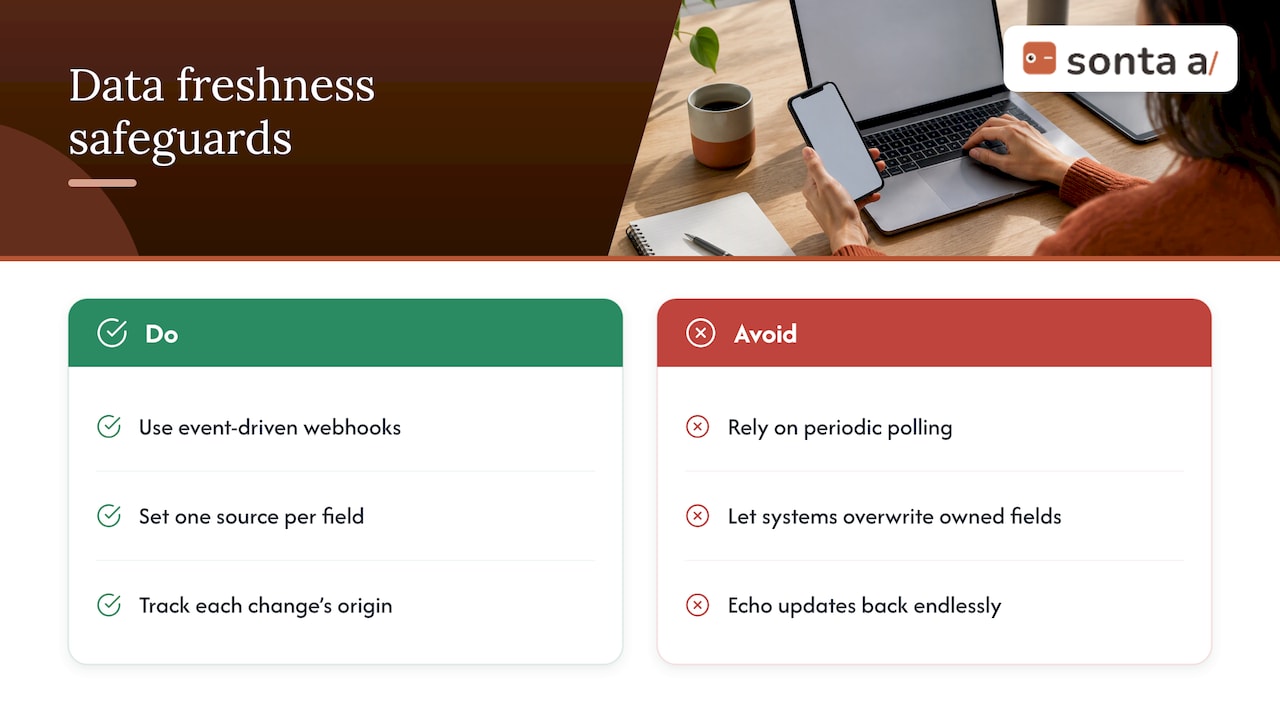
Use events, not polling. Real-time synchronization is most reliably achieved with event-driven webhooks rather than periodic polling, because polling can miss changes between intervals and create race conditions. If a system you need offers only polling, set the interval deliberately and document how stale the data can be.
Assign a source of truth per field. In bi-directional sync, define one source of truth for each field and use field-level conflict detection so one system cannot overwrite data another system owns. Billing owns payment status. The CRM owns deal stage. Marketing automation owns campaign membership. Write the table down and keep it with your integration documentation.
Track origin to prevent loops. The same source describes tracking where each change came from so that an update made by one integration is not echoed back and re-applied endlessly. Without origin tracking, two automations can trade the same value back and forth all night.
For a deeper treatment of freshness targets, see real-time CRM data architecture and freshness SLAs.
Clean before you connect
Syncing dirty data between systems multiplies the mess rather than fixing it. Decide your duplicate rules, required fields and formats first; a guide to CRM data cleanup quality rules walks through setting them before any merge. If you are moving from another system, our data migration practitioner guide covers a dedupe-first phase, and the CSV import guide covers smaller loads.
A rollout plan that avoids the common failures
The standard sequence is consistent across implementation guidance: map users, workflows, data sources and integration dependencies, then move through data cleanup, configuration, integration, QA and user acceptance testing, a staged rollout and ongoing iteration. The same guide puts a mid-market implementation at 10 to 20 weeks end to end, which is a useful planning range rather than a promise for any particular company. For a milestone view by company size, with owners assigned, see our 30/60/90 implementation timeline.
- Map. List users, objects, systems, triggers and owners. Mark which integrations are must-have for day one and which can wait.
- Clean. Deduplicate, standardize formats, retire unused fields.
- Configure and connect. Build the data model and connect one system at a time, verifying field mappings after each.
- Test in counting mode. Before a workflow is allowed to change anything, run it in a reporting-only mode for a week so you can see how many records it would have touched. A rule that would modify 40,000 records when you expected 400 is a rule with a flawed condition.
- Roll out in stages. One team or segment first, with a named admin who owns fixes.
- Iterate. Review exceptions weekly for the first month, then monthly.
Problems to watch for
- Silent overwrites. Two systems both believe they own a field. Fix with the per-field ownership table above.
- Runaway workflows. A loop in conditions triggers thousands of actions. Fix with counting mode and a hard cap on actions per run.
- Duplicate creation. Every integration that creates contacts needs a match rule on a stable identifier, usually email or a domain-plus-name pair for accounts.
- Orphaned automations. The person who built a workflow leaves. Fix with documented owners and descriptive workflow names.
- Metered surprises. Some platforms charge per automation run or AI action, which makes teams quietly avoid automating. Check the pricing model before you design around it.
Our perspective
We built Sonta AI on a simple observation: the ceiling on most CRMs is manual data entry, and integrations only move that ceiling a little. If a rep still has to type the outcome of a call, every connected tool downstream inherits a gap.
Our approach is that every record updates itself in real time, driven by customizable AI agents that orchestrate routine sales work, using models chosen per task. The agents handle lead qualification, customer follow-up, account prep, scheduling and pipeline management, and you configure them with workflow builders to match your own sales motion rather than a generic one.
We also do not meter AI or automation usage. That is a design decision: when each automated action carries a bill, teams ration automation, and the CRM drifts back toward manual work. For GTM teams in real estate, recruitment, auto retail and professional services, we ship industry blueprints so integrations and workflows start from a model that already fits the business.
Our advice for anyone planning integration automation is to decide who owns each field, connect fewer systems with higher signal, and let agents write to the record instead of people. Our AI-native architecture page explains how this works inside the product.
Pavel
How Sonta AI approaches CRM integration automation
Sonta AI is an AI-native CRM for sales teams and GTM organizations. It combines self-updating records, AI agents for qualification, follow-up, account prep, scheduling and pipeline management, integration with multiple AI models, and configurable workflow builders. You can see how agents operate with staged autonomy, so you decide how much each agent may do on its own.

Plans start at $16 per month per seat for Solo, $28 for Core and $65 for Pro, with Enterprise priced on request; see the pricing page for what each includes. Migration and data modelling starts at $2,500 one-off, a workflow build sprint at $5,000 one-off, and a full implementation programme at $8,000 one-off. If you are not sure where your stack is leaking time, the AI Efficiency Diagnostic gives you actionable insights in 30 minutes into operational leakages and how to optimize your tech stack. For a ready-made starting point, browse the available blueprints.
FAQ
What is the difference between CRM integration and CRM automation?
Integration connects systems so data flows between them through APIs, webhooks, middleware or prebuilt connectors. Automation executes tasks through triggers, workflows and rules, such as assigning a lead or sending a follow-up. Automation can run alone, but it works best on integrated data, because rules need complete, current records to make good decisions.
Which integrations should I set up first?
Start with the systems that hold buying signals and account facts: email and calendar, marketing automation, and billing or support. These give the CRM conversation history, intent and account status, which are what follow-up and qualification workflows depend on. Add ERP, enrichment and outreach tools once the first connections are stable.
How long does a CRM integration project take?
A mid-market CRM implementation commonly runs 10 to 20 weeks end to end, including discovery, data cleanup, configuration, integrations, testing and staged rollout. Smaller teams with a few connections can move faster, especially when they start from a prebuilt blueprint. Our implementation timeline breaks the work down by company size.
How do I stop automations from damaging my data?
Run each new workflow in a reporting-only mode for about a week before it can change records, define a source of truth per field, and track the origin of every change so updates do not loop. Assign a named owner to each workflow so someone is responsible for fixing exceptions.
Sources
- What Is CRM Integration? | IBM
- How to Automate Your Integration for Smarter Workflows
- Deep Connectors for CRM, ERP & Enterprise Systems (2026)
- CRM Integration: Benefits, Types, and Best Practices | Slack
- The 3 Biggest CRM Integration Mistakes (and How to Avoid Them)
- Streamline your sales and marketing efforts with Adobe Marketo Engage CRM Sync
- Change Data Capture (CDC) for CRM Syncs
- Real-Time Sync Between Microsoft Dynamics 365 Sales and HubSpot
- CRM Implementation Guide (2026)
- Workflow Automation in a CRM: The Loop That Bites
- CRM Data Cleanup: Set Quality Rules Before You Merge
- Send Facebook Page Posts to Zapier, Make.com & Automation Platforms